Solution for external Flicker fixer?

  • Thread starter Thread starter Harrison
  • Start date Start date
  • Replies Replies 814
  • Views Views 312618
Basically you can switch the input source between HDMI and SCART. Then you can switch output resolutions. And finally you can toggle 50/60 Hz mode but this only seems to work in 640x480. Once set to 50Hz mode then you can cycle through resolutions some of which appear to be 50 and other 60 Hz. A bit odd I know, but that is how it is. The only other mode I got to work in 50Hz was 1080p.

HTH
-(e)

So there is a 640x480 output mode? You are not talking about 720p? :)
 
Basically you can switch the input source between HDMI and SCART. Then you can switch output resolutions. And finally you can toggle 50/60 Hz mode but this only seems to work in 640x480. Once set to 50Hz mode then you can cycle through resolutions some of which appear to be 50 and other 60 Hz. A bit odd I know, but that is how it is. The only other mode I got to work in 50Hz was 1080p.

HTH
-(e)

So there is a 640x480 output mode? You are not talking about 720p? :)

There are several modes:

  • 640x480
  • 800x600
  • 1280x720 (I think)
  • 1280x1024
Pressing one of the buttons cycles through these modes.

-(e)
 
Basically you can switch the input source between HDMI and SCART. Then you can switch output resolutions. And finally you can toggle 50/60 Hz mode but this only seems to work in 640x480. Once set to 50Hz mode then you can cycle through resolutions some of which appear to be 50 and other 60 Hz. A bit odd I know, but that is how it is. The only other mode I got to work in 50Hz was 1080p.

HTH
-(e)

So there is a 640x480 output mode? You are not talking about 720p? :)

There are several modes:

  • 640x480
  • 800x600
  • 1280x720 (I think)
  • 1280x1024
Pressing one of the buttons cycles through these modes.

-(e)

But what does it do with 4:3 outputs on a 16:9 TV? ;)
 
Has anyone tried this with an HDMI to VGA cable? My monitor does not have a HDMI or DVI, so I was thinking of using one of these: http://www.ebay.com/itm/390566024340
That cable will do diddly sqat with 99% of HDMI devices as HDMI is digital not analogue like VGA.

If you only have VGA inputs then the GBS8220 is a better option for you!

---------- Post added at 10:18 ---------- Previous post was at 10:15 ----------

But what does it do with 4:3 outputs on a 16:9 TV? ;)

  • 640x480
  • 800x600

These two are 4:3 modes - on your TV you will have an "aspect" button that should allow you to display 4:3 signals properly without turning them into stretcho-vision.
 
Ahh b*gger, I already ordered the HDMI convertor box, if I used a HDMI to DVI and then DVI to VGA .... hmm maybe that might result in a crappy picture quality?
 
Ahh b*gger, I already ordered the HDMI convertor box, if I used a HDMI to DVI and then DVI to VGA .... hmm maybe that might result in a crappy picture quality?

Why dont you just buy a cheap 2nd hand 17"-19" LCD screen with DVI-D?
 
If any of you guys buying the SCART to HDMI Converter could test it with a Neo Geo AES? I've been after a good one for ages but gave up on them at the time. I'm hoping they have improved a bit.
 
Got the adapter today and did a quick test .... actually its pretty damn good, I would go as far as saying it is a clearer picture than my Indivision which doesn`t make sense lol. This is a great option!
 
Great to hear, Im looking forward to mine arriving. :)

Are you using the AmigaKit Amiga-SCART cable with yours?
 
If any of you guys getting this new converter can test it with a console that outputs a 240p signal to see how it handles it, id be very grateful :-)

Sent from my Xperia Z
 
Hi guys, can you tell me the difference in picture quality between the scart to hdmi converter your referring to and this kanaan scart to hdmi converter i purchased and reviewed last year https://www.amibay.com/showthread.php?t=31697

Maybe time to put up some pics so we can compare
 
Ah yes i know about 4:3 and 50/60 hz but i was more interested in direct comparisons of picture quality.

Who is the actual manufacturer of this box?
 
Those with NTSC amigas (no scart) is the 8220 the best external solution still?

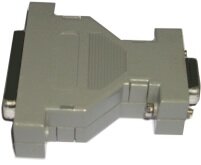
Wondering about the easiest way to connect it to an amiga. It looks like it has a db15 input , could you use a amigakit db23 to db15 adaptor then a short standard vga cable to the 8220?
 

Attachments

  • image.jpg
    image.jpg
    3.8 KB · Views: 5
Last edited:
Being tight on money I bought a cable from eBay from a fella in Greece, the cable seems to be pretty good quality, I think it was £7.00. At the moment I have just plugged in the adapter into my Sharp 32" and the picture quality was good as was the sound. I`m just waiting for my DVI cable to arrive then this weekend I will buy a second hand monitor and will try it out. I plan to do a full review with photos on my amiga blog - www.amigauser.org :)

Great to hear, Im looking forward to mine arriving. :)

Are you using the AmigaKit Amiga-SCART cable with yours?
 
Back
Top Bottom