Tapuino, the $20 C64 Tape Emulator

  • Thread starter Thread starter sweetlilmre
  • Start date Start date
  • Replies Replies 1059
  • Views Views 299319


in this video I compile the file for tapuino.
I have had a problem.
as seen in the video I compile but I have an error with the file integer.h.
I must rename the integer file.h to Integer.h.
if I do this the compilation it works.
is it normal this way?

thanks
 
Last edited:
Yes, this is a Linux / windows filename case issue (I compile on Windows). I will fix it when I return home. Thanks for letting me know.

-(e)
 
you excuse me, but I have not ended the post.
if I rename the file Integer.h before giving the command for the compilation, the program me from error integer.h not found.
I must rename Integer.h in integer.h.
if before compiling her/it The and great after the program I from error must write her/it small and the program works well if her the and small after l error I must rename her/it The great one and the program he/she works well.
 
any good news for rotary encoder?

Hi,

There is a new branch in GIT called 'encoder_test'. Pull that and #define USE_ROTARY_ENCODER in your config-user.h.
Connect an encoder up with common to GND and the 'left' and 'right' pins to the PREVIOUS and NEXT inputs (PIN C1 and C0).
Let me know. I don't have an encoder wired up to the Tapuino but this worked in stand alone testing.

-(e)
 
I get an error:

Arduino: 1.6.5 (Windows 7), Platine: "Arduino Nano, ATmega328"


In file included from comms.c:5:0:
comms.h:13: error: expected '=', ',', ';', 'asm' or '__attribute__' before 'void'
void comms_setup();
^
expected '=', ',', ';', 'asm' or '__attribute__' before 'void'
 
I get an error:

Arduino: 1.6.5 (Windows 7), Platine: "Arduino Nano, ATmega328"


In file included from comms.c:5:0:
comms.h:13: error: expected '=', ',', ';', 'asm' or '__attribute__' before 'void'
void comms_setup();
^
expected '=', ',', ';', 'asm' or '__attribute__' before 'void'

In the example config-user.h file I forgot to put #define in front USE_ROTARY_ENCODER so change:

USE_ROTARY_ENCODER

to:

#define USE_ROTARY_ENCODER

Don't get too excited though, it doesn't work yet.
-(e)
 
Last edited:
Hi,

If you pull now, it should work. Not my finest hour, bit of a hack job to be honest, but I have soldered on an encoder and this seems to work effectively.
-(e)
 
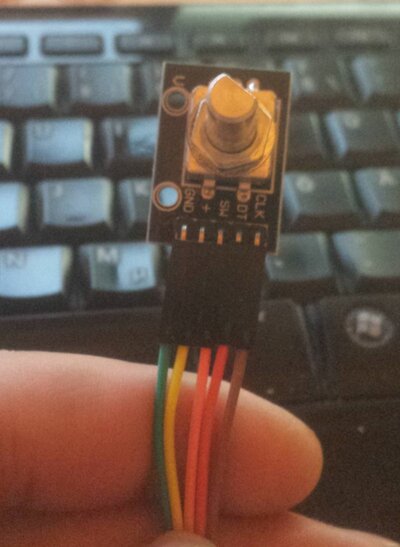
What nind of Encoder do you use? I´ve only KY-040
It has CLK, DT and SW
 

Attachments

  • 122.jpg
    122.jpg
    83.9 KB · Views: 3
Last edited:
Okay glad it worked. Please test out the functions and if it's all good I will merge the code back into the master branch.

-(e)
 
I´ve got 2 Problems.

First is that there is no back func. If you are in Options you cant go back. I think it will a option to press for a long time to go back.

The second could be my fault. I made a new board. But for now the Commodore finds no program after pressing play. The screen goes blue and the percentage go up till 100% without stopping.
In previous Version I made the Program found screens came after a few seconds and the motor grafic stops at the moment.

But this time nothing happens. I checked the Read line. It has physical connection. What I have not connected is the write line, cause is useless for me. Nothing to record.
 
The back function is ABORT and requires another button. The long press on SELECT is already used. As for the lack of loading, it does sound like no data.. Have you not inadvertently swapped your read/write lines?

-(e)
 
It´s running now. But I dont know why. I used a Connector for the port for testing and it was running. After that I used the soldered cable on the mainboard it was running.

- - - Updated - - -

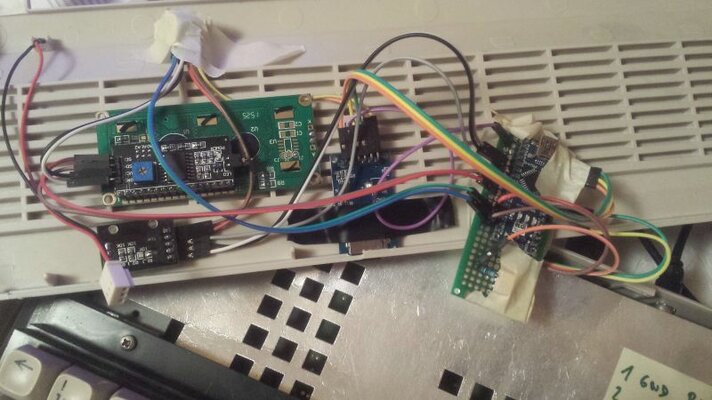
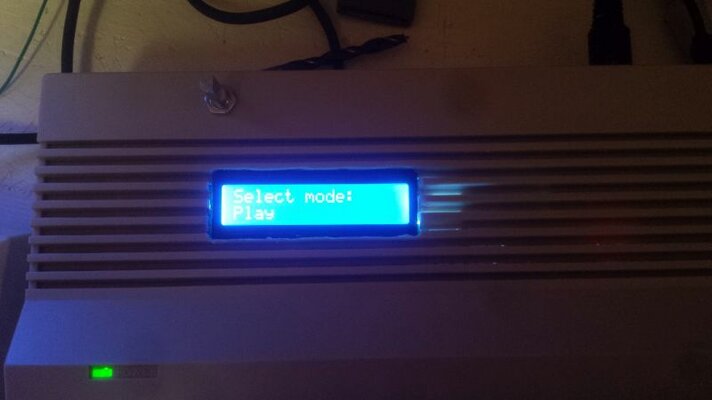
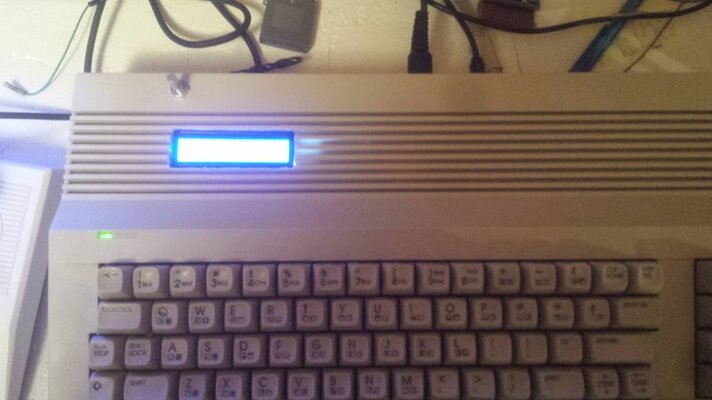
few photos 20160110_210800.jpg20160110_211105.jpg20160110_211120.jpg20160110_211136.jpg


I must check the Arduino again, its get very very hot and the c64 resets after that. it´s smelling
 
with the suggestion of giuseppe I have made other tests.
I have converted file prg in tap with the program wav-prg.
I attach a video that shows as I have made this conversion.
giuseppe uses as I level I upset 110, but with tapuino 110 don't work.
the maximum limit with which tapuino goes is 140.
with 140 loaded pistop2 in 20 numbers while with action loaded replay in 47 numbers. with 110 tapuinos a load error on the first file that it loads.
I hope both useful this video of mine

<span class="transpan"><span style="background-color: rgb(239, 239, 239);" id="tran6">

caricamento 1942 con turbo 130 con errore in gioco non funziona


caricamento 1942 con turbo a 138
 
Last edited:
This is very useful information.

In my tests under Vice, I can go as low as 110 for 1942 (1986)(Elite).prg.
Anything lower and it fails, so the Tapuino should probably be able to handle this rate, although the difference between 110 and 140 is minimal in terms of load time.

At some point I need to rewrite the firmware starting with a very simple and efficient load and save block and get to the bottom of the performance issues.
Thanks
-(e)
 
the difference among 110 and 140 is least.
tapuino works very well to 140 it is very fast

hi I have a problem with my tapuino 1.7 I connect the tapuino to the c64 and load the games but if I connect the c2n to the tapuino I cannot transfer the taps from the tapuino to the c2n.
in a video on youtube it transfers arkanoid with this procedure.
he presses play and record, write the load and presses play on tapuino.
he loads the game on the c64.
if I make this procedure I press record and play but when I write load the screen it becomes blue and I give the play on tapuino it doesn't load the game and it doesn't transfer the game.
with the c2n connected to the tapuino I can record and load program from the c64 to the c2n but I don't succeed in transferring tap from the tapuino to the c2n

I have planned inverter to 1 and it don't work.
I have planned inverter to 0 and it doesn't work
thanks for help
you excuse me I use translator on line
 
Last edited:
Back
Top Bottom