USB on an A1200

  • Thread starter Thread starter mike_cc
  • Start date Start date
  • Replies Replies 31
  • Views Views 2197
But if your goal is to tie the DISK READY signal to ground, surely Pin 1 (being a ground pin n'all) is precisely the right thing? Or is that not what's going on here.

Sorry to put the cat amongst the pigeons here, but I just think it's worth clarifying.
 
Now that AE is working nicely (albeit at serial speeds - whoosh!), thanks guys, this is less of an issue.

However, I've been reading about the UFE and the HxC and either way I think SD is the way to go. UFE looks a much more capable device but HxC seems have better implementation, not least of which is that it's available!

The other thing is that I'm reconditioning an A500 for my nephew to play on and I don't want him to have to use floppies. I reckon an A500 with floppy emulator, pre-loaded with a stock of decent games and education software would be a pretty nice Christmas pressie from uncle mike.

:bounceBoingBall:
 
If this device is designed to be able to replace Korg floppy drives, I would suspect that it should be capable of at least writing FAT16 data, as that would be a basic requirement for that application.

Does this device only allow one floppy image per usb stick? I can not see how it would allow you to select a different one.

---------- Post added at 11:56 ---------- Previous post was at 11:51 ----------

(writing FAT16 data on a Korg or PC that is. Writing on an Amiga is an entirely different matter).
 
If this device is designed to be able to replace Korg floppy drives, I would suspect that it should be capable of at least writing FAT16 data, as that would be a basic requirement for that application.

Does this device only allow one floppy image per usb stick? I can not see how it would allow you to select a different one.

---------- Post added at 11:56 ---------- Previous post was at 11:51 ----------

(writing FAT16 data on a Korg or PC that is. Writing on an Amiga is an entirely different matter).

Yeah, that's a really good point, and I kind of leapt before I looked...

We'll soon see, once it has circumnavigated the globe 8x, I'll have it and I can check. I'm due some good luck though, after the scanner failed to work and my external zip drive wouldn't connect (to the PC, in fairness, so it's not that related). Obviously there is a big difference between a dedicated designed computer floppy drive replacement (HxC, UFE) and what looks like a grudging compromise designed to solve a problem (what I ordered :)).
 
If you are only concerned with file transfers to and from the PC then i'd hands down +1 on what Merlin says; buy an EasyADF PCMCIA adapter. When I got back into using my Amiga, it was the bridge away from frustration street into happy fun street. Its very easy to install and use. Only gripe is that the bundled ADF transfer program doesn't warn you of duff floppy disks, it just stops transferring (the clue is it doesn't take as long as normal to transfer), but if you do want to convert ADF's to real floppies at any point there are other programs that can do it for you.
 
@mike_cc

Your USB-drive is working on Amiga ??
 
Last edited by a moderator:
@mike_cc

Your USB-drive is working on Amiga ??

No, not yet, I still have no USB hardware and need to get the Subway clock port USB device.

The USB I have ordered (and I'm waiting for) is a 3.5" Floppy drive replacement which accepts flash memory instead of disks. Erm...I think!

We'll see when it arrives, some time in 2056.

:)

Edit:

Found a couple of vids on utub which show something similar to what I'm getting:

http://www.youtube.com/watch?v=xTCWou8o_jw&feature=related

http://www.youtube.com/watch?v=qXRT32Ulxyg&feature=related

I think the ipcas one is very expensive compared to the knock off version I'm getting. Hoping it's as good!
 
Last edited:
Okay dokey, hold on to your hats.

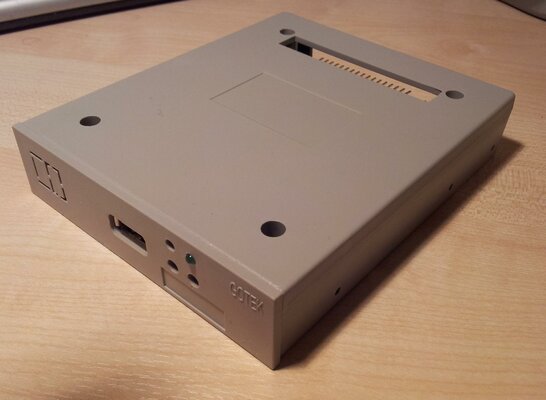
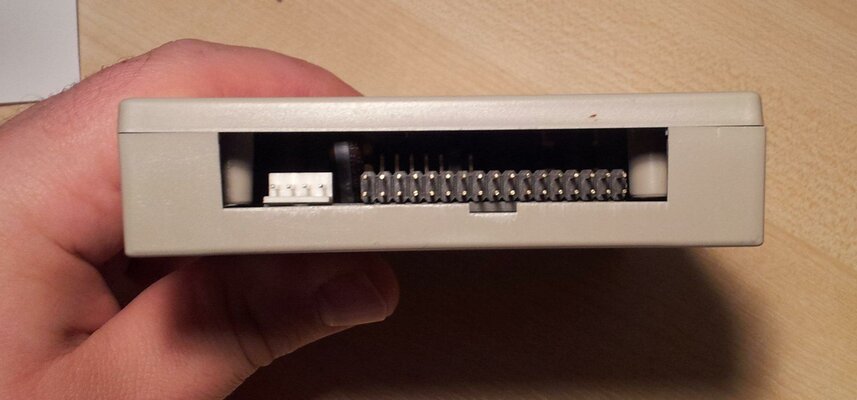
I've taken a few pics of the device that just dropped on the mat today (yay) and which I'm as yet too scared to plug in.

It's come with a bit of software, some of which appears to work and other which has a font (language) which my computer doesn't speak, so all the text is in little squares instead of letters.

First up - the model shot:
attachment.php

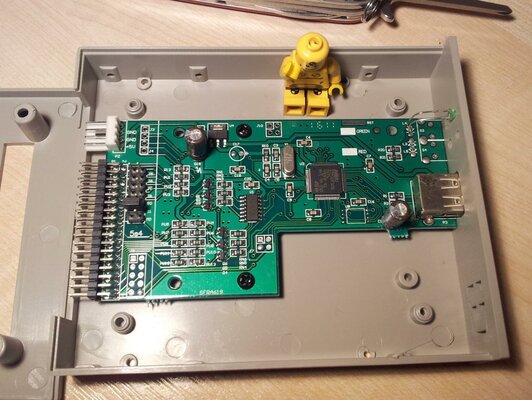
Then the gory insides:
attachment.php

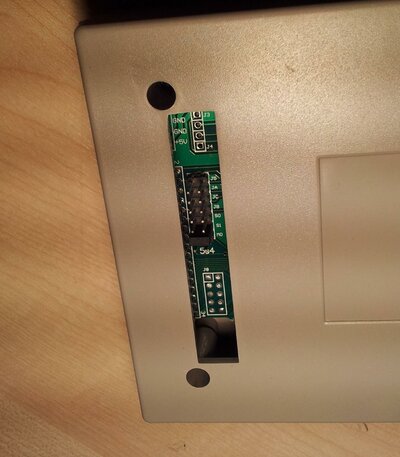
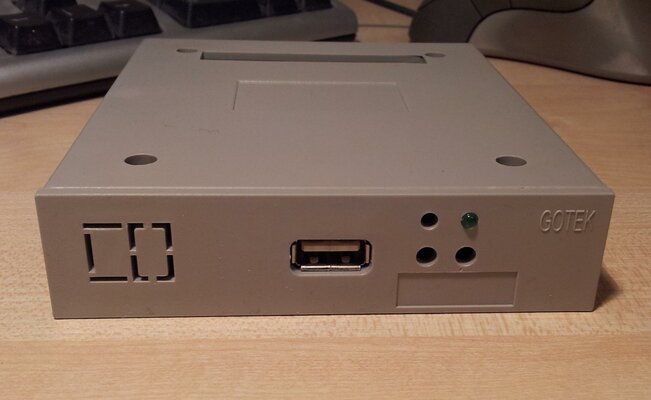
One or two gratuitous poses:
attachment.php

attachment.php

attachment.php

Coulda been a hand model for sure...

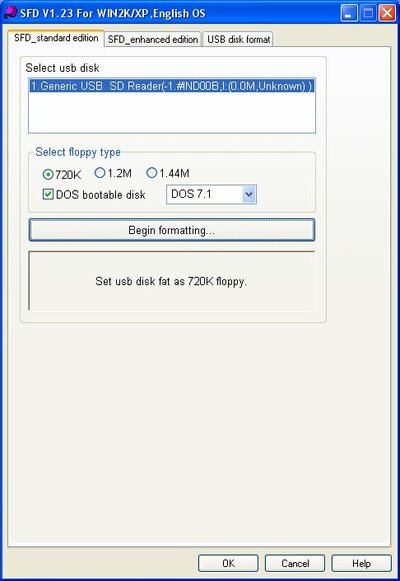
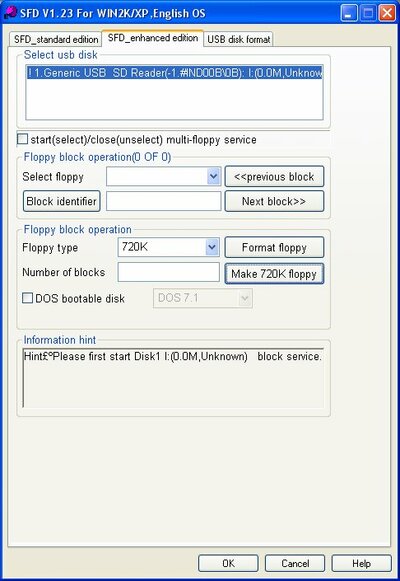
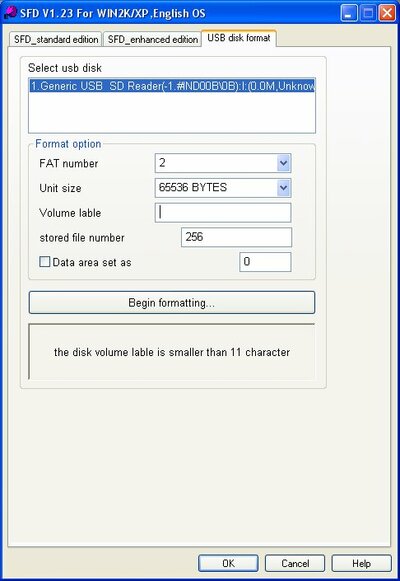
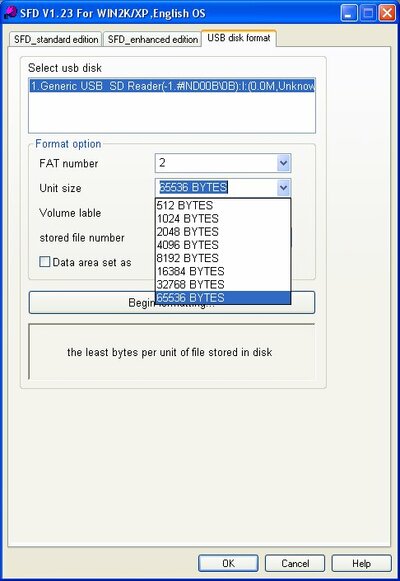
Now for the software screenshots:
attachment.php

attachment.php

attachment.php


and one with the drop down sizes shown:
attachment.php


there's also a pdf or two on the disk, such as this one:

View attachment U100 version.pdf

So, how about wire it up for an Amiga, plug in a 100Mb USB stick and use the Amiga to partition it as 100 880kb drives? Sound right?
 

Attachments

  • Model_shot.jpg
    Model_shot.jpg
    187.6 KB · Views: 9
  • Gory guts.jpg
    Gory guts.jpg
    196.1 KB · Views: 12
  • 2011-11-22 21.39.15.jpg
    2011-11-22 21.39.15.jpg
    185.2 KB · Views: 6
  • 2011-11-22 21.41.18.jpg
    2011-11-22 21.41.18.jpg
    183.8 KB · Views: 6
  • 2011-11-22 21.40.32.jpg
    2011-11-22 21.40.32.jpg
    162.5 KB · Views: 6
  • Software01.jpg
    Software01.jpg
    40.3 KB · Views: 7
  • Software02.jpg
    Software02.jpg
    55.9 KB · Views: 7
  • Software03.jpg
    Software03.jpg
    43 KB · Views: 7
  • Software04_dropdownsizes.jpg
    Software04_dropdownsizes.jpg
    48 KB · Views: 7
I've tried to get it to work briefly with my pc but nothing was detected. I am a bit underwhelmed to be honest.

Admittedly I did my 'jump in feet first' bit and ordered the first (and cheapest) solution I could find on fleabay. Since then I've done some reading on the documentation that came with the device. It thinks it has a lovely two character 7 segment led on the front, plus two indicator leds and two push buttons to select disks. In reality, all it has is an indicator led (and obviously a usb port).

I'm not really sure what use this will be. It feels like they sent an incomplete or kit product that I'm supposed to finish off using 3rd party components. The only other things I can imagine are the issue are that because it's a "Korg floppy emulator" that Korg keyboards only ever need 1 floppy. Or that the provided software deals with disk changing.

Potential solutions:

1. Throw it in the bin, it was a waste of money, stop wasting time.
2. Use the magical internet to find pictures of a fully populated board and solder on the missing components (all of which, from what I can tell, are generic and easily sourced).
3. Play about with the supplied software to see if there is an on screen solution which makes box side controls a moot point.
4. Speak with the king of the potato people.


I think I'll focus on solutions 2 and 3.
 
A while ago I tried a similar unit on an Amiga...

I was only able to access it with CrossDos, not with FastFileSystem, so no booting functionality on an Amiga. Seems the firmware only manages MS-DOS filesystem (FATxx)

Another drawback, was that it was a big waste of an USB drive: I used a 1GB pendrive, but the device only used pendrive space to hold 10 x 1.44MB flopyy drives, the rest of the pendrive remained disabled for further for floppy emulation usage.

PS: The Amiga was using Steady´s pc floppy adapter
 
A while ago I tried a similar unit on an Amiga...

I was only able to access it with CrossDos, not with FastFileSystem, so no booting functionality on an Amiga. Seems the firmware only manages MS-DOS filesystem (FATxx)

Another drawback, was that it was a big waste of an USB drive: I used a 1GB pendrive, but the device only used pendrive space to hold 10 x 1.44MB flopyy drives, the rest of the pendrive remained disabled for further for floppy emulation usage.

PS: The Amiga was using Steady´s pc floppy adapter

That's good information dude thanks. But couldn't the same ways of making a pc drive work on the amiga, be used here? No, that's not going to work is it.

Ok, I think this is going to be a far back bench project, I might dig it back out in a few years and laugh at how I wasted good money on an untested, unsuitable product. Grrrrr.

My biggest annoyance though is the way it doesn't have the expected functionality on the front, ie: the buttons to change disk, the segment display to show which disk etc. Those functions are included in the board I'm sure but the components just aren't physically there. I might try adding them but I've got a lot more urgent things to do with my time so yeah, in a while!


Time for sub of the day I think!:thumbsup:
 
Fast forward to 2023 and I'm about to install a Gotek for the first time. 100Mb thumb drive, anyone?
 
Back
Top Bottom