2mb Upgrade working with stock ACA500 setup :D

  • Thread starter Thread starter fitzsteve
  • Start date Start date
  • Replies Replies 10
  • Views Views 4357

fitzsteve

Retired Slacker
Assistant
AmiBayer
Joined
Aug 19, 2009
Posts
20,777
Country
UK
Region
Sevenoaks
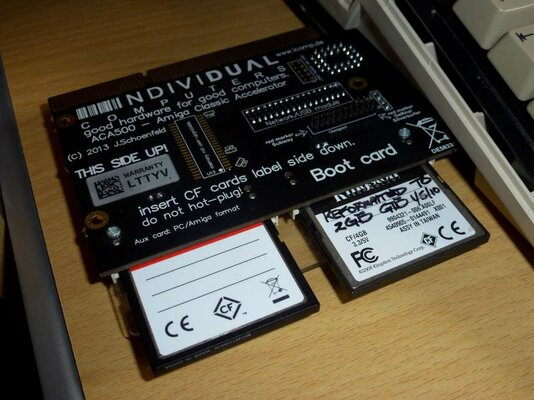
A while ago for financial reasons I had to let my ACA1232 go so my A500+ has been getting by with just 2mb chip and 2mb fast from the ACA500, whilst the ACA500 gives the A500 a nice little boost and things like the quit key work you don't get the full speed benefits without using Maprom and then you lose 512k of the ACA's Ram, thus leaving you a little short when it comes to gaming.
P1070222-1024.jpg

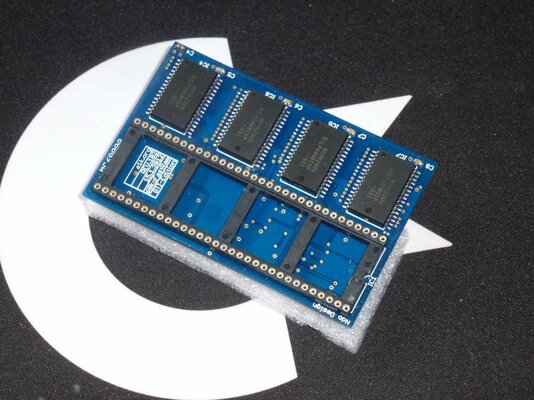
Well I have a little solution, bought right here on Amibay :smile:
P1070219-1024.jpg

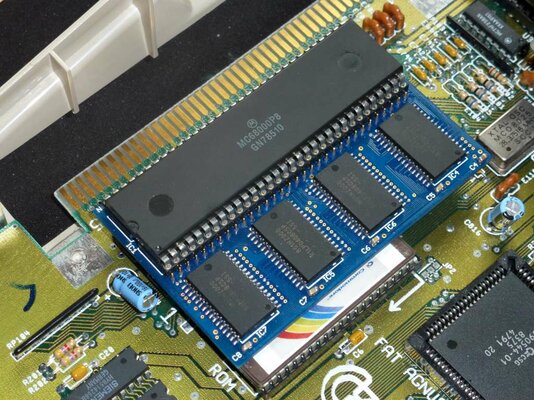
This 2mb upgrade plugs into the CPU socket, so requires that you open you A500 and install it. Since I had my own CPU and did not want the 68010 that these were being shipped with I asked for a socket instead, this is because I use the 14mhz CPU on the ACA500, I've found that the CPU in a socket will touch the Keyboard but I think still the case should just about close. If not some modification will be needed (cut a slot on the keyboard plate) or of course solder the CPU directly to the Memory board.
P1070220-1024.jpg

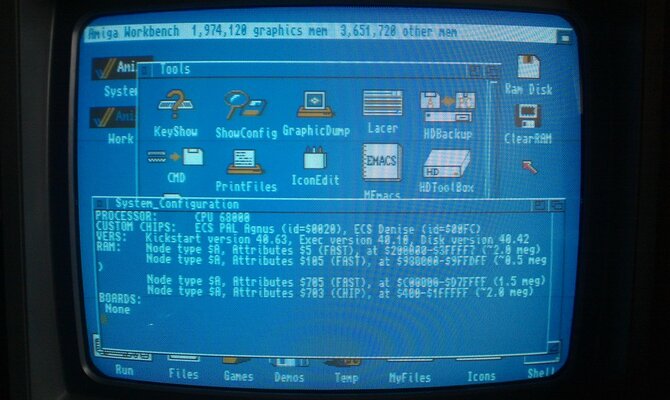
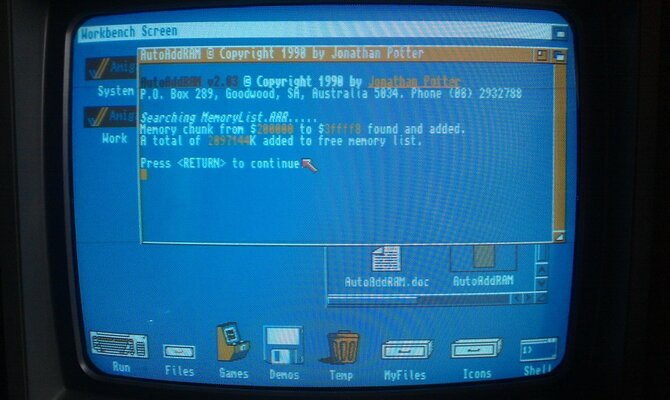
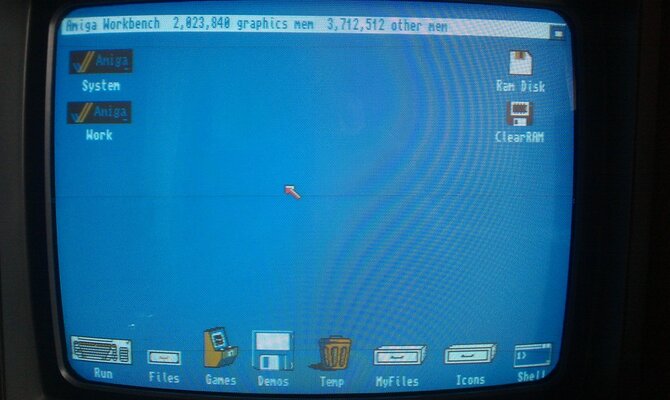
Memory is added to the free memory pool with AutoAddRam tool by Jonathan Potter, I used address 200000 3ffffe which as you can see add's the extra 2mb Fast Ram.
IMAG1114.jpg

IMAG1116.jpg

Show config:

IMAG1118.jpg

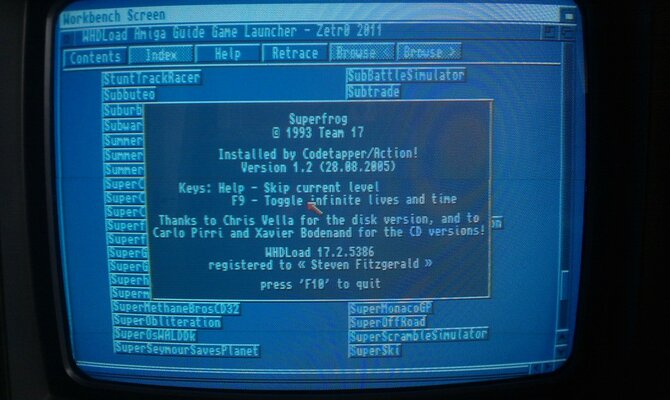
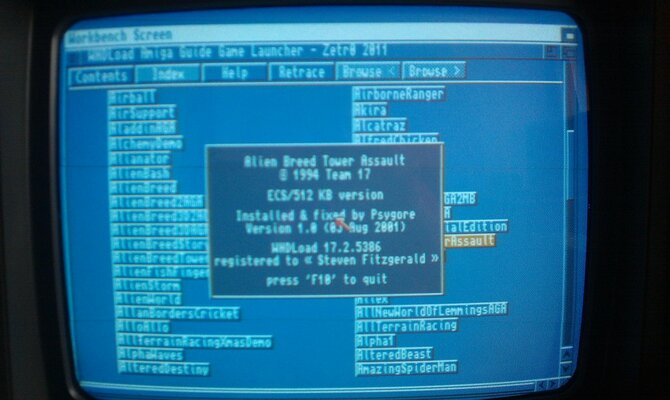
And tested with a couple of multi-disk WHDLoad Games + Preload:
IMAG1119.jpg

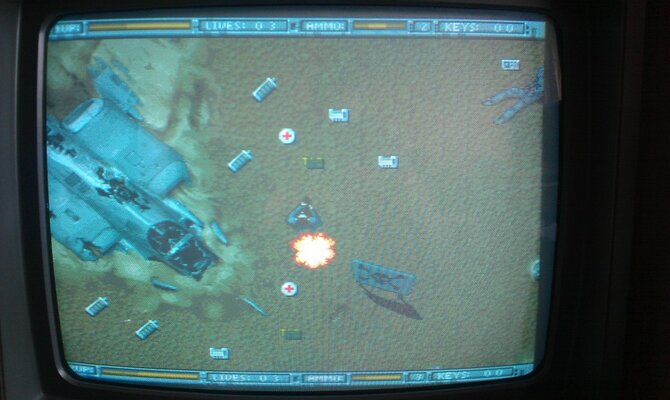
Alien Breed Tower Assult

IMAG1125.jpg

IMAG1126.jpg

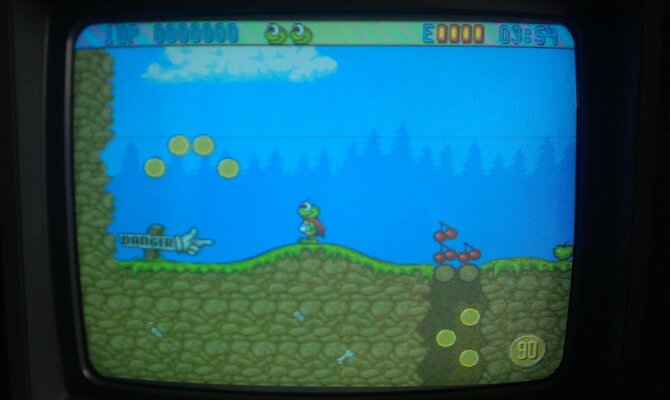
\o/ Superfrog!

IMAG1132.jpg


All works great :D
 
Last edited:
nice mate,it's good to see these are still useful on a budget.

most games will work in 4mb of fast anyway wont it?
 
nice mate,it's good to see these are still useful on a budget.

most games will work in 4mb of fast anyway wont it?

Yeah 4mb is fine for most WHDLoad Games, big games on 5+ Disks will swap to HDD to load during Game but up to 4 Disks should be fine.

As you know the ACA only had 2mb Fast Ram -512k if you use Maprom so 1.5mb fast + 1-2mb chip is cutting it fine for even some 2 Disk Games, the extra 2mb is therefore invaluable.

I had pretty decent results before using a 2mb Chip 2mb Fast config (Maprom disabled as I have 3.1 Rom in socket) but Maprom really speeds up the OS functions so I really wanted the extra Ram to be able to use it and comfortably enjoy WHDLoad Games, for this machine the ECS Games catalog are mostly 1-3 Disks and as I use the CRT screen I'm enjoying scrolling Games like Jim Power.

Oh and by the way, case closes fine even with the keyboard touching the CPU :D
 
Last edited:
so is this different from kipper2k 4mb/8mb boards ?

I was hoping someone with an ACA500 and one of kippers 4mb/8mb boards could see if the 14mhz + ram + cf slots where compatible.
 
so is this different from kipper2k 4mb/8mb boards ?

I was hoping someone with an ACA500 and one of kippers 4mb/8mb boards could see if the 14mhz + ram + cf slots where compatible.

Yes this is non auto config Ram so you can put it at an address compatible with the ACA500, AFAIK the Kipper ones do not work with the ACA500 so this seems to be the only option at the moment to add any extra Ram without an ACA12xx, I bought it here:

https://www.amibay.com/showthread.php?52449-2-mega-fastram-with-68010-soldered
 
it's just a darn shame Jens could not simply add 4mb to the ACA500, problem sovled, but no wait, 4mb on ACA500 would harm ACA12xx sales :mad:
 
A 4mb version would have been nice and I'd have paid a little extra for it, but he didn't make one so we're stuck with what we have.

The SDRAM is quite expensive so the extra cost would have been at least the same as this expansion.

It's nice we have options without buying an ACA12xx now :)
 
but an all in one tidy product would have been much better, the cost of the ram is nonsense, if Jens's had a 2mb or 4mb version with appropriate pricing then there is the choice, as it now the only official choice is an ACA12xx addon :mad:

I get Jen's is making new products for Retro computers but what I hate is the "Hero" worship which he uses for his own ends making on purpose crippled products to gain further sales.

the difference in cost and the type of buyer just doesn't make sense to me, why save less than a few Euro's to get a slower product ?

Where are the ACA1240 or ACA1260 ?? they will arrive when sales slow of his ACA1220 - ACA1230 range.

He has more versions and pricing of his ACA12xx products than Microsoft has version of windows and upgrades

[TABLE="class: wikitable sortable jquery-tablesorter"]
[TR]
[TD]ACA1220-16[/TD]
[TD="bgcolor: white"]3320[/TD]
[TD="bgcolor: white"](upload pending)[/TD]
[TD="bgcolor: white"]128 MByte[/TD]
[TD="bgcolor: white"]11.8 / 17.7 MB/s[/TD]
[TD="bgcolor: white"]no[/TD]
[TD="bgcolor: white"]89,90 EUR[/TD]
[TD="bgcolor: white"]discontinued per apr-2014[/TD]
[/TR]
[TR]
[TD]ACA1220-20[/TD]
[TD="bgcolor: white"]3998[/TD]
[TD="bgcolor: white"](upload pending)[/TD]
[TD="bgcolor: white"]128 MByte[/TD]
[TD="bgcolor: white"]14.2 / 21.3 MB/s[/TD]
[TD="bgcolor: white"]no[/TD]
[TD="bgcolor: white"]99,90 EUR[/TD]
[TD="bgcolor: white"][/TD]
[/TR]
[TR]
[TD]ACA1220-25[/TD]
[TD="bgcolor: white"]4266[/TD]
[TD="bgcolor: white"](upload pending)[/TD]
[TD="bgcolor: white"]128 MByte[/TD]
[TD="bgcolor: white"]17.6 / 21.4 MB/s[/TD]
[TD="bgcolor: white"]no[/TD]
[TD="bgcolor: white"]109,90 EUR[/TD]
[TD="bgcolor: white"][/TD]
[/TR]
[TR]
[TD]ACA1220-33[/TD]
[TD="bgcolor: white"]5712[/TD]
[TD="bgcolor: white"](upload pending)[/TD]
[TD="bgcolor: white"]128 MByte[/TD]
[TD="bgcolor: white"]23.6 / 28.8 MB/s[/TD]
[TD="bgcolor: white"]no[/TD]
[TD="bgcolor: white"]129,90 EUR[/TD]
[TD="bgcolor: white"][/TD]
[/TR]
[TR]
[TD]ACA1220-40[/TD]
[TD="bgcolor: white"]6867[/TD]
[TD="bgcolor: white"](upload pending)[/TD]
[TD="bgcolor: white"]128 MByte[/TD]
[TD="bgcolor: white"]28.3 / 34.5 MB/s[/TD]
[TD="bgcolor: white"]no[/TD]
[TD="bgcolor: white"]-,-- EUR[/TD]
[TD="bgcolor: white"]not officially sold (overclocked)[/TD]
[/TR]
[TR]
[TD]ACA1232-20[/TD]
[TD="bgcolor: white"]4553[/TD]
[TD="bgcolor: white"](upload pending)[/TD]
[TD="bgcolor: white"]128 MByte[/TD]
[TD="bgcolor: white"]13.3 / 21.3 MB/s[/TD]
[TD="bgcolor: white"]yes[/TD]
[TD="bgcolor: white"]-,-- EUR[/TD]
[TD="bgcolor: white"]not officially sold[/TD]
[/TR]
[TR]
[TD]ACA1232-25ec[/TD]
[TD="bgcolor: white"]5708[/TD]
[TD="bgcolor: white"](upload pending)[/TD]
[TD="bgcolor: white"]128 MByte[/TD]
[TD="bgcolor: white"]16.6 / 26.7 MB/s[/TD]
[TD="bgcolor: white"]no[/TD]
[TD="bgcolor: white"]119,90 EUR[/TD]
[TD="bgcolor: white"][/TD]
[/TR]
[TR]
[TD]ACA1232-25[/TD]
[TD="bgcolor: white"]5708[/TD]
[TD="bgcolor: white"](upload pending)[/TD]
[TD="bgcolor: white"]128 MByte[/TD]
[TD="bgcolor: white"]16.6 / 26.7 MB/s[/TD]
[TD="bgcolor: white"]yes[/TD]
[TD="bgcolor: white"]129,90 EUR[/TD]
[TD="bgcolor: white"][/TD]
[/TR]
[TR]
[TD]ACA1232-33[/TD]
[TD="bgcolor: white"]7529[/TD]
[TD="bgcolor: white"](upload pending)[/TD]
[TD="bgcolor: white"]128 MByte[/TD]
[TD="bgcolor: white"]22.2 / 35.7 MB/s[/TD]
[TD="bgcolor: white"]yes[/TD]
[TD="bgcolor: white"]149,90 EUR[/TD]
[TD="bgcolor: white"][/TD]
[/TR]
[TR]
[TD]ACA1232-40ec[/TD]
[TD="bgcolor: white"]9045[/TD]
[TD="bgcolor: white"](upload pending)[/TD]
[TD="bgcolor: white"]128 MByte[/TD]
[TD="bgcolor: white"]26.7 / 42.9 MB/s[/TD]
[TD="bgcolor: white"]no[/TD]
[TD="bgcolor: white"]159,90 EUR[/TD]
[TD="bgcolor: white"][/TD]
[/TR]
[TR]
[TD]ACA1232-40[/TD]
[TD="bgcolor: white"]9045[/TD]
[TD="bgcolor: white"](upload pending)[/TD]
[TD="bgcolor: white"]128 MByte[/TD]
[TD="bgcolor: white"]26.7 / 42.9 MB/s[/TD]
[TD="bgcolor: white"]yes[/TD]
[TD="bgcolor: white"]179,90 EUR[/TD]
[/TR]
[/TABLE]
 
The difference in price is mainly the cost of the CPU, i.e a 16mhz 020 would be cheaper then a 25mhz version. Then the 030's will cost a bit more again.

Otherwise the cards are almost the same. CPU's are reclaimed stock or NOS, since they are not made anymore he can only use what's available which again explains why there are some EC versions and different speed variants.
 
Last edited:
I know this thread is a few months old but I wanted to share my experiences.

I built a couple of these memory expansions and tested them out. While they do work with the ACA500, I have found that enabling them causes the CPU to slow down to 7MHz (the stock speed of the A500). The ACA500 comes with a 14MHz CPU which does help a lot with some of the more demanding whdload slaves (especially ones with blitwait patches).

According to AIBB, Dhrystones with the ACA500 are about 3200. With the RAM expansion enabled, this drops to about 1700.

I confirmed that fast memory bandwidth is nearly halved using the whdload memory speed slave. I'm a bit disappointed with this. Fortunately, chip memory bandwidth is not affected, unlike using an ACA12xx accelerator (which is why I sold mine - it caused slowdowns and sync problems in a number of blitter-heavy games/demos. Jens confirmed this is due to the async bus of the ACA500 accelerator slot reducing chipset bandwidth when an accelerator is installed in the ACA500).

I think I will stick with my existing config - 2MB trapdoor, and physical ROMs for workbench 1.3 & 3.1 (forgoing the maprom feature of the ACA500 to free up a bit of memory).
This gives me 1MB Chip, and about 3.5MB of Fast RAM. This seems to be enough for pretty much all the OCS/ECS whdload slaves.

It is a shame that the ACA500 doesn't have a couple of megabytes more memory. I could have lived with that if the A1200 accelerator slot wasn't crippled.
I'm happy with it now, but the journey was longer than it should have been.
 
same here, speed drops with the mega board but it's ok for me. If I want speed I plug my blizzard.
I just wanted a plain 68k with my A500+ but with some ram and an hd.
Also I have maprom disabled and I use a 1.3-3.1 rom switcher but it doesn't fit anymore with the extra board.
 
Back
Top Bottom