

I've been busy today... I received a G540 USB programmer and a few different GAL chips. So I can finally start installing the missing options on the phoenix 
I also recieved an 8735 Agnus which I installed into the board, and configured for 2MB Chipram, but then it wouldn't boot
Turns out that I require a new version of the U60 PAL chip to make the board work with an 8735 - otherwise the board will work without that U60 chip, but only with an 8732B or 8732AB if you want 2MB chipram.
That version of the U60 chip was never developed, the most recent version does not support the 8735 - so I've had to give up on that one for now. If you only have a 1MB Agnus you are stuck with 1MB chipram without that U60 chip. The U60 seems to do some address line hacking so you can get 1MB chip + 1MB slow on a 1MB agnus.
The other thing with the U60 is that it apparently doesn't work in a GAL, even on the 2005 boards all the other chips were GALs but the U60 remained a write-once PAL. Andrew Wilson (the board designer) said he never got it to work in a GAL.
So I didn't think this would work but I figured, what the hell. nothing to lose....
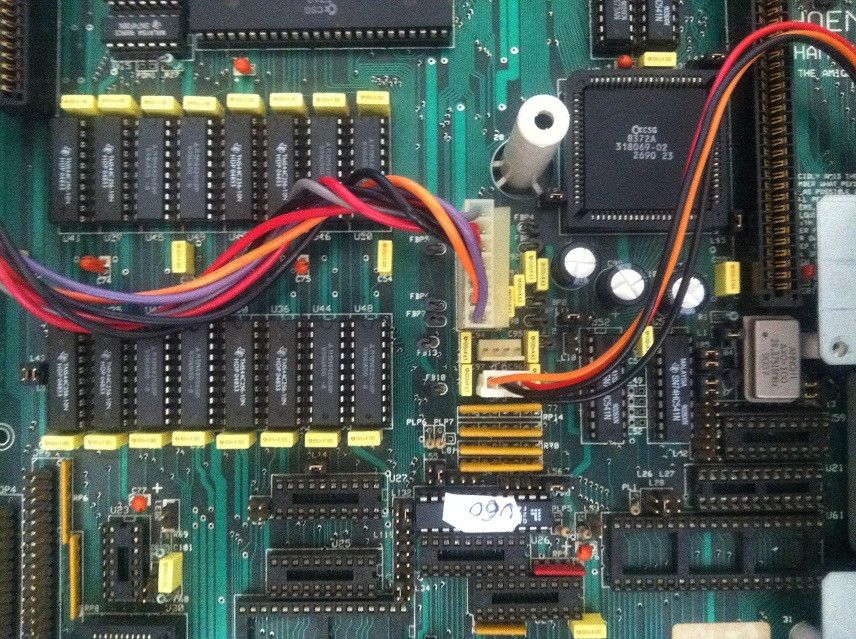
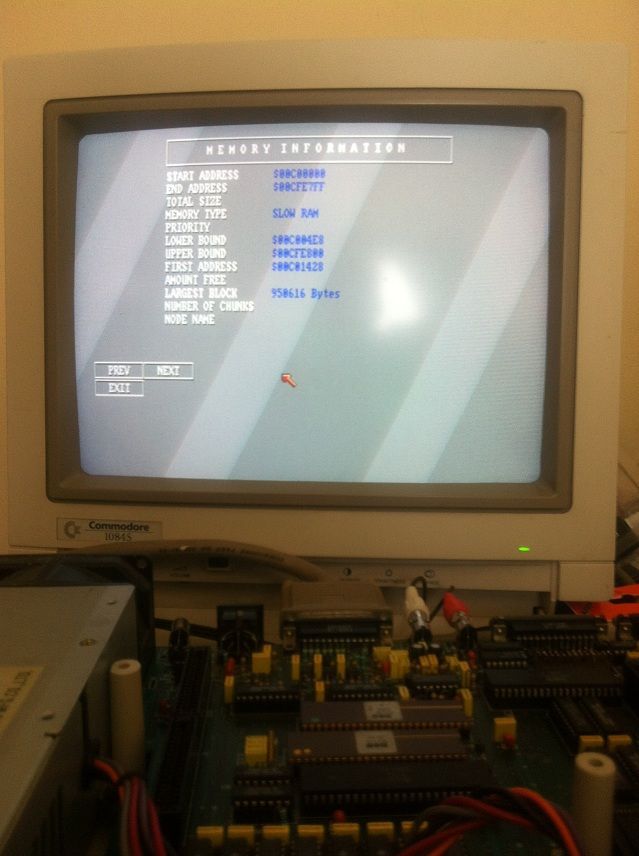
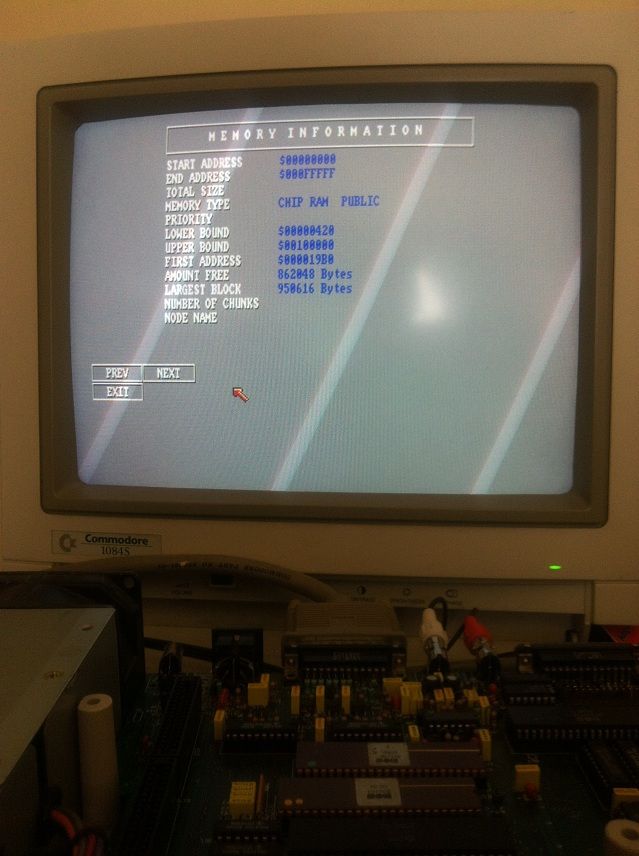
IT WORKS! no idea how or why... but it does...
I ran the PHNXRAME.JED file through paltogal.exe, then burnt it onto a Lattice GAL22V10D, populated all the RAM sockets on the board with 256x4 chips, jumpered for 1MB chipram + 1MB slowram. It's not possible to configure for 2MB chipram with this configuration.
The board passes all the memory tests I tried, even with the sidecar installed with 1MB
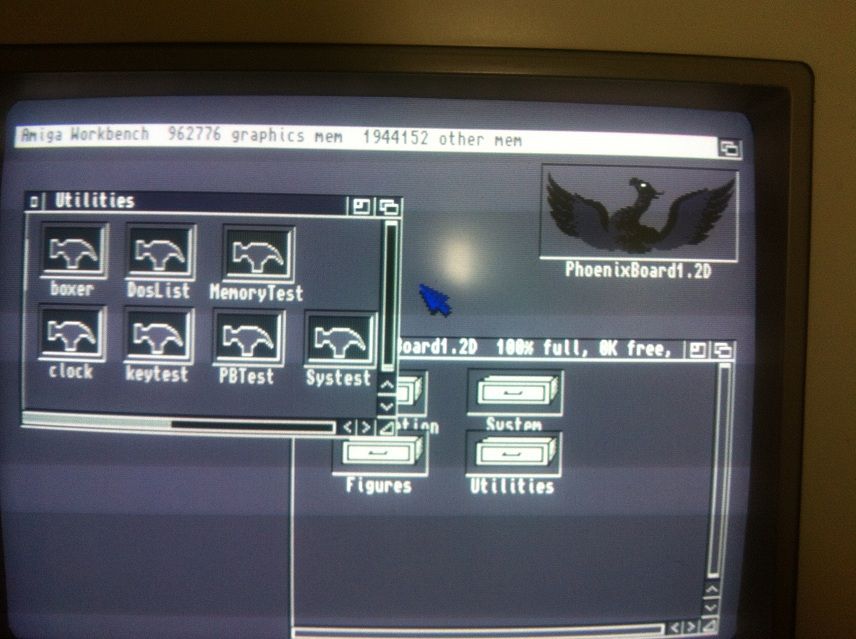
Strangely enough, using the U60E chip made the phenomena-spectre 'dots' demo work perfectly- I tried it on the phoenix before and the graphics were corrupted, same as on an A500, only the original A1000 ran it properly.
There's some real wizardry going on in that U60 chip...
I have also fitted the kickstart switcher GAL, plus a 2.04 kickstart ROM...
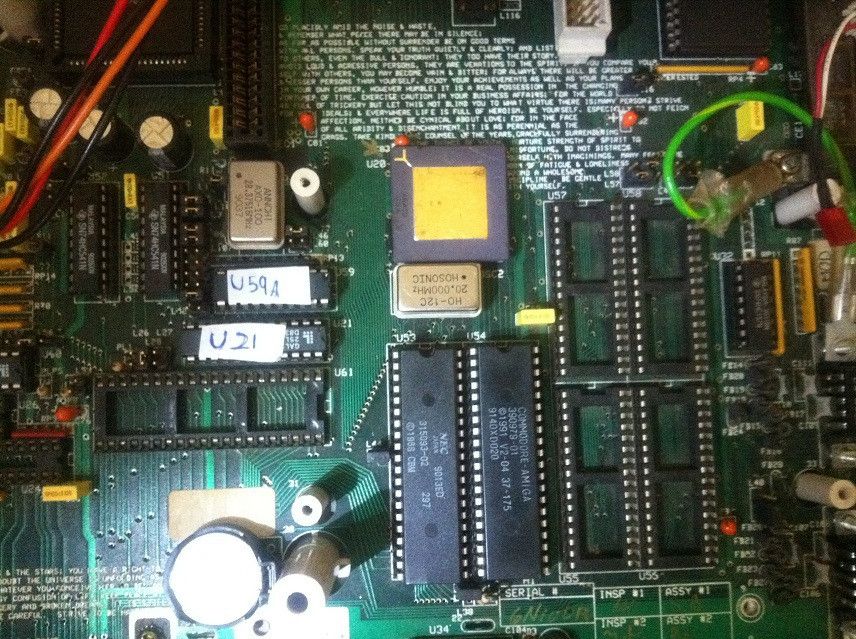
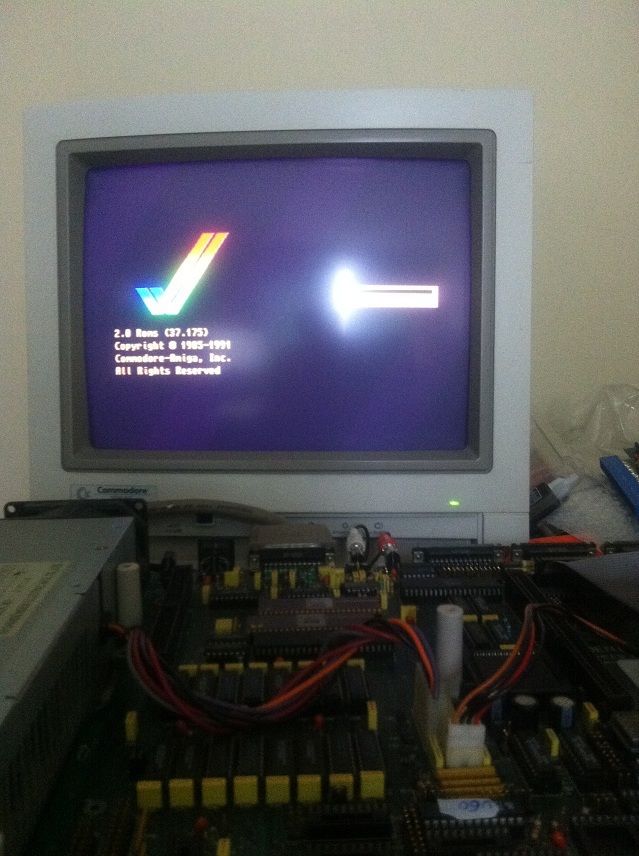
So now I've got 1.3 and 2.04 installed The interesting thing about this board is that its got 4 sockets that you can use to install a single kickstart image across 1 megabit EPROMs. Since my programmer is not compatible with the normal kickstart roms or anything similar, I can split an image odd/even then high and low and write it to 4 EPROMs. I've ordered some ROM chips and I'll have a go at getting 3.9 plus updates installed, so I'll be able to have a 3 way kickstart switcher
I also fitted the FPU GAL, a 20MHz crystal and a 68882... unfortunately the system doesn't boot with the 68882 installed, screen goes black-grey-white over and over again. If the GAL is left in but the 68882 is taken out it boots normally.... if I leave the GAL and the 68882 in but take out the crystal it does the reboot loop thing again... so it makes me think the GAL I programmed isn't at fault, but maybe the 68882 is faulty... would it stop the system booting like that though? unfortunately I don't have another FPU to test, or a different card that I can try the 68882 in.
Under KS1.3 it will boot with the FPU installed but there is graphics corruption and missing text in the AmigaDOS window. something screwy is going on there.
I also tried fitting the chip for the 2000 CPU expansion slot but the system doesn't boot at all then. I don't have a card to use anyway but it should still boot with the chip installed - will have to look into it further.
Still waiting on some parts for the SCSI controller to arrive, but I did track down a Yamaha scsi-ide adapter so I'll try and get workbench installed on a CF card- that'll be the next part of the project
I also recieved an 8735 Agnus which I installed into the board, and configured for 2MB Chipram, but then it wouldn't boot
Turns out that I require a new version of the U60 PAL chip to make the board work with an 8735 - otherwise the board will work without that U60 chip, but only with an 8732B or 8732AB if you want 2MB chipram.
That version of the U60 chip was never developed, the most recent version does not support the 8735 - so I've had to give up on that one for now. If you only have a 1MB Agnus you are stuck with 1MB chipram without that U60 chip. The U60 seems to do some address line hacking so you can get 1MB chip + 1MB slow on a 1MB agnus.
The other thing with the U60 is that it apparently doesn't work in a GAL, even on the 2005 boards all the other chips were GALs but the U60 remained a write-once PAL. Andrew Wilson (the board designer) said he never got it to work in a GAL.
So I didn't think this would work but I figured, what the hell. nothing to lose....
IT WORKS! no idea how or why... but it does...
I ran the PHNXRAME.JED file through paltogal.exe, then burnt it onto a Lattice GAL22V10D, populated all the RAM sockets on the board with 256x4 chips, jumpered for 1MB chipram + 1MB slowram. It's not possible to configure for 2MB chipram with this configuration.
The board passes all the memory tests I tried, even with the sidecar installed with 1MB
Strangely enough, using the U60E chip made the phenomena-spectre 'dots' demo work perfectly- I tried it on the phoenix before and the graphics were corrupted, same as on an A500, only the original A1000 ran it properly.
There's some real wizardry going on in that U60 chip...
I have also fitted the kickstart switcher GAL, plus a 2.04 kickstart ROM...
So now I've got 1.3 and 2.04 installed
The interesting thing about this board is that its got 4 sockets that you can use to install a single kickstart image across 1 megabit EPROMs. Since my programmer is not compatible with the normal kickstart roms or anything similar, I can split an image odd/even then high and low and write it to 4 EPROMs. I've ordered some ROM chips and I'll have a go at getting 3.9 plus updates installed, so I'll be able to have a 3 way kickstart switcher I also fitted the FPU GAL, a 20MHz crystal and a 68882... unfortunately the system doesn't boot with the 68882 installed, screen goes black-grey-white over and over again. If the GAL is left in but the 68882 is taken out it boots normally.... if I leave the GAL and the 68882 in but take out the crystal it does the reboot loop thing again... so it makes me think the GAL I programmed isn't at fault, but maybe the 68882 is faulty... would it stop the system booting like that though? unfortunately I don't have another FPU to test, or a different card that I can try the 68882 in.
Under KS1.3 it will boot with the FPU installed but there is graphics corruption and missing text in the AmigaDOS window. something screwy is going on there.
I also tried fitting the chip for the 2000 CPU expansion slot but the system doesn't boot at all then. I don't have a card to use anyway but it should still boot with the chip installed - will have to look into it further.
Still waiting on some parts for the SCSI controller to arrive, but I did track down a Yamaha scsi-ide adapter so I'll try and get workbench installed on a CF card- that'll be the next part of the project


