BenQ BL702A - perfect monitor for amigas?

  • Thread starter Thread starter torm3nt8r
  • Start date Start date
  • Replies Replies 119
  • Views Views 82347
Did someone try the BenQ BL902TM? It seems to be similar to the BL912 but includes speakers.
Interesting... as usual, the official specs don't mention 15kHz capability but the bl702 and 912 work fine an neither has 15kHz support in official specs.
But about those speakers. You sure you wanna use 2x 1W speakers? ;-)

Skickat från min GT-I9505 via Tapatalk
 
Interesting... as usual, the official specs don't mention 15kHz capability but the bl702 and 912 work fine an neither has 15kHz support in official specs.
But about those speakers. You sure you wanna use 2x 1W speakers? ;-)

Skickat från min GT-I9505 via Tapatalk

Ok, agreed. It might not be a blast but anyway still speakers. ;)
 
Thanks for the link. Good to know. Anyway I already ordered the BL912. Just wondered if the BL902TM would be the better option.
 
Yup, as I said in that thread and also in this thread (first page), the 902 does not work with 15 kHz.
 
I am pondering between BL702A and BL912.... Other than the fact that the latter has a bigger screen and DVI as well, for Amiga use, is one better than the other? Thanks!
 
I am pondering between BL702A and BL912.... Other than the fact that the latter has a bigger screen and DVI as well, for Amiga use, is one better than the other? Thanks!
I'd say they are pretty identical apart from the stuff you mentioned. They offer the same max resolution so the 19" version has bigger pixels ;-)

Skickat från min GT-I9505 via Tapatalk
 
I've finally got myself a BL702A but is there anyone who was able to get a nice picture using the Productivity mode? Also I can't change the aspect ratio, a bit disapointed so far. (but picture is great using with the FPGA Arcade...)
 
Recently bought a Dell U2211H as I read a report it worked out of the box with Amiga 500 @ 15khz. I plugged it in with a generic and Commodore RGB>VGA adapter...worked right away.

PAL High Res works (50hz, 15.60Khz)
PAL High Res Laced works (50hz, 15.60Khz)... it flickered like crazy!
Super High Res works (50hz, 15.60Khz)
Super High Res Laced works (50hz, 15.60Khz)...flickers!
HighGFX Super High Res works (54Hz, 21.81Khz)
HighGFX Super High Res works (54Hz, 21.81Khz)...flickers!

HD720 High Res (47Hz, 17.86Khz) doest work
HD720 High Res Laced (47Hz, 17.86Khz) doest work
HD720 Super-High Res (47Hz, 17.86Khz) doest work
HD720 Super-High Res Laced (47Hz, 17.86Khz) doest work

Boot screen
View attachment 88251

High Res
View attachment 88252
View attachment 88253
View attachment 88254
View attachment 88255

HighGFX Super-High RES
View attachment 88258
View attachment 88259

HighGFX Super-High Res Interlaced
View attachment 88260

WHDLoad deserves to be registered. ;)
 
Can somebody maybe try something for me? Feed the DVI on the BL912 with a 720p signal (1280x720 50 or/and 60Hz) to verify whether that works?

I'm considering the BL912, VGA for Amiga and DVI for a Remix Mini Android PC (http://www.jide.com/en/mini), but that Remix Mini only supports a few resolutions (720p, 1080p) and I don't know if the Benq can handle any of these.

Thanks a lot!!
 
Last edited:
OK, in the mean time I can confirm this (most likely) works. I fed it 1280x720 60 Hz from my laptop HDMI out to DVI-D of the monitor and it worked. It keeps correct ratio but as a consequence shows big black banners on top and below. If I switch refresh rate to 50 Hz it stretches to full screen... :/

Another question. So if we can feed Amiga RGB to the VGA of this monitor that means the monitor also accepts RGB right? So would this monitor also work with a PS2 connected via a (passive) SCART to VGA cable?
 
So would this monitor also work with a PS2 connected via a (passive) SCART to VGA cable?
Most PS2-to-SCART adapters are SCART-RGB and should work, but you could always pick S-VHS to SCART adapter to connect SCART TV to PS2. THAT wouldn't work with BenQ for sure! SCART could carry many different types of signals and PS2 could output quite a few different ones as well. Thankfully it's [usually] easy to check which SCART-cable you have: often unused pins are just physically not present! Somethines full 21 pin connector is used, though, it that case it's harder to distinguish SCRT-RGB from SCART-SVideo, e.g.
 
Finally some time to setup a 2nd A1200 with my Benq BL912 (1st one is hooked up to none Amiga native LCD via Indivision). Unfotunately I don't get it to use DblPAL :(

The VGAOnly lines are in the startup (were there already, part of ClassicWB I assume). Euro72 works fine, but DblPAL high res gives black screen (no out of range message, just a black screen). Somebody knows what I'm doing wrong?

Oh and does somebody know how to have the monitor save/remember the clock/phase settings?
 
Last edited:
VGAOnly should be in Devs/Monitors too.

After some testing IMHO Productivity screen mode works better than DblPAL using Workbench.
Using no overscan (so 640x480 native resolution) now i have the screen entirely filled (no black borders) and the aspect ratio looks definitely better after finding the correct clock and phase settings.

I could share some BL912 setting if you are interested when i get home tonight.
 
Thx, yes I would be very much interested in those settings.

VGAOnly is in my Devs/Monitors but I can't select it in screenmode tool. The suggested lines are in my startup-sequence:

IF EXISTS DEVS:Monitors IF EXISTS DEVS:Monitors/VGAOnly
DEVS:Monitors/VGAOnly
EndIF


C:List >NIL: DEVS:Monitors/~(#?.info|VGAOnly) TO T:M LFORMAT "DEVS:Monitors/%s"
Execute T:M
C:Delete >NIL: T:M
EndIF

But if I comment out the last three lines (above the endif), as someone said he only included the first 3, my prefs/screenmode tool will quits right after opening.

So DblPAL still shows the black/blank screen (without an out of range error message). I might try saving that screen anyway (I only used "use" so far) and see what happens after reboot, but chances are the Amiga will boot with a black/blank screen :) Will booting without Start-up Sequence boot in a different screenmode or how can I change the screenmode again to something else than DblPAL on the system partition when booting from different media?
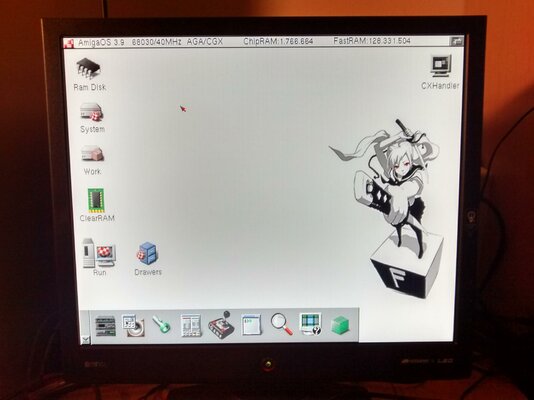
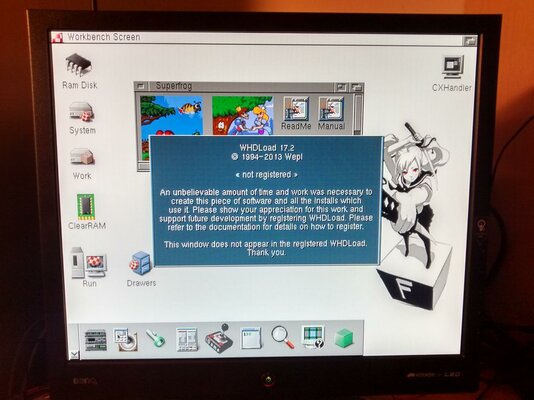
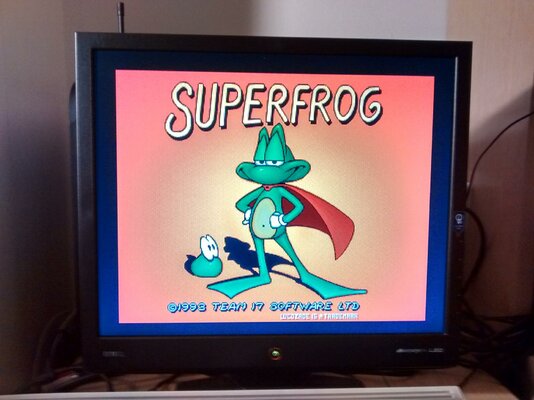
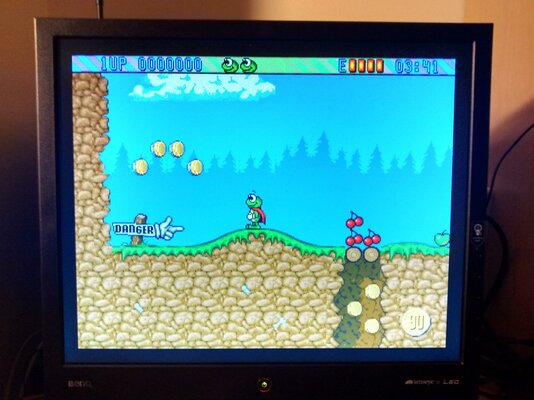
I found the monitor to be awesome, screen quality wise, for games! It requires different phase/clock settings though then in Workbench at one of the higher resolutions.

Still haven't found a way to have the monitor "save" the phase/clock settings.
 
To get rid of a non working screen mode you need to delete screenmode.prefs.
If you're using ClassicWB you can boot holding the right mouse button and select "Minimal Startup" (or something similar), delete the prefs file and then reboot normally.

The monitor saves automatically different settings according to the frequency of the selected screen mode (more or less...).
In my case i have the monitor auto-switching settings from Wokbench (Productivity screen mode) and games/demos (low/hi-res PAL).

EDIT:

Here are my Workbench settings:

Amiga side:
  • ScreenMode - Multiscan Productivity 640x480
  • Overscan - No overscan, current position 16, 10

BL912 side:

Display
  • H. Position 43
  • V. Position 28
  • Pixel Clock 68
  • Phase 50

Picture
  • Brightness 90
  • Contrast 70
  • Sharpness 3

Picture Advanced
  • Picture Mode M-book

For games and demos:

BL912 side:

Display
  • H. Position 2
  • V. Position 50
  • Pixel Clock 94
  • Phase 15

Picture and Picture Advanced settings are the same.

The results:

IMG_20160201_202919385_HDR.jpg IMG_20160201_202732400_HDR.jpg IMG_20160201_202013383_HDR.jpg IMG_20160201_202449591_HDR.jpg

(The WHDLoad screen was done on purpose without the key file to show the nag screen displayed correctly.)
 
Last edited:
Due to space constraints, I'm taking my Microvitec M1438 out of commission. It is my understanding that the BenQ BL702A and BL912 perform the same but with the former being 17" instead of 19". I'm seriously considering purchasing one of these monitors, most likely the 17" version.

Are these monitors good for higher resolution Workbench work / Internet browsing? Do they display the Multiscan Productivity mode well? Do they display DBLPAL Hires No Flicker well? How about the Euro72Hz mode? Do they display SuperHires 1280 or HighGFX modes at all or are there missing pixels? I'm aware that they will be interlaced).

I've seen photo's throughout this thread and I'm greatful for them, but none of them have been particularly crisp photo's so I am still a bit indecisive. The chap showing the zoomed in section of the Amiga Tick logo / purple boot screen actually took a superb zoomed in photo of the Amiga OS copyright text, which clearly showed how crisp the image was on his Dell. Unfortunately iirc, this was the monitor that wouldn't remember the screen position.

Can anyone here take a similar photo (or even the same one) which clearly shows how crisp the text/pixels actually are on the BenQ BL702A on a PAL Hires screen? Also a photo of some zoomed in text on a higher resolution Workbench mode would be handy too (ie Multiscan Productivity, as that's what I'd ideally like to use in Workbench).

Call me a dreamer, but is there a monitor out there like the BenQ that can de-interlace as well so that HighGFX 1024 x 768 can be used? Thanks.
 
If it's for the amiga alone, you could also consider a good LCD TV with scart.
My 40" samsung from 08 deinterlaces (flicker fix) PAL Hi Res Laced nicely, giving a large enough WB that is faster than DoublePAL or Productivity, and switching between modes is fast and image position is not a problem.
A 20" equivalent would be fine as monitor. I haven't tested any of those myself, but it's my understanding that most of them work fine, and quite a few deinterlace as well.

Edit: Never found any use for modes > 640x512 (+overscan) on systems without RTG, so not sure how it works with HighGFX etc.
 
Last edited:
Back
Top Bottom