I have a 1200 that has been recapped and works great except suddenly the clock was not found. It happened after I replaced the battery in my 1260. The clock ram great for 2 weeks then suddenly failed. The clock on the 1260 is OK because it works on my other Amiga. The 1200 with the problem has voltage but does not even find a clock module now. I can’t find a clock chip on the MB as U9 which is what the schematics say is empty. There is no corrosion I can see either. I suppose I could live without a clock but it comes in handy if you go to the internet. Any suggestions what might have failed?

You are using an out of date browser. It may not display this or other websites correctly.
You should upgrade or use an alternative browser.
You should upgrade or use an alternative browser.
Clockport suddenly not found
- Thread starter cevoner
- Start date
- Replies 21
- Views 1530

The only clock on my A1200's are provided by a plug in RTC circuit board. Fits onto the clockport header (P9B) easily and works great.
View attachment 2456632
U9 is/was left empty, probably down to cost cutting by C= back in the day. None of my Amiga mainboards have anything soldered at U9, so yours also being devoid of a chip at that location seems to be correct.
View attachment 2456632
U9 is/was left empty, probably down to cost cutting by C= back in the day. None of my Amiga mainboards have anything soldered at U9, so yours also being devoid of a chip at that location seems to be correct.
Last edited:
yea, I have one but it is not found. I’m told Gayle handles the signals. Something has gone dead and I can’t figure it. I found a board that offers clock signals that may work. A DIY Clockport by PCBway. It is worth a shot. May be too expensive otherwise. I can’t see how it happened. It just lost the clock. Someone mentioned a program on Aminet grabs time from the internet called Fast, another good option.The only clock on my A1200's are provided by a plug in RTC circuit board. Fits onto the clockport header (P9B) easily and works great.
View attachment 2456632
U9 is/was left empty, probably down to cost cutting by C= back in the day. None of my Amiga mainboards have anything soldered at U9, so yours also being devoid of a chip at that location seems to be correct.
Just out of interest, have you tried a continuity check/trace on all the pins back to Gayle? Maybe that could help narrow down your search somewhat.
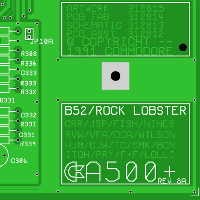
That's an interactive A1200 (and others) and tells you which pins/tracks go where on the mainboard.
Amiga PCB Explorer
The Amiga PCB Explorer is a browser application that was designed to assist people in various aspects of Amiga mainboard repairs.
amigapcb.org
That's an interactive A1200 (and others) and tells you which pins/tracks go where on the mainboard.
You mentioned that the mainboard has just been recapped, perhaps a stray blob of solder is causing the problem.
It worked flawlessly for years after that. I don’t believe so. I’ll check near the caps. Thanks for your suggestions.
The PCB explorer pointed the read and write signals back to the ide. The clockport and ide use the same signals. I just added an ide
board to the ide pins for buffering my hard drives. It uses an SD card plus a ssd drive. Could that board be stealing these signals
from the clockport I wonder? It is an unusual board. I like it vs. a clockport.
The PCB explorer pointed the read and write signals back to the ide. The clockport and ide use the same signals. I just added an ide
board to the ide pins for buffering my hard drives. It uses an SD card plus a ssd drive. Could that board be stealing these signals
from the clockport I wonder? It is an unusual board. I like it vs. a clockport.
Last edited:
Thanks for the PCB explorer link.Just out of interest, have you tried a continuity check/trace on all the pins back to Gayle? Maybe that could help narrow down your search somewhat.
Amiga PCB Explorer
The Amiga PCB Explorer is a browser application that was designed to assist people in various aspects of Amiga mainboard repairs.amigapcb.org
That's an interactive A1200 (and others) and tells you which pins/tracks go where on the mainboard.
No problem, hope it helps 
As I said before, The PCB explorer pointed the read and write signals back to the 44 pin IDE. The clockport and IDE use the same signals. I just added an IDE board to the IDE pins for buffering my hard drives. It uses an SD card plus a ssd drive. Could that board be stealing these signals from the clockport I wonder? It is an unusual board. I like it vs. a clockport.
I checked continuity between the 150 pin, clockport, and Gayle. They seem fine. I'll try without that IDE board and see if
that makes a difference. IORD and IORW are on the 44 pin IDE port too.
I checked continuity between the 150 pin, clockport, and Gayle. They seem fine. I'll try without that IDE board and see if
that makes a difference. IORD and IORW are on the 44 pin IDE port too.
If the IDE board you are using for buffering is something that is constantly polling the signal bus then it is entirely possible that it is the culprit.
I bought it from Amigastore.eu. I’ll definitely try without it and see. There is a jumper which is off. No manual to speak of. I can ask them if that is the culprit.If the IDE board you are using for buffering is something that is constantly polling the signal bus then it is entirely possible that it is the culprit.
Yes it is. I just booted with 3.1 workbench, no ide and I have the Clockport back. I would have not known that the signals went to the ide too if you did not point me to that website. Thanks. What to do now? Let Amiga.eu know. They made it actually. Though it’s a great interface it sacrifices the use of the Clockport. Maybe there will be a fix.
We have our suspect bang to rights, the IDE interface!
Well done, am glad to see your clockport is back
Yes, you should inform Amigastore.eu of your findings concerning the IDE board. Not sure why it hijacks the clockport signals but their engineers really should be made aware and investigate.
Don't forget to give them a full listing of the Amiga specifications (mainboard version) and anything else plugged in such as externals and trapdoor board in case they want to see if they can replicate the problem.
Well done, am glad to see your clockport is back
Yes, you should inform Amigastore.eu of your findings concerning the IDE board. Not sure why it hijacks the clockport signals but their engineers really should be made aware and investigate.
Don't forget to give them a full listing of the Amiga specifications (mainboard version) and anything else plugged in such as externals and trapdoor board in case they want to see if they can replicate the problem.
Last edited:

So we are talking here about the RTC on an 1260 not on the clockport?
@IAmAddicted
The thread concerns the lack of a working RTC on both the A1200 mainboard and 1260 accelerator card. The culprit was traced back to an IDE interface card that was fitted to the A1200 IDE header - it was basically stealing the signals required for any RTC to work correctly and not allowing anything to access them.
The solution: Remove the offending card from the IDE header and send feedback to the supplier.
The thread concerns the lack of a working RTC on both the A1200 mainboard and 1260 accelerator card. The culprit was traced back to an IDE interface card that was fitted to the A1200 IDE header - it was basically stealing the signals required for any RTC to work correctly and not allowing anything to access them.
The solution: Remove the offending card from the IDE header and send feedback to the supplier.
Last edited:
Well I don‘t have this issue here. Does it also not work without CPU card?
The problem only existed when a certain IDE board was being used. It didn't matter what else was plugged in at the time, there was no ability to use the RTC. Once it was removed, everything worked again.
Good to know all is well with your miggy
Good to know all is well with your miggy
Similar threads
- Replies
- 6
- Views
- 468


- Replies
- 11
- Views
- 1K


- Replies
- 50
- Views
- 6K

- Replies
- 5
- Views
- 909