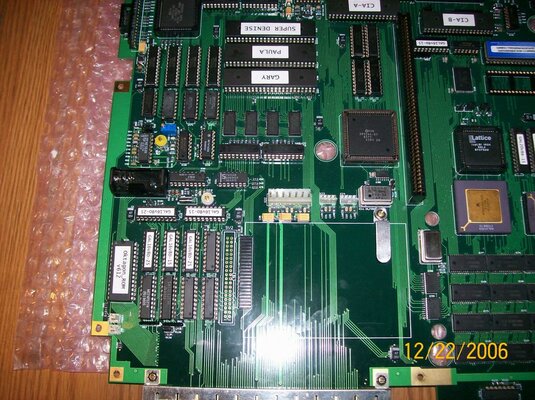
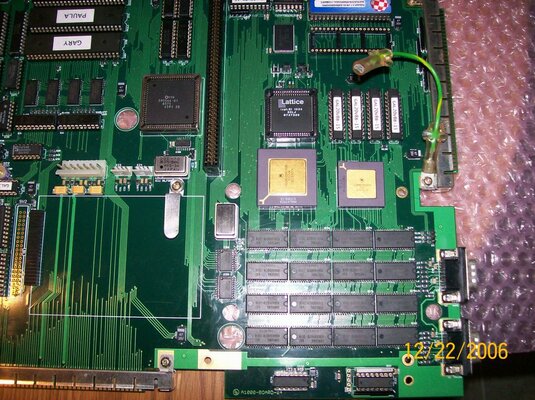
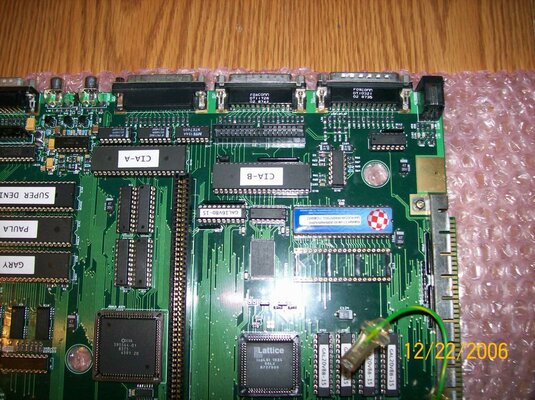
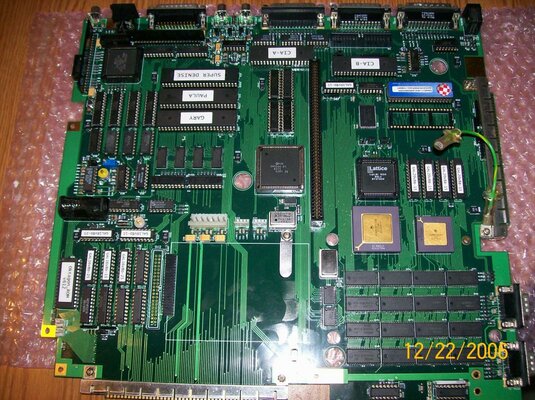
GBA1000 rev4 Build Log

The lifting the board a little giving white dots doesn't sound great to be honest as it could be a soldering issue.

Unfortunately it would be no good sending the board to me to diagnose as I don't have any kit to remove SMT components. That's why I don't currently have my board here at the moment either and why sadly, I'm being a bit vague!

I do remember that I had no end of black screen issues to start with. I need to dig through all my facebook chats and try and find out what it ended up being. I know I spent a long time assuming I had a bad Agnus chip but in the end it was something else. Consequently I have 3 spare Amber chips on the shelf in my office of varying sorts :)

I'll try and do some hunting for possible causes. In the meantime, verify the jumper settings mentioned above as that's definitely good advice too. What KS do you have by the way? I know it's probably mentioned way back in the thread! I can see it's an official one, which is more than I did, I burnt my own but obviously the less we say about that the better :p

[EDIT] Check post number 213 on this thread. I had to enable the boot flash to get past the black screen, then program the flash rom from workbench. I do then talk about having problems but that was probably my Fast RAM as that is still a problem to this day and the reason my board is not here.
 
Last edited:
Ok Martin. If you come up with anything Please let me know. Maybe Kipper2k Might look at my board, and it has the official Kickstart 3.1 rom by the way..
 
Last edited:
insert a good quality photo of the main, i want look jumper and chip if all are ok
 
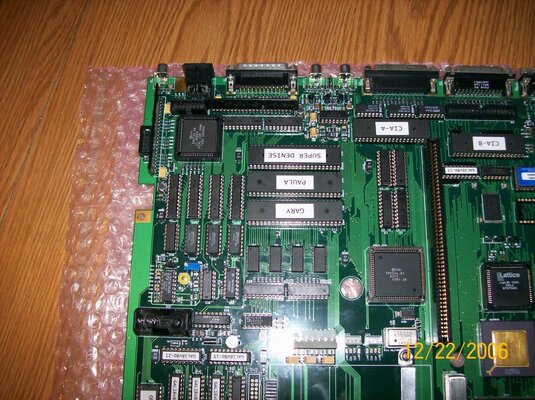
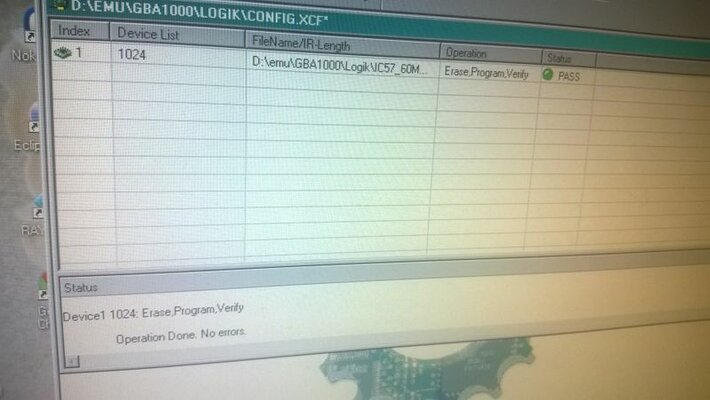
Here are all the pictures, and I did change all the custom chips. But still black screen. Also I can't guarantee that the gals are programed correctly. Because Although they all passed when programed. Trying to read them against what's in the buffer, all I get is error line 1 (0000), so unable to read whats in the chip.....
 

Attachments

  • 001.jpg
    001.jpg
    210.9 KB · Views: 10
  • 002.jpg
    002.jpg
    213.2 KB · Views: 11
  • 003.jpg
    003.jpg
    213 KB · Views: 8
  • 005.jpg
    005.jpg
    213.6 KB · Views: 5
  • 006.jpg
    006.jpg
    209.8 KB · Views: 6
Last edited:
- S7 has to be closed if there is no card inserted in the zorro II slot...

- I do not see it well but I think you have soldered a resistor on R136 and R128, if it's the case this is also a mistake. Remove R128.

I think it's better to first try through RGB with S2 closed and the oktagon rom out of the board to completely disable the IDE just in case there is a problem there...

It's also better to close S8.

With this fixed, you have more chance to see a kickstart screen. I hope this will help you.

X16 should be closed left if you use a 1000 PSU, otherwise right. There was a mistake in the first documentation's version.

If the board still does not boot, if you are sure from your solder work (for example a short between 2 legs on the Srams could give you this problem) , you should send your set of GALs, Customs IC ans isplsi1024 to someone with a working motherboard who can test them all and reprogram the faulty one if needed....

And I tell you again, some CPU also do not want to boot @50mhz even if they are working on blizzard card @50mhz, there is proof of this @a1k. It's the reason it's better to start to test @40.

It's not so important for now but it's also highly recommended by Georg to solder NE564 directly to the motherboard.....

Your board looks good. :thumbsup:
 
Last edited:
Thanks for your input I'll try them... OH I do have R128 soldered, and as for the fast ram. There's no solder shorts.. To use a 50mhz crystal, do I have to remove ic78...

and thanks for the comment for my board. Though it ain't no good if all I get is a black screen....
 
Last edited:
It's probably better to try with a 80mhz with ic78 which will give you 40mhz.

But try first with S7 closed and only R136. Because as it is now, it has no chance to boot I think... And be sure to put x16 on the right side if you have not a a1000 psu. If you are lucky, it will work only with this changes.

You can also try one time with S5 closed, which should give you 0MB of fastram as the flashrom is still empty. And one time with S5 open which should add the 8MB automatically.
 
Last edited:
Ok. I have removed R128 and the IDE rom. S7 is closed (For now). But what about S5 (Oh closed), S6, x7 plus S3. Also I'm using a A1000 PSU, so the jumper is closed on the left, and I'm using the RGB port....

Oh as for the 80mhz. I had to order one...
 
Last edited:
- S7 closed,
- S5 closed or open, both should work, try with bot position,
- x16 left,
- S3 always open with R128 removed and soldered R136,
- S6 open,
- x7 on the right but it's not important as it is for the flicker fixers and you are using RGB.
- S2 closed.

You should be able to see a kickstart screen. It can takes some times before it appears with KS 3.1. You can also try with KS1,3. If not, let test your ICs set by someone.
 
Last edited:
Your LSI1024 that I programmed should be back with you soon as it was sent last week. Gives you something else to try just in case your program didn't work out so well...
 
Your LSI1024 that I programmed should be back with you soon as it was sent last week. Gives you something else to try just in case your program didn't work out so well...

Thanks Martin. Though my board still don't work, so it must the the LSI or the Gals.

Anyway the only working Amiga that I have at the moment is a 1200. You see I bought my first none working 500+ motherboard (Black screen), so I can fix it. What can go wrong (I've seen guys on Youtube do it).. Just remove the leaking battery, clean up to mess (wasn't that bad at all). Beep out and repair any of the damage tracks with jumper wire, and replaced the 74LS244 IC.. I thought after all that I would get a working board on the cheap.. Well NOOO. None of the hours that I put into this board would get it to boot up, so my first attempt to repair a 500+ came to a complete bust.. I even replaced all the custom chips. But that didn't work.. S**t I even went overboard and added wires to all the tracks going past the battery, and re-soldered the resisters (at the audio filter too). However, I did find a some broken tracks at the Gary (Replaced the socket) and at the 74LS244 IC. Still in the end nothing will bring the board back to life. Now I've bought another cheap 500+ board (sigh). This time with a Yellow screen. Hopefully I'll get better luck with that board. If not I'll throw in the towel, and sell the ram upgrades that I bought for the board (I wanted a working 500+ PAL computer, as I have the rest of the parts)
 
Last edited:
The problem can be with the ispLSI1024 chip. I was testing one GBA1000 rev 4 motherboard that didn't boot, only gave black screen. It turned out that the ispLSI1024 chip was the culprit.
Even though the content of the chip read using a programmer matched the original jedec file, the chip didn't work in any GBA1000 motherboard. After programming another LSI, the rev 4 motherboard booted fine.

MartinW, did you test the ispLSI1024 on your motherboard before shipping it to britlord?
 
I realize this might not mean that the chip will actually work, but anyway, if I had a beer, I'd drink it in celebration!

wp_20150301_013.jpgwp_20150301_011.jpgwp_20150301_008.jpgwp_20150301_007.jpg
 
MartinW, did you test the ispLSI1024 on your motherboard before shipping it to britlord?

Only just seen this - sorry, no. I didn't have my board here at the time as I'd sent it to Ordyne so he could replace the fast ram that turned out to be faulty (I don't have kit to de-solder SMT, only through hole). I have it back and working now but I appreciate that's no help.
 
Don't worry guys, as I sold the board to DutchingUSA..
 
Last edited:
Britlord owch! If mine won't work I'll hang it up on a wall.

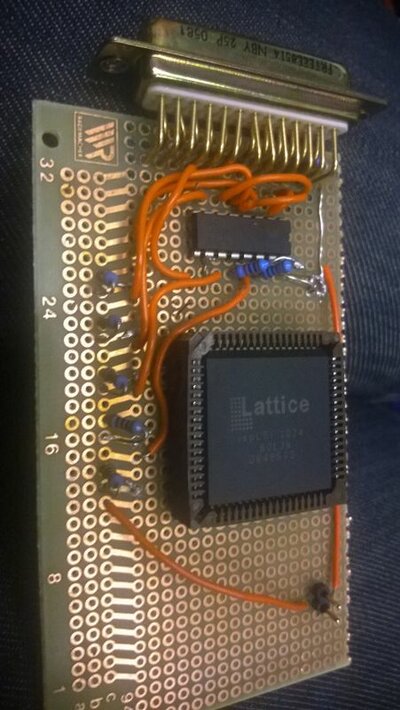
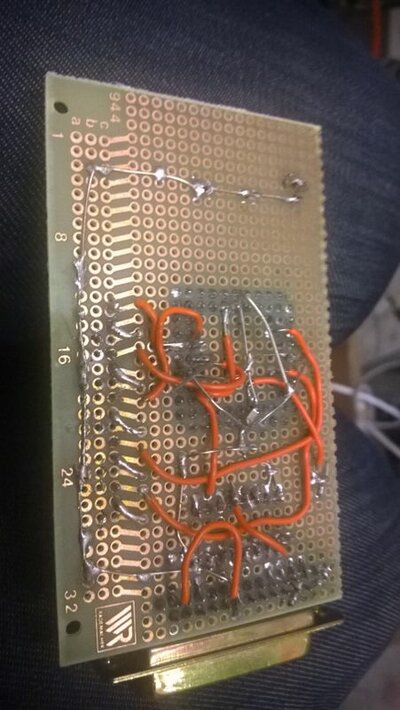
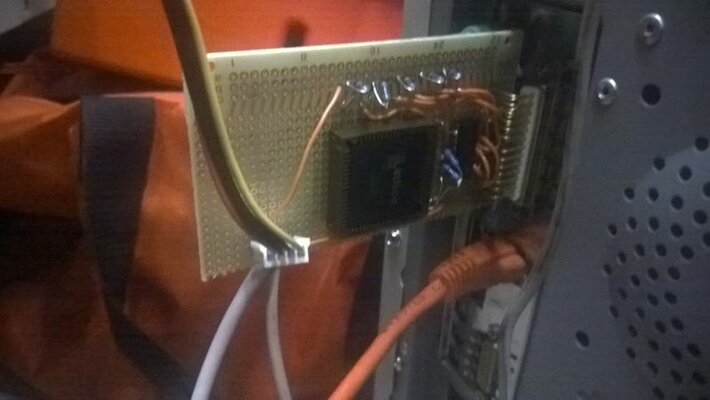
I used the schematic from kudelsko.free.fr to make that ratsnest without planning the layout at all. Should've had some more space around the buffer chip and the ispLSI could've been rotated more optimally :). There were supposed to be 560pF caps in there originally, but of course I had none so I used 1nF... It didn't work so I grounded ispen and connected reset to vcc. Oh and at some point I found that even though there's the same copper traces on both sides of that board, the top and bottom traces aren't actually connected through the holes! But finally I saw that another schematic used only 100pF caps. Before checking if I had any of those, I tried it without any caps - and it seemed to work!
 
That's why I got it ... so I can hang it on the wall :D

Naw, I'll probably be begging someone overseas to please take my money and to please check/fix the board .. I might have some hardware also if money isn't enough persuasion :thumbsup:
 
now remember, i used jtag schematic from site kudelsko.free.fr with success with 2 ispLSI1024 for 2 gba1000 but without caps and i modify for use 74hc244
 
Selling it did work out for me (dutching always wanted it back), as I was able to buy the new ACA 1233:D for my none working 500+ board that I bought:( (No battery leak). I am working on it..

- - - Updated - - -

That's why I got it ... so I can hang it on the wall :D

Naw, I'll probably be begging someone overseas to please take my money and to please check/fix the board .. I might have some hardware also if money isn't enough persuasion :thumbsup:

Yeah give him your nice A2000....
 
Last edited:
o.t.
now i repair the third a500 plus, removed gary socket and U12, tomorrow replace and test
 
Back
Top Bottom