GVP A530 Restoration (Version 2)

WonkeyDonkey

Member
AmiBayer
Joined
Mar 5, 2012
Posts
895
Country
U.K
Region
Sheffield, South Yorkshire
Hi all,

Well its time for some more A530 restoration goodness!

I recently acquired this unit here on the forums and I'm quite pleased with her overall.

I previously carried out a restoration on one of these units; details can be seen here :

https://www.amibay.com/showthread.php?t=29435

That went very well, if a little slowly, but these things can not be rushed.

The process this time will have some differences though. Things I have learnt from the original process, other information I have come across since then. Some will be done the same, some will be done differently. The ultimate aim though will be the same; that is a fully restored unit in pristine condition !

So I'll dig straight into the pics and initial observations then :thumbsup:

First up is the cover; this is a tad on the grubby side, but in fair condition overall :
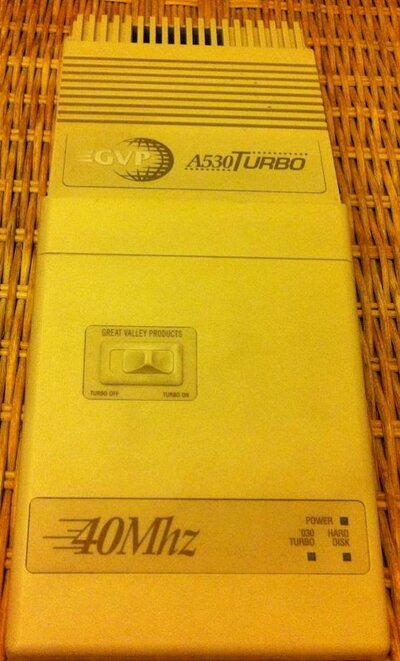
IMG_0055.jpg

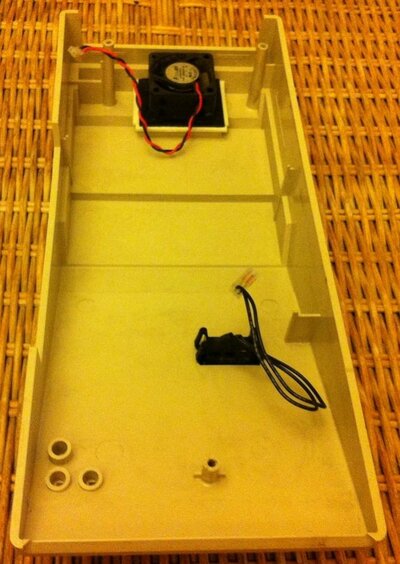
Inside she looks ok, but there is an issue with the screw posts. The screws for the cover have previously been removed and replaced several times and the screws seemingly over-tightened. Now when we attach those screws, they just spin as the posts have started to split. This happens easily with these GVP units; here we go underneath the cover :
IMG_0056.jpg

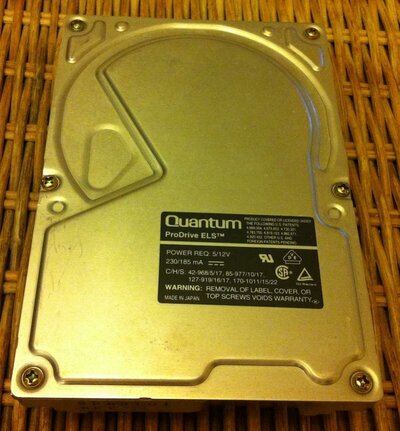
Next up the existing HDD. No surprises here; the unit is a Quantum ProDrive ELS 50Mb, one of three very common units that were supplied by GVP back in the day :
IMG_0058.jpg

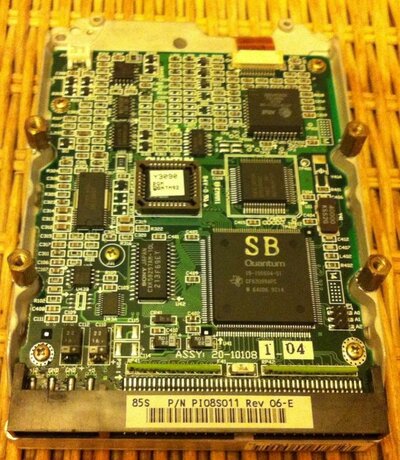
And underneath :

IMG_0057.jpg

As before, the unit is years old. It is fully working, somewhat noisy, and draws a fair amount of power.

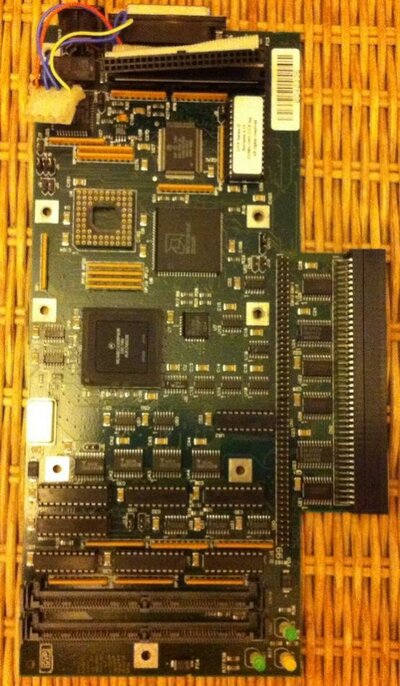
Now we have the main pcb itself. The basic signs here are good. No internal damage or broken components, all the chips appear in good shape and the memory sockets are 100% too. If the memory sockets go on these things there is not a lot you can do since they are proprietory units. These ones are in good shape though :
IMG_0060.jpg

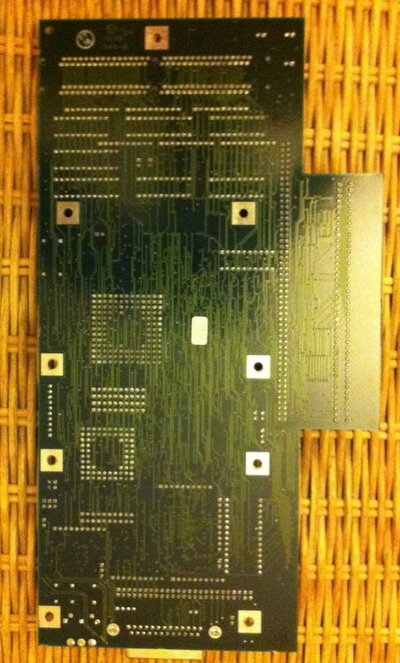
Underside of the main pcb we can see she is in good shape too. All tracks intact, no damage, no scratches or anything :
IMG_0061.jpg

On to the baseplate. This is a variation of the GVP stuff I've come across before. Its a light aluminium plate in one piece. This one has no mounting holes for the pcb half way down which is usually typical of the A530 in particular. This one, without the additional mounting holes was usually used for the HD8 and HD8+ units, but thats ok. Also we can see the telltale plastic sticker in the corner. Im not sure why these were fitted, it doesnt appear to serve any purpose :
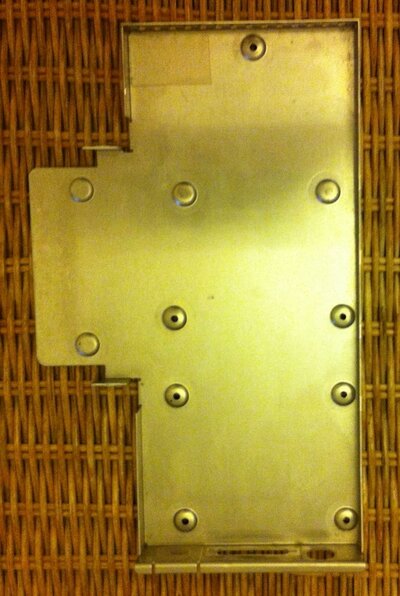
IMG_0062.jpg

Underneath its nice and clean and we can see the remains of the metallic sticker; this defines the unit as an A530 (obviously!), but the sticker will be removed during this restoration process :
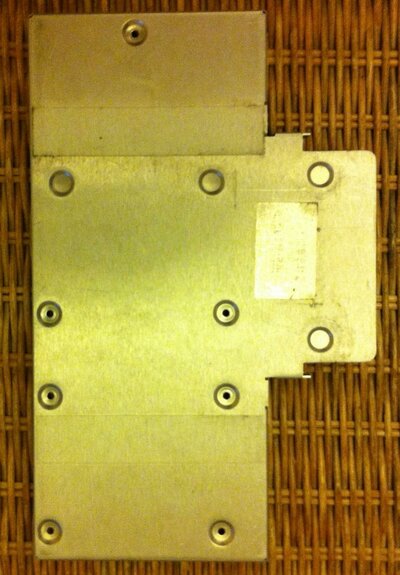
IMG_0063.jpg

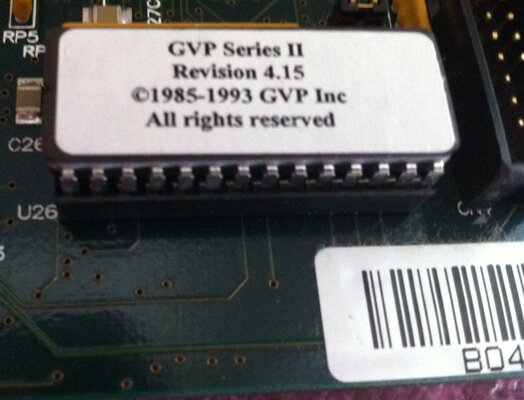
Looking closer at the pcb then, we have a more recent rom chip (4.15) which is available from one of our forum members here :
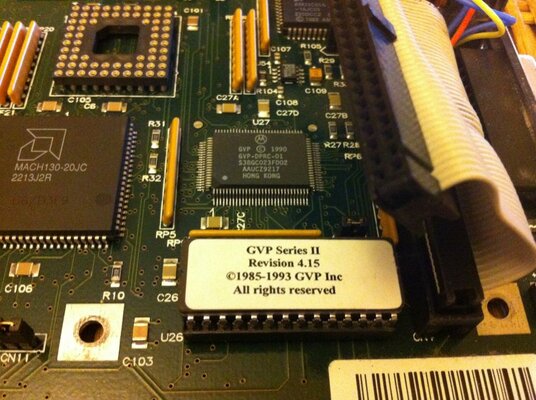
IMG_0064.jpg

And looking across to the sockets; it is currently fitted with a 40mhz EC part CPU but no co-pro :
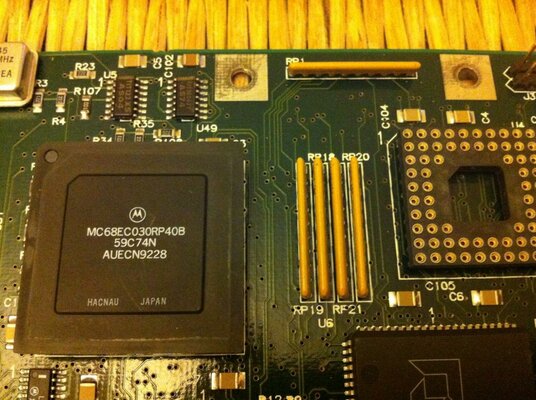
IMG_0065.jpg

So already we have issues with the unit, but nothing which can not be fixed up.

The cpu will be replaced with a full fat version, a co-pro will be installed, the disk subsystem will be replaced and some other work will be carried out too.

More details to follow shortly :)
 
Last edited:
Further board details then.

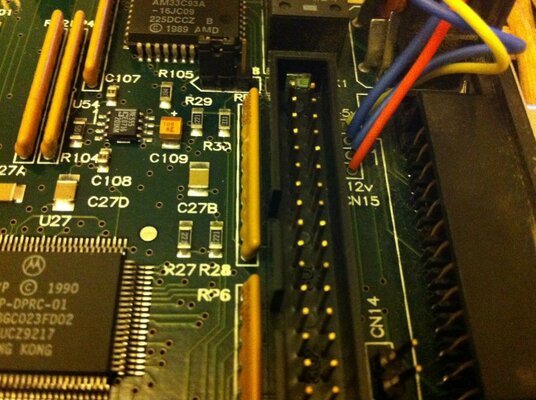
Next up we take a look at the internal connectors to the rear of the board. You can see here a 2 pin fan connector and a 4 wire molex connector. The molex wires are typically hard and brittle and will need to be replaced. Unfortunately, there are 4 tiny solder pads for this purpose but even after soldering in new wires, the whole connection still remains quite delicate. That will be resolved in a more appropriate manner this time around :

IMG_0067.jpg

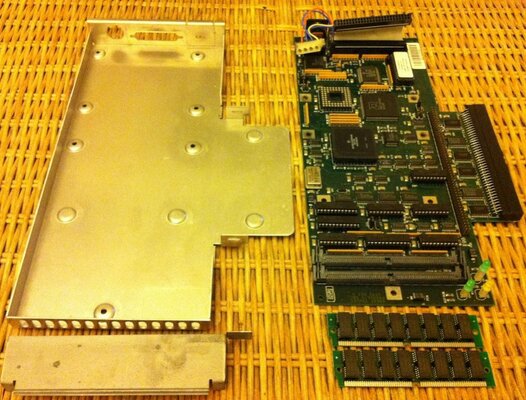
Overall then, here she is, stripped naked. There are 2 x 4Mb GVP simms and the usual set of parts :

IMG_0059.jpg

Condtion-wise, she is pretty good.

As before though, she will go through a full process to bring her back to her former glory and fix some of those niggling issues that exist with these units.

Another great piece of hardware for my amiga hall of fame :thumbsup:
 
this looks like its going to be interesting .i'll keep a eye on this it looks good:)
 
Ok, so time for a small update here.

The metal baseplate for this unit, as before, has now been sent off to an electroplating company. There it will be sripped and chemically cleaned and will then receive a brand new coat of chrome plating.

While that is away, Ive turned my attention to something that I have noticed a few times, and its particularly relevant to GVP products, although I have seen this on other accelerators too.

It relates to the memory simms and sockets.

Working to the standards that I like, this is about paying attention to detail.

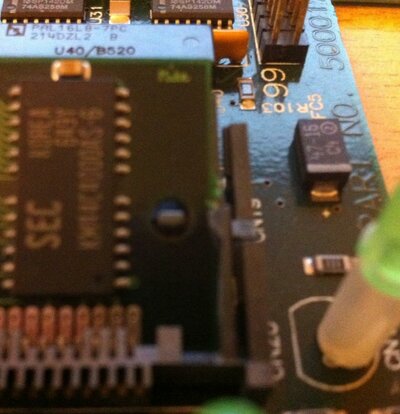
I will say in advance that the pics here didnt want to focus too well, but you will see what Im referring to.

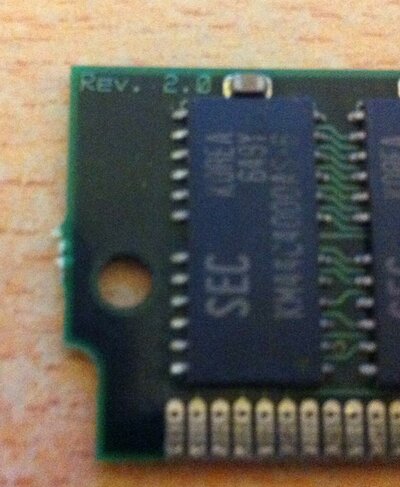
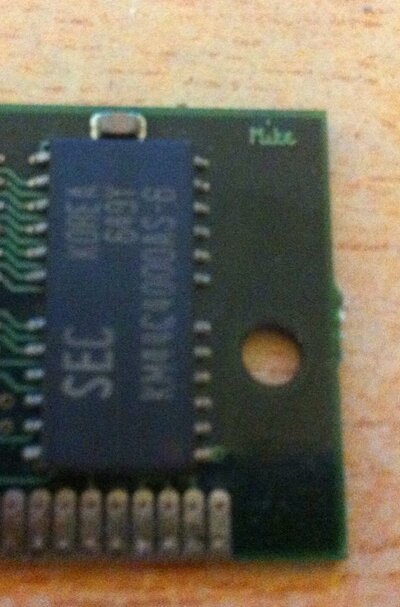
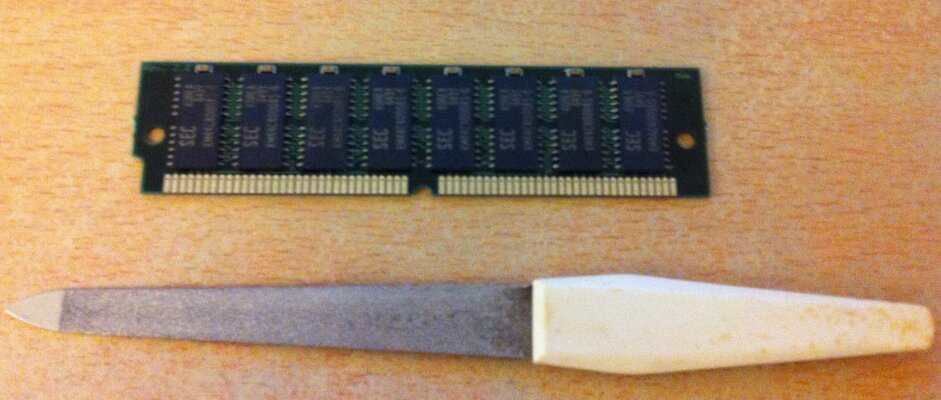
What I found is that the memory simms themselves have somewhat 'rough' edges to them, and this is left over from the manufacturing process. They mostly appear in what looks like a small row of teeth from where they were originally attached to the bigger pcb used for the mass production. They are then snapped or gently broken away into the individual components.

Here is an example of what I mean (Again please excuse the poor focus) :

IMG_0073.jpg

And again at the other end :

IMG_0074.jpg

You can easily see the rough edges of the simm, its like a row of small teeth.

In the case of GVP gear in particular, the memory retention clips are made of plastic and there is only a small area that is meant to engage over the edge of the memory simm to help hold it in place.

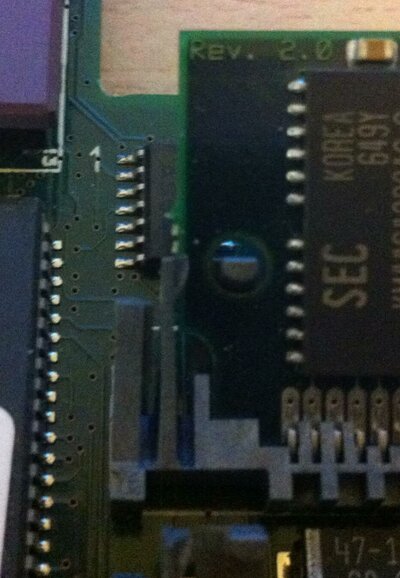
Here you can see the issue when the simm is fitted to the Jaws II accelerator for the A1200 :

IMG_0071.jpg

And at the other end :

IMG_0070.jpg

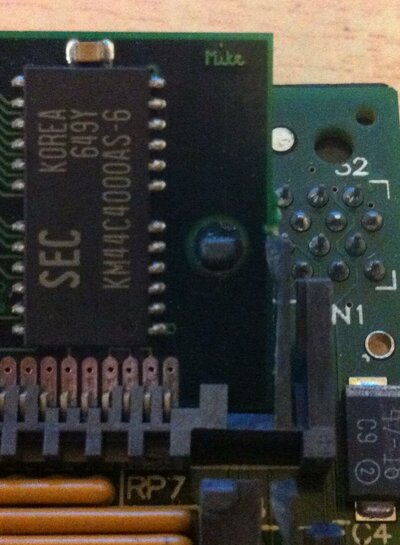
Now you can see the same issue when its fitted to the A530 pcb :

IMG_0096.jpg

And the same at the other end :

IMG_0097.jpg

The problem with this is :

The retention clips become permanently stressed since they do not fully engage at the edge of the simm. In time this weakens the clip. Since the clips are barely 2mm wide, it doesnt take long for them to become very weak and they do snap off. Ive experienced this before and there is no way to repair the clips or replace the sockets. It was very disappointing considering how much I had paid for the unit at the time. If these snap off there is no decent way to properly secure the simms.

This time you can see a fuller picture of the Jaws II and the issue we have :

IMG_0072.jpg

You can clearly see the retention clips are slightly bent to the outside since they cant engage over the rough edges of the simm.

Thankfully the solution to this is really simple!

I simply use a small nail file to gently file the teeth away from the edge of the simm :

IMG_0075.jpg

If you plan to do this, go really gentle, nice and steadily just file the rough bits away from that edge until it is perfectly flat and smooth right along the edge. Just a few stokes of the file is usually enough to smooth it down quite nicley.

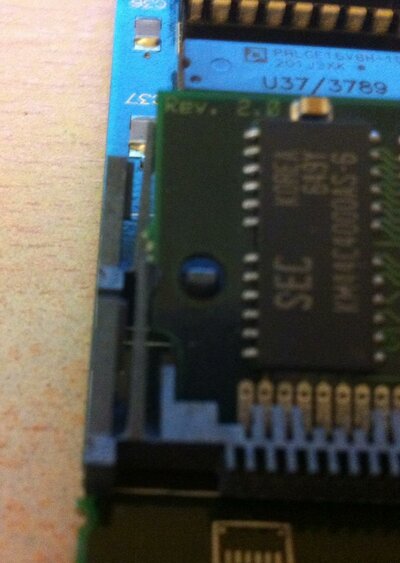
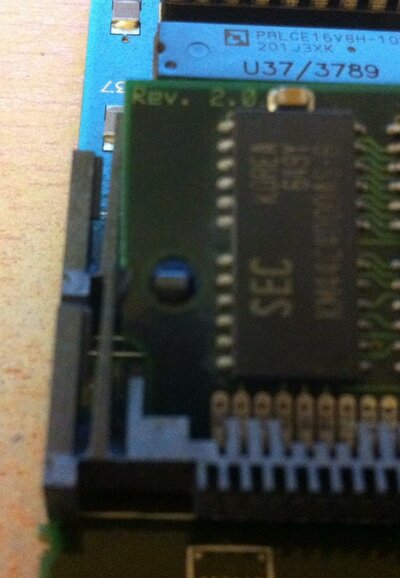
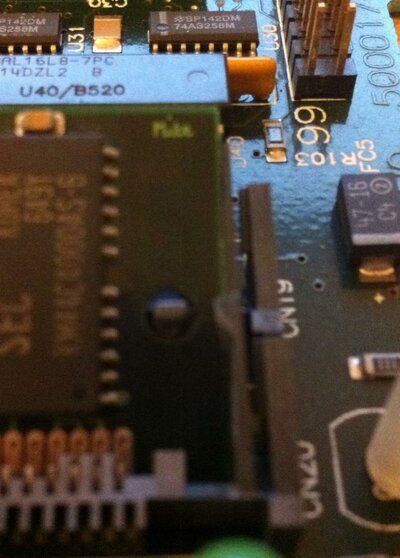
Once done to both ends of the simm we can re-insert it into its socket. This time those retention clips fully engage at that edge and we stop the unnecessary strain on the clip. Here you can see the simm in place in the A530 pcb, having been filed down nice and smooth :

IMG_0098.jpg

And at the other side :

IMG_0099.jpg

Again the focus isnt great, but you can clearly see the small triangular lugs at the top end of the clip fully mated up to the edge of the simm.

So now there is no stress on the clips and the simms are correctly held in place. This is much better than it was before. The simms are now comfortably held in place correctly without any undue pressure or strain on those retention clips.

This is a small but important detail since I have suffered from broken retention clips before, it wasn't very nice at all.

Quite easily resolved as described above though.

Another part of the job is now completed :thumbsup:
 
I look forward to seeing the finished article! :thumbsup:

(The HDD is an 80MB one btw :whistle:)
 
I look forward to seeing the finished article! :thumbsup:

(The HDD is an 80MB one btw :whistle:)

I made the assumption for that actually, as I didnt fire it up lol

From everything I have read, the HD8 and HD8+ used the option of 20, 50 and possibly 120 units.

Everything Ive seen on the A530 suggests the same, maybe there were also 80mb units in there as well.

Theres a kind of almost reassuring feel to them when you power up and hear that spin up of the drive and the clicking of the read/write heads.

:p
 
There's nothing quite like the sound of a 20+ year old SCSI drive firing up!

I think it states the drive is a 80MB on the box.
 
There's nothing quite like the sound of a 20+ year old SCSI drive firing up!

I think it states the drive is a 80MB on the box.

Actually, you are right, it does!

See how much attention I was paying there then....

:lol:
 
these drives can litrally last forever in some cases ,altough i admit there useless as capacity goes.

i had one a while back where the heads had stuck and found that after dismantling it i found the rubber stopper where the heads rest had decayed and turned into sticky muck(dont try it at home lads,if you get any finger marks on the disk itself it will destroy it)
 
these drives can litrally last forever in some cases ,altough i admit there useless as capacity goes.

i had one a while back where the heads had stuck and found that after dismantling it i found the rubber stopper where the heads rest had decayed and turned into sticky muck(dont try it at home lads,if you get any finger marks on the disk itself it will destroy it)

I seem to have a collection of them now, but not sure what I'll do with them.
 
Ok, so time for a long awaited update here. These things always take an age but its worth it really :)

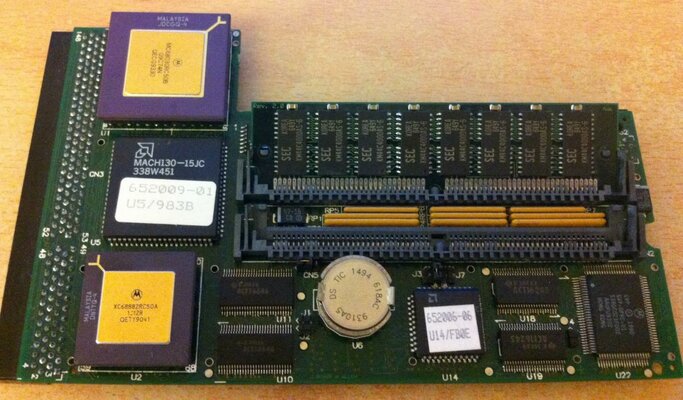
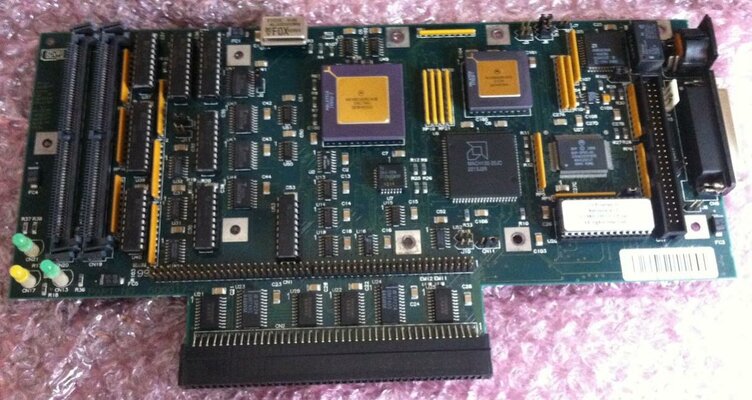
So, the main pcb has been away to get some work done on it. Following my first restoration of this type, a couple of things have been changed. First of all the pic of the board itself :

IMG_0137.jpg

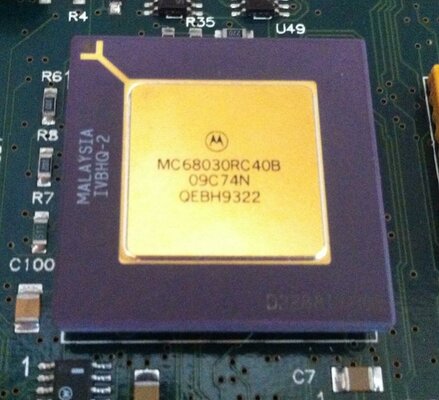
So looking into the detail here, you can see a few things have happened. First up Ive replaced the CPU with a full fat original 40 Mhz Motorola part, just what this unit was designed for :

IMG_0138.jpg

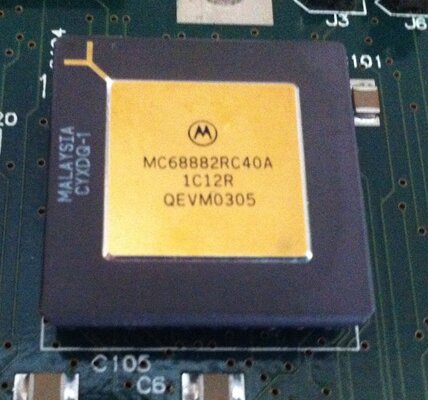
Of course we cant have the processor and not include the co-pro in the process, so that has been replaced too, again with a 40 Mhz part :

IMG_0139.JPG

The rom chip has also been replaced and updated to the latest version 4.15 :

IMG_0140.jpg

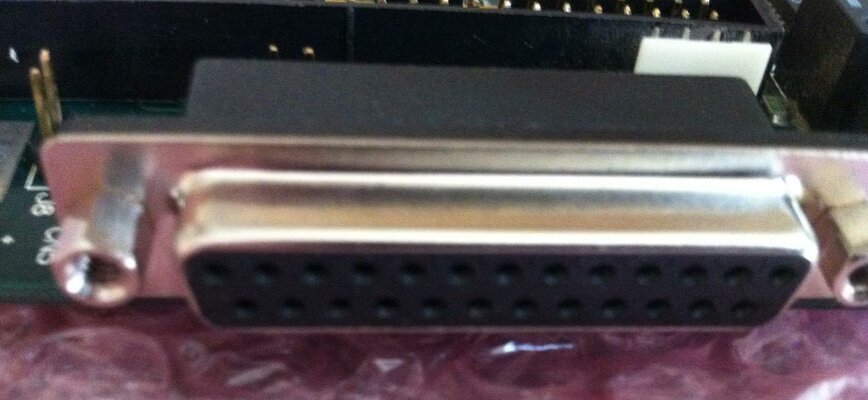
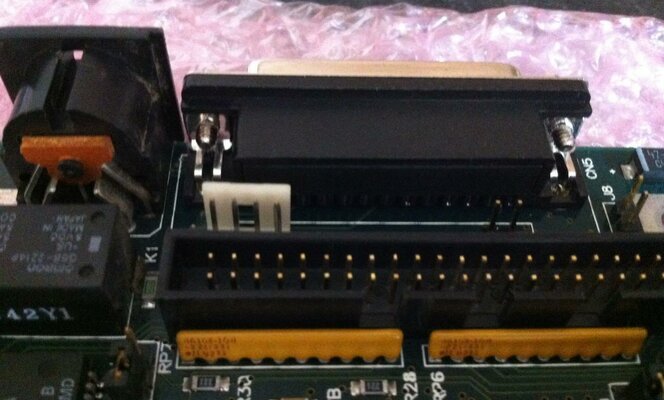
The rear socket, which is a 25 pin db socket used for a SCSI cable, has also been replaced. Not strictly necessary since the old one worked, but since brand new replacements are in plentiful supply, why not :

IMG_0141.jpg

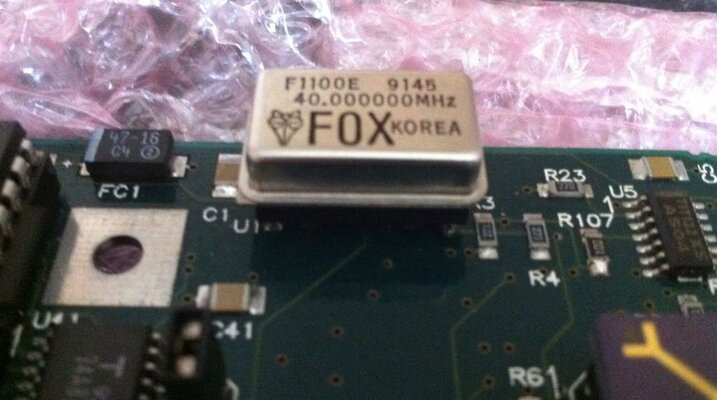
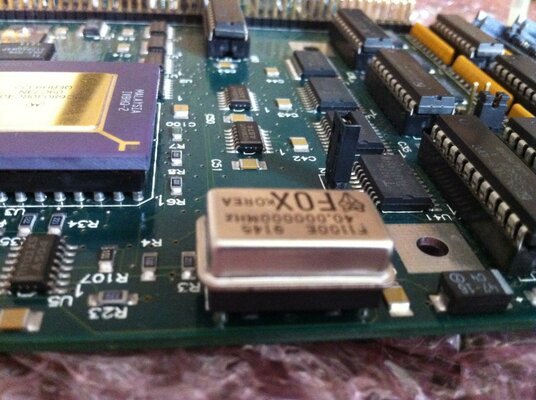
Now, one thing that I wanted to change was the oscillator chip. Yes it is the original, but I wanted to get this changed from soldered to socketed so that if anything happened in the future I could pop the old one out and just replace it.

Think of this as a little bit of future proofing my 20 year old expansion :p

IMG_0145.jpg

And the side view of this :

IMG_0146.jpg

The actual chip itself is still the original but we now have the option to easily change this if needed.

Something else that bugged me a little about the original was the internal power connection to the disk drive itself. The issue is that the four wires (Standard molex wiring) were simply soldered to four pads on the surface of the PCB. This gave the option to renew the molex connector and wiring but being soldered to those pads meant it was fragile at best. A little too much movement and those wires would simply detach. This is not good.

So, a simple fix was done for this. Thinking about the inside of the accompanying Amiga I was looking at that day, the solution was right in front of me. The four pin header block that is used for the floppy drive power connector was the perfect solution. Not using the actual amiga one itself, but getting a new one of these and attaching it to the PCB was the way to go.

That was done without a hitch and has provided a safe and permanent solution to the issue :

IMG_0142.jpg

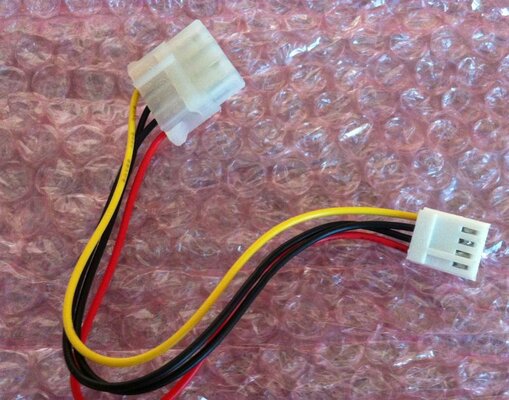
Now I can use a standard floppy to molex style connector :

IMG_0147.jpg

Problem solved! No more wires breaking away and a good solid permanent connection to power the drive.

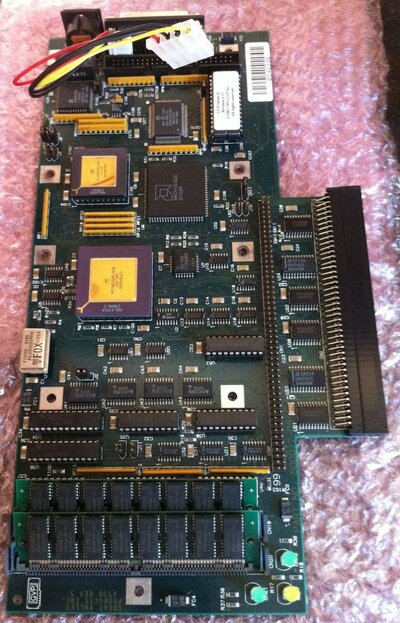
The overall view of the restored pcb :

IMG_0148.jpg

So thats it for now. This is a good chunk of the required work completed courtesy of Bas who has done a very professional job !

:thumbsup:
 
Really lovely restoration mate! All bright and shiny :)
Thanks for sharing.
 
Thanks all !

This standard of work has to be done, the hardware is too precious :cool:
 
Back
Top Bottom