Install ClassicWB on real Amiga without WinUAE

  • Thread starter Thread starter ByteRyder
  • Start date Start date
  • Replies Replies 26
  • Views Views 16067

ByteRyder

New member
Joined
Sep 16, 2011
Posts
234
Country
Portugal
Region
Lisbon
I never liked using WinUAE for my Amiga setups so I had to find a way to install ClassicWB without the need of an emulator. This works for me so I thought I'd share it with everyone.

1. Download ClassicWB (whatever version suits you)

2. Download an application for PC called ADF Opus (freeware)

3. Unpack HDF file with ADF Opus to desktop or wherever you want

4. Select all files and compress as System.zip

5. Burn System.zip and Install-disk.adf to a CD or transfer them with any removable media accessible on the Amiga

6. Write Install-disk.adf to a floppy disk

7. Create 2 partitions in the Amiga HD -> dh0: (bootable) and dh1:

8. Copy System.zip to dh0:

9. Insert Install Disk and Boot - ClassicWB will be unpacked now

10. When unpack is done load Workbench from 3.0/3.1 workbench/install floppy disk

11. From Shell -> Copy dh0: to dh1: all clone

12. Click Install ClassicWB icon

13. When install is done quick format dh0:

14. From Shell -> Copy dh1: to dh0: all clone

15. Boot

16. Enjoy
 
Last edited:
small correction:

14. From shell -> Copy dh1: to dh0: all clone
 
Nice tip there :thumbsup:

Thanks for sharing :)

Some might find that much easier than setting up via WinUAE.
 
Maybe a correction here

8. Copy System.zip to dh0:

9. Insert Install-disk.adf and Boot - ClassicWB will be unpacked now

Shouldn't it be : Insert Install-Disk and Boot ?

Also does the Install-Disk recognize the system.zip file by default ?
 
I've corrected some steps. Thank you for your contribution! :)

@BanisterDK

Yes, it recognizes System.zip in dh0: and unpacks it there. Also asks if you want to delete System.zip when it's done.
 
3. Unpack HDF file with ADF Opus to desktop or wherever you want

Gave this a shot tonight and got "cannot write 0 byte file" errors (or something to that effect)?

I just cheat and boot WinUAE from a WB3.1 ADF with System.HDF and my CF Card Mounted, then use the command:

Copy System: to <Target_Disk>: all clone

to copy everything onto my CF Card's DH0 partition; it's quick and painless and if you want you can then run the actual install from your real Miggy. :thumbsup:
 
You can retry/skip 0 byte file error. No files will be missing from the archive. Also make sure you have the latest version of ADF Opus.
 
hi when using wb 3.1 dont you need all wb disks

as 3.0 only needs 1 disk

nice guide btw
 
I believe it is about 5 or 6 disks, vs the CD for 3.5 (which has all the 3.1 files for an install), OS 3.5, 4.0 and 4.1 -- mind you I could never get 4.0 to boot.
 
I never liked using WinUAE for my Amiga setups so I had to find a way to install ClassicWB without the need of an emulator. This works for me so I thought I'd share it with everyone.

end of quote

For me important disk operations need to be done native. I had my share with alternative setup tools on windows nt 4 way back then by big company's.

(creating bugs like writing the last megs on the drive server failure)

Now amiga with it's old parts for sure needs to be prepared on hardware not on winuae.. At least partitioned... I tried to partition a 10 G today, not done properly by wb 3.1. Nice guide btw:thumbsup:

---------- Post added at 21:43 ---------- Previous post was at 21:42 ----------

And if you have an A500 with a scsi expansion, limited on 1.xx gigs with a 4 gig hard drive you'll learn the limit right away anyhow :thumbsup:
 
In the 26 years I've had Amigas, I've never used an emulator for anything; are you saying that there are folks who can't install an OS and setup a hard drive WITHOUT an emulator?
 
what do i do wrong ?????

as i dont had any luck with CF and CF2IDE, finally found a 2,5 IDE HD , IBM travelstar 6,5GB, put it in my A1200, partitioned, formatted and installed wb3.1. so far so good..
now comes the juice :/
downloaded cllasicwb advsp, made the instal disk, as described, put the system.zip on the DH0 partition and booted...

welcome screen , inflating the zip, deleting the zip file, remove the disk and reboot...
nothing happens ?!?!?! only the system.hdf is on the pratition ?!?!?!
 
Last edited:
The System.zip needs to be created with WinUAE as you're just extracting the HDF from the zip file, you need to mount the HDF in WinUAE and activate with WB floppy's/images then make the archive.

Bloodwych hosts unactivated system.zip ready prepared if you contact him at EAB he will give you a link, you will still need to activate on your Amiga with a real Workbench Disk after extraction.

If you still get stuck I offer a HDD setup service, PM me for details.

All the best,

Steve.
 
The System.zip needs to be created with WinUAE as you're just extracting the HDF from the zip file, you need to mount the HDF in WinUAE and activate with WB floppy's/images then make the archive.

Bloodwych hosts unactivated system.zip ready prepared if you contact him at EAB he will give you a link, you will still need to activate on your Amiga with a real Workbench Disk after extraction.

If you still get stuck I offer a HDD setup service, PM me for details.

All the best,

Steve.

10x Steve for your fast response :thumbsup:

i know u do the service, but it makes me mad that i cant fix this, that normally should be a piece of cake :)
so u say that the system.hdf is empty ??? i have the original wb disks

I have tried with empty DH0 and with WB3,1 installed... but with no luck...
 
Hi,

System.hdf has all the files inside it, you need to mount that file in WinUAE as a virtual Hard Drive and use WinUAE to create a System.zip (like in the Classic Workbench instructions)

However I can make you a system.zip later on tonight or tomorrow morning and give you a download link, just let me know which version you would like :thumbsup:

You need to put that on DH0 and run the floppy Disk like before, this one should work :)

Steve.
 
Hi,


However I can make you a system.zip later on tonight or tomorrow morning and give you a download link, just let me know which version you would like :thumbsup:


Steve.

i need your opinion on that :help:

A1200 escom(3.1), blizard 1230 IV , 32MB
 
Hi,


However I can make you a system.zip later on tonight or tomorrow morning and give you a download link, just let me know which version you would like :thumbsup:


Steve.

i need your opinion on that :help:

A1200 escom(3.1), blizard 1230 IV , 32MB

If you have a TV that de-interlaces (flicker fixes) Some LCD TV's do this or a Flicker Fixer like the Indivision AGA go for CWB ADV SP

If you have a normal Amiga Monitor (or a CRT TV) then go for CWB Full.

However I can make both system.zip's if you like and you can test both?

Steve.
 
Hi,


However I can make you a system.zip later on tonight or tomorrow morning and give you a download link, just let me know which version you would like :thumbsup:


Steve.

i need your opinion on that :help:

A1200 escom(3.1), blizard 1230 IV , 32MB

If you have a TV that de-interlaces (flicker fixes) Some LCD TV's do this or a Flicker Fixer like the Indivision AGA go for CWB ADV SP

If you have a normal Amiga Monitor (or a CRT TV) then go for CWB Full.

However I can make both system.zip's if you like and you can test both?

Steve.

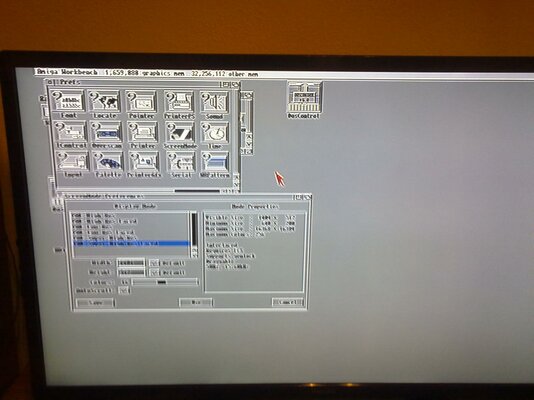
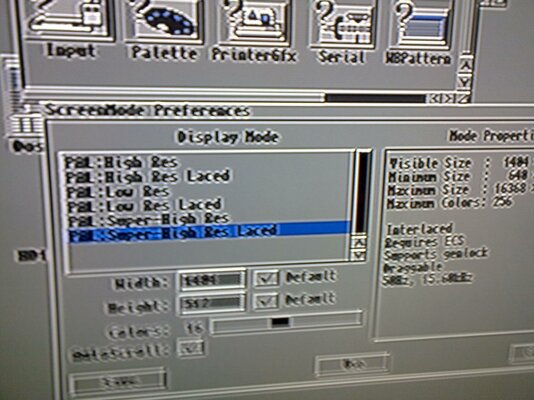
wow, didnt know this one :) just tried an interlace mode and, it doesn't flicks :thumbsup: so, if i will keep my amiga on tis TV, the CWB ADV SP would be great :)

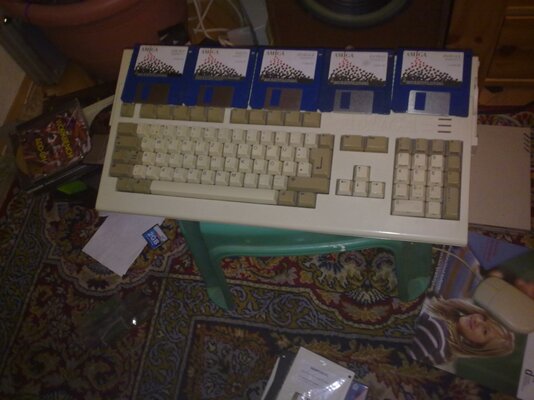
and the proof that i own the WB ;)
 

Attachments

  • 211120121879.jpg
    211120121879.jpg
    185.3 KB · Views: 15
  • 211120121880.jpg
    211120121880.jpg
    188.4 KB · Views: 11
  • 211120121878.jpg
    211120121878.jpg
    167 KB · Views: 11
Last edited:
Back
Top Bottom