My Amiga 4000 Project

  • Thread starter Thread starter edd_jedi
  • Start date Start date
  • Replies Replies 75
  • Views Views 3632
Status
Not open for further replies.

edd_jedi

Active member
Joined
Apr 9, 2010
Posts
1,258
Country
United Kingdom
Region
London
I've been looking for an Amiga 4000 for a while, and finally picked one up yesterday. I had an A1200 as a kid but was always fascinated by the A4000 because our art teacher at school had one (I was really in to Deluxe Paint at the time.) Anyway I thought it would be good fun to pick one up and sort it out. I thought that due to the nature of the A4000 being a proper desktop, it would be easy to tinker with and get parts if necessary.

So I managed to find one for a good price that had been sitting in a guys garage for over 10 years. It was covered in dust and dirt, and apart from showing me it powering on he had no way of testing it. So it was a bit of a gamble, but what's the fun in a project if it's perfect when you buy it :)

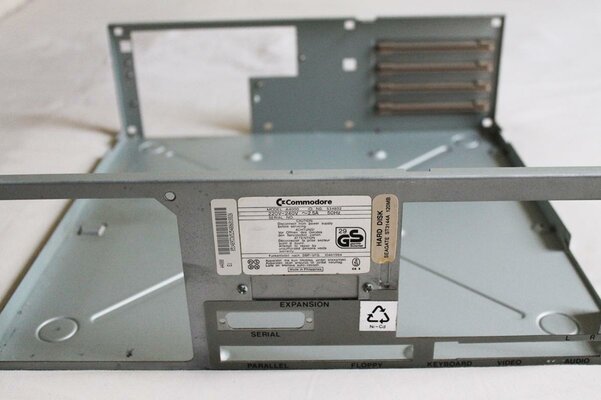
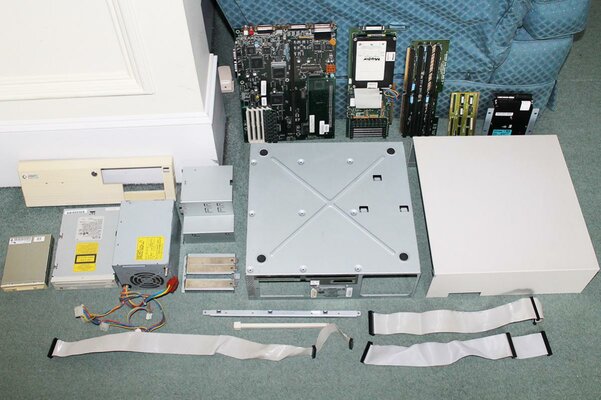
So the first thing I did was completely take it apart. There were 3 reasons for this - firstly it needed a very thorough clean, secondly I wanted to remove the battery, and finally I just wanted to learn how it all went together. It took me probably an hour to take it all apart. I learned that the spec was as follows, with a few extras:

- A4000/30
- 2MB Chip, 8MB Fast RAM (I think - it has 2 banks, and one is marked as 4MB so I assume the other is too. I think they only take pairs.}
- 250MB IBM HD
- SCSI controller card with 2nd HD and 2MB more RAM attached (I've posted this for sale as I don't need it - check the sales forum)
- Tandem IDE card
- Mitsumi CD-ROM

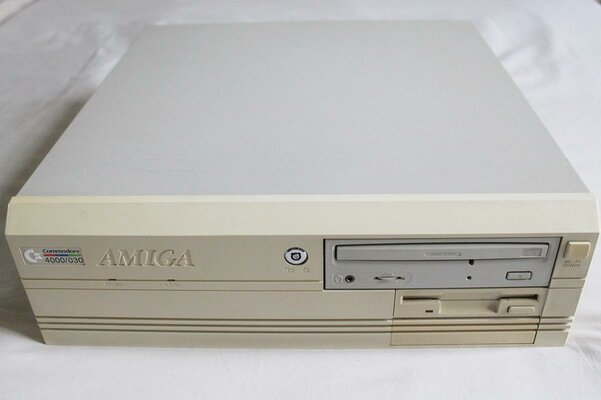
Everything cleaned up nicely, the case is in really good condition and the fascia only has minimal yellowing. I removed the old battery which had leaked slightly but not reached the motherboard luckily, so a bit of lemon juice sorted out the few small spots.

I put it all back together, leaving out the SCSI board and both HDs as I intend to fit a CF HD, as frankly it's just easier. I still can't see it working as I'm waiting for the SCART cable to arrive, but it powers on and I can hear the FDD clicking every few seconds, so it appears the Kickstart screen is loading up. Looking forward to continuing with the project as soon as the SCART cable arrives and I have confirmed it works! My first job will be fitting a CF HD. If anybody has any advice or has noticed anything I've missed about my machine, I'd love to hear it. My first question is what's the best way to get this connected to a VGA LCD monitor?

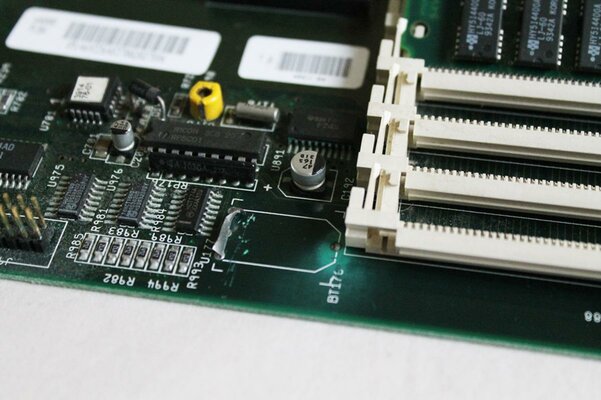
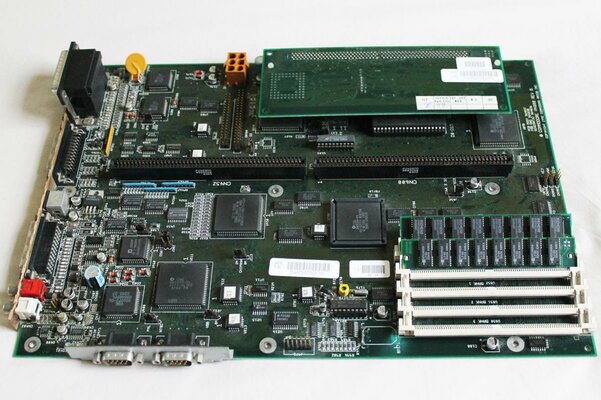
Here's a few photos to start with.
 

Attachments

  • amiga-4000-1.jpg
    amiga-4000-1.jpg
    123.1 KB · Views: 8
  • amiga-4000-3.jpg
    amiga-4000-3.jpg
    107.5 KB · Views: 6
  • amiga-4000-15.jpg
    amiga-4000-15.jpg
    55.8 KB · Views: 7
  • amiga-4000-12.jpg
    amiga-4000-12.jpg
    81.2 KB · Views: 8
Nice catch there, the A4000 is a great Amiga to use for a project as there are so many possibilities :)

I suggest looking for an RTG Graphics Card, Zorro Sound or Network Cards (or both) and lastly a Turbo Board such as the Cyberstorm MkII with 040 or 060 CPU. Even a WarpEngine or Apollo 4040 would be a nice upgrade and offer more FastRam.

I can help out view my HDD setup service with the correct CF adapter and CF card if you like, PM me for details.

Have a look at my project thread for idea's:

https://www.amibay.com/showthread.php?t=7140

That's my own A4000 from my collection which I still have :cool:

Good luck with your project,

Steve.
 
Can anybody tell me how to check which Buster version I have? Interested in getting a memory expansion that requires Buster 11. I have attached a photo of the motherboard.
 

Attachments

  • amiga-4000-2.jpg
    amiga-4000-2.jpg
    153.8 KB · Views: 10
It seems you have buster 11 socketed (big chip near ram simms), nice looking A4000 :thumbsup:.
 
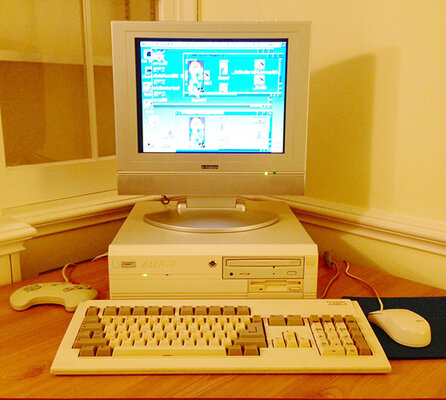
A little progress update and a photo now it's all set up. I sold the SCSI card as I didn't need it, but have added 16MB of Fast RAM, a 4GB CF HD running Classic Workbench (courtesy of Fitzsteve), replaced the old noisy fan with a silent one, and bought a small 15" LCD TV to use as a monitor. I also picked up an Amstrad Mega PC controller, which is exactly the same as a Mega Drive controller but in white so just looks better :) I finally managed to get the CD-ROM working thanks to IDEFix97, no more taking the case off every time I want to add some games!

Next on the to-do list is a Retro Brite treatment to the fascia and keyboard, and consider some upgrade options. What are the pros and cons of getting 3.1 Roms? Does it affect game compatibility at all?
 

Attachments

  • a4000.jpg
    a4000.jpg
    52.7 KB · Views: 7
nice machine you have there edd.


as for 3.1 roms it depends what you want to do with the machine,os 3.9 requiress 3.1 roms but if you just want games kickstart 3.0 and workbench 3.1 is fine.
 
Lookin good mate :-)

Only reason for upgrading to 3.1 rom would be to run os3.9 and I wouldn't bother unless you start to upgrade the A4000 as you would ideally want an 040 and RTG graphics.

It's fine as it is for classic workbench and gaming :-)

Steve.
Mozilla/5.0 (Linux; U; Android 2.3.5; en-gb; HTC_DesireHD Build/GRJ90) AppleWebKit/533.1 (KHTML, like Gecko) Version/4.0 Mobile Safari/533.1
 
As Steve has said, upgrading from 3.0 to 3.1 is not much use unless you are doing more with the machine. My understanding is that 3.1 included some bugfixes, improvements to RTG handling and a disk boot delay over the 3.0 ROMs - none of which would affect your current system.

Having said that I am running workbench 3.1 and 3.5 on my machines and much prefer 3.5 for usability. For games though, 3.0 is fine :)
 
OK thanks guys, will probably leave as is then as it's quite a pain to strip it all out again to get to the motherboard.
 
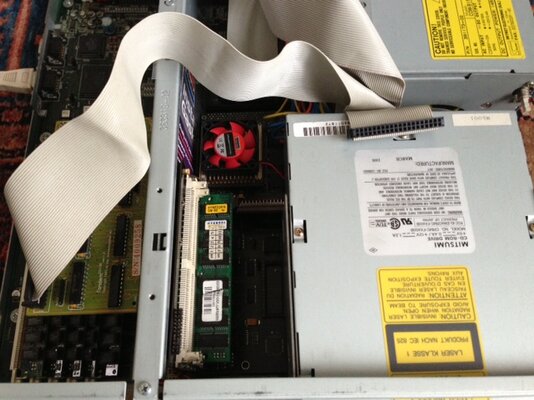
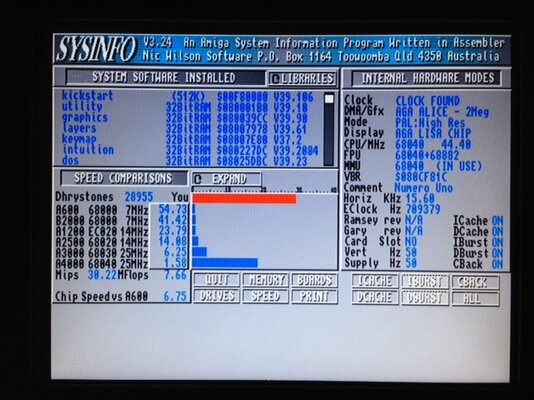
Today I fitted a Cyberstorm Mk1 with an 040 running at roughly 44mhz (see attached.) As you can see it's getting quite a squeeze inside the case now, it took a few goes to put it all together without anything touching or coming unplugged! Got it working in the end though. The performance increase is very noticeable, Doom now runs pretty much at full speed.

One thing that I'm not sure about is that I can only get the first two (of four) RAM sockets on the board working. I definitely have the jumpers set up correctly for 96MB (32x32x32x0) according to the manual, but if I put in any more than 64MB, it won't boot. Does anyone know why this may be? Is this board known to be fussy about RAM, or perhaps are the jumper settings in the manual wrong?

Also as was suggested was likely, a couple of my favourite WHDLoad games don't run properly. I've heard some games don't like 040+ processors, is this something that is likely to be fixed in new updates of either WHDLoad itself or the installs, or are the games coded badly and so probably not fixable?
 

Attachments

  • photo.JPG
    photo.JPG
    55.5 KB · Views: 9
  • photo (1).JPG
    photo (1).JPG
    64.1 KB · Views: 6
Glad to hear you got the CSMkI, it's a great card :thumbsup:

I think they can be a little picky with Ram combinations, apart from testing another stick I'm not sure what to suggest.

One word of advice, I'd insulate behind the Ram board so it don't short against the daughter board, a thin cut out of card or very plastic will do :)

As for WHDLoad Games, try some of the tool types such as CACHE / NOVBRMOVE, one at a time and see of they help at all :cool:

(Right click on the game Icon and Choose 'information' then add the extra tool type, save & try again) You may have to press enter after you type the text or it may not remain/be saved.

Steve.
 
One word of advice, I'd insulate behind the Ram board so it don't short against the daughter board, a thin cut out of card or very plastic will do :)

Ah yes don't worry, I followed the install manual. You may be able to see the bit of cardboard I've used in the photo. They are unbelievably close together!

Thanks for the advice, will give the games a try. Not overly fussed about the RAM as I think 80MB is plenty for what I want to do, but would be nice to get it working if I can.
 
hi edd.


are you sure your cyberstorm is 44mhz?,dont take no notice of sysinfo its not very accurate.

if the oscillator on the card says 80mhz its a 40mhz 040.:)


just out out of curiosity,did the card come with all the slots populated with some memory?
 
hi edd.


are you sure your cyberstorm is 44mhz?,dont take no notice of sysinfo its not very accurate.

if the oscillator on the card says 80mhz its a 40mhz 040.:)


just out out of curiosity,did the card come with all the slots populated with some memory?

That's interesting Roy, what makes you think that Sys Info is inaccurate? I use benchmark software on modern computers and it is usually far more accurate than what is printed on the components!

Cheers.
 
It's true, sysinfo reads the clock speed wrong. If you use sysspeed it will give a more accurate value, still sometimes out slightly.

Real clock speed is what is on the oscillator, in this case as it's an 040 its halved :-)
Mozilla/5.0 (Linux; U; Android 2.3.5; en-gb; HTC_DesireHD Build/GRJ90) AppleWebKit/533.1 (KHTML, like Gecko) Version/4.0 Mobile Safari/533.1
 
sysinfo "measures" the clock frequency (or tries to, anyway)..

on most modern computers you are able to read the clock directly without having to "measure" it..
 
A little progress update and a photo now it's all set up. I sold the SCSI card as I didn't need it, but have added 16MB of Fast RAM, a 4GB CF HD running Classic Workbench (courtesy of Fitzsteve), replaced the old noisy fan with a silent one, and bought a small 15" LCD TV to use as a monitor. I also picked up an Amstrad Mega PC controller, which is exactly the same as a Mega Drive controller but in white so just looks better :) I finally managed to get the CD-ROM working thanks to IDEFix97, no more taking the case off every time I want to add some games!

Next on the to-do list is a Retro Brite treatment to the fascia and keyboard, and consider some upgrade options. What are the pros and cons of getting 3.1 Roms? Does it affect game compatibility at all?

Lovely setup, and I like that gamepad :)
 
Status
Not open for further replies.
Back
Top Bottom