Pre loaded CF card and WinUae

  • Thread starter Thread starter nutovsky
  • Start date Start date
  • Replies Replies 15
  • Views Views 299
Status
Not open for further replies.

nutovsky

New member
Joined
Mar 28, 2019
Posts
15
Country
United Kingdom
Region
Wales
I have been through various posts etc but can’t find a solution.

I’m trying to run my WhdLoad cf card under Winuae and AmigaForever but all partitions are visible as NDOS. When connected to real amiga it works fine, can someone tell me what may be wrong, please?

Thanks,


Sent from my iPhone using Tapatalk
 
Last edited:
If it works on the real Amiga it should work in WinUAE as long as you make the same settings. Make sure when you add the Hard Drive you choose 'SCSI' emulation instead of UAE just in case that's the issue. otherwise make an Image (HDF) of the CF card with WinImage and try using that with the emulator.
 
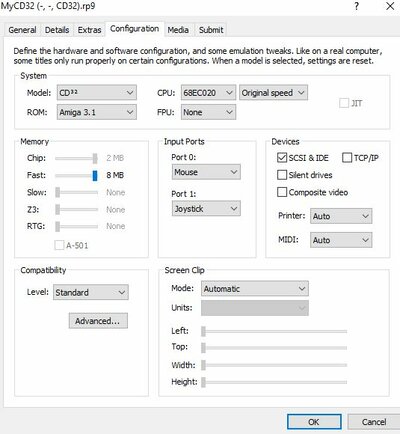
To clarify, I am using CD32 with TF328 with CF.

what rom are you using in winuae?

Rom is 3.1

If it works on the real Amiga it should work in WinUAE as long as you make the same settings. Make sure when you add the Hard Drive you choose 'SCSI' emulation instead of UAE just in case that's the issue. otherwise make an Image (HDF) of the CF card with WinImage and try using that with the emulator.

Ok, I feel better with AmigaForever than WinUae which i have downloaded today only to back-up my CF card by creating the HDF file. I'm using that hdf with the emulator and this doesn't work. I'm not there yet to work directly on the cf card and i started with hdf file as a test and to learn how to do it.

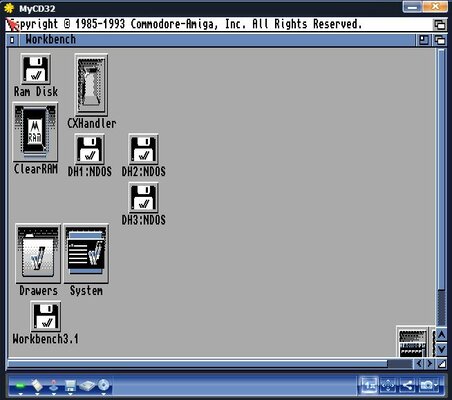
Interesting thing is that i can see system files from the card, but not the other partitions, is it something about their size maybe? And yes, I have the scsi option on.

CaptureCD32_2.JPG CaptureCD32.JPG
 
it looks like the scsi.device version issue, have you tried booting the CF card as a 1200 emulator rather than a CD32? I have a TF330 with a CF card working fine both in the CD32 and Winuae... If you get really stuck let me know :-)
 
Yeah, I tried under A1200 and no difference, still NDOS. In WinUae I can't even make it to see them as NDOS, nothing shows up.
 
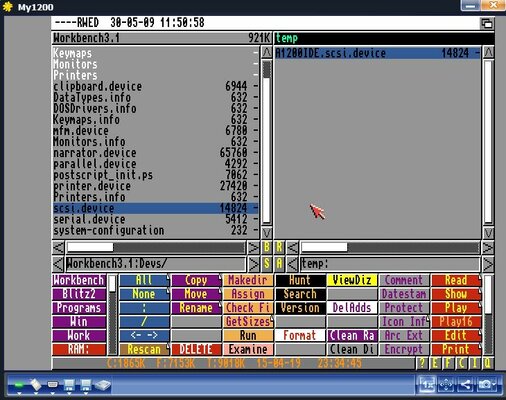
NDOS points to the scsi.device, try updating that with a newer version if its classic workbench there is a bunch of scsi.devices in the my files folder you can use...
 
It looks like the problem is due to the card being over 4gb (it is 8gb), apparently workbench is not handling those over 4gb without some patching on scsi.devices, so you were right! But it looks like there is a few things to do in order to make it working and i give it up for today.


Sent from my iPhone using Tapatalk
 
Ok, i have been trying to do that on regular Workbench as opposite to ClassicWB, that’s probably the answer!


Sent from my iPhone using Tapatalk
 
Pre loaded CF card and WinUae

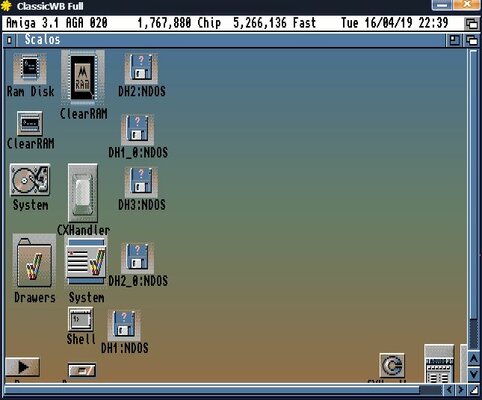
I have installed ClassicWB on AmigaForever, successfully updated scsi.device to 43.24 and partitions from my CF card are still NDOS. No more ideas for now, anyone?
Can it be files system settings?

Capture_scsi2.JPG
 
Last edited:
Have you got another USB to CF adapter to try? as some adapters will not work from experience
 
Have you got another USB to CF adapter to try? as some adapters will not work from experience

Hi supaduper,

I will try another card indeed (only have empty ones and 4GB, not 8GB) but I can see the small partition on this one, so I'd expect the adapter is fine? Actually, realizing just now that i didn't say I'm working on HDF file which I have created under WinUae rather than card itself, does it make a difference?
 
Last edited:
When you created it I take it you used the PFS3 aio filesystem ? as this is the best when using large partitions
 
When you created it I take it you used the PFS3 aio filesystem ? as this is the best when using large partitions

Are you asking when I created the CF card or HDF file? The card is from you... :) and the HDF file I just created under WinUae by clicking Add Hardrive and Create hard disk image.

Again, to confirm all works fine on real Amiga, so I'm sure it's my "skills" in setting it up in the emulator are insufficient!
 
Last edited:
I always find using the create HDF with Winuae a bit hit and miss and I had problems too, thats why I alway use a CF and add it to winuae and create partitons that way

When you created it I take it you used the PFS3 aio filesystem ? as this is the best when using large partitions

Are you asking when I created the CF card or HDF file? The card is from you... :) and the HDF file I just created under WinUae by clicking Add Hardrive and Create hard disk image.
 
Status
Not open for further replies.
Back
Top Bottom