Q: Amiga PCI Solutions

  • Thread starter Thread starter arnljot
  • Start date Start date
  • Replies Replies 98
  • Views Views 20314
yeah.. frinds in the company would be a good idea ;-)

actually the picture image is worse than the 8833-II, it won't fine tune to be perfect, for for installing etc, it's good enough :-)

I used the original 23SubD to 9SubD cable (RGB afaik) and not the composite.

The image quality would be the same as you get on a CRT VGA monitor, so it was as good as it could get with no additional video enhancing hardware. :thumbsup:

At some point I think I'll dig up one of my other TV cards that has a composite in aswell, this image is better than using the FM modulator, I just wanted to get started right now and grabbed the first I could find hehe..
 
Not a friend within Elbox m8. But none the less, still a friend in Poland. ;)

I could only imagine an RF signal looking poor with your hook up there, but thank's for clarifying. Top idea to get hooked up though! :thumbsup:

Kin
 
Last edited:
thanks..

next time I boot it up, I'll see if I can make a screendump with the FM signal and one with the composite.

(I installed WarpUP and now the workbench freezes up.. and Idon't feel like reinstalling today)
 
@tomse
I will look into it when i get home. Its a holliday in norway this monday. So bente and i are iut and about

---------- Post added at 15:09 ---------- Previous post was at 15:09 ----------

@tomse
I will look into it when i get home. Its a holliday in norway this monday. So bente and i are iut and about
 
thanks alot..
we have "pinse" here in DK aswell..

with all my problems with my A1200 in-a-tower I'm pretty close
on asking for a step-by-step guide in how to install..

sounds dumb I know, but either I'm doing something wrong, or I have faulty hardware, which I hope not.
 
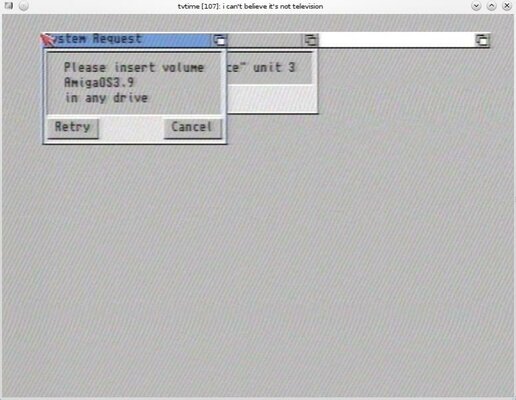
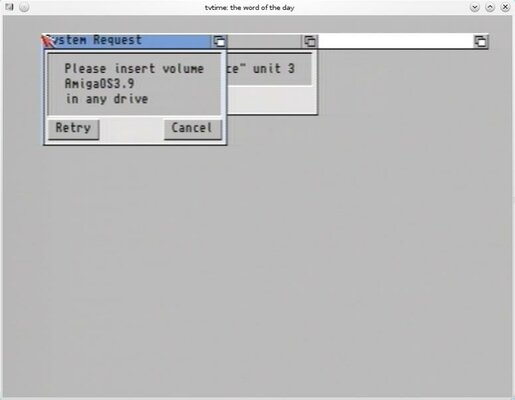
I promised some pictures of the TV Tuner signal vs the Composite

here they are attached
 

Attachments

  • AmigaTV-Tuner.jpg
    AmigaTV-Tuner.jpg
    54 KB · Views: 7
  • AmigaComposite.jpg
    AmigaComposite.jpg
    18.8 KB · Views: 7
*boing*

@arnljot : did you come home yet ??
hehe


I guess you forgot about this post ;-)
 
Why are all my 8 bit modes trashing text
and I can't have 32bit 1280x1024, only 16bit?
I'm using a mediator 1200sx on a 1230 blizzard with no mmu (4mb hole jumper)
on an ati radeon 9200 256mb
also can someone provide me the latest 2.7 radeon.card driver?
Thanks
 
*boing*

@arnljot : did you come home yet ??
hehe


I guess you forgot about this post ;-)

Yes I did :whistle: LOL, sorry.

Tomorrow is another day, right? :)

---------- Post added at 01:11 ---------- Previous post was at 01:07 ----------

@arnjlot have you made any other changes to your settings ?
and what AHI version are you using ?
when opening the AHI in prefs, it actually complains about the openpci.library

@Tomse
Do you want this info from my GREX or from my MEDIATOR setup?
 
Lol I forgot about this post aswell heh..

I'd like from your mediator setup :-)

from the age of this thread, it's stated that only virge and voodoo cards provide the dma address space to the rest of the cards, but since SX/TX has come out I believe that the Radeon card can also do that.

correct me if I'm wrong

@Hezor, i believe that the 2.6 radeon driver is the latest
http://elbox.com/downloads_mediator.html

I guess that you cannot have such a high colour depth for that resolution and up, as default you only use 16(15)MB on your graphics card, and don't remember if you can adjust this.

can you take a picture of your fuzzy text ?
 
I'm going to take a snapshot today.
Yesterday I've played Napalm on 8 bit 800x600 fine, only the mouse cursor trashed when moving far left and right. The text that's corrupted is on the screenmode prefs when I select 8bit modes.

There's an ENV argument for the memory option, I'll try if i can set it more than 16m if any avail. Does this mean that my 256mb is useless?

Radeon 2.6 is the official latest, but I've heard someone said there's an 2.7 too, that could be mistaken.
 
Screenshots from the Mediator with Radeon 9200 256mb 8 bit screenmodes:
Screenmode prefs trashed when launched after 8bit used, everything hangs.
Napalm trashed the mouse when cornered down
IMG_3627-large.JPG

IMG_3629-large.JPG

IMG_3630-large.JPG
 
for an A1200 the 256mb is useless yes.. the lowest gfx in that series is afaik 128mb

For an A4000 som hacks can be made, and the memory of the gfx card can actually be used as fast-ram :-)

it's strange that your gfx card behaves like that, have you tried the same settings in a pc ?

cheers

---------- Post added at 21:39 ---------- Previous post was at 21:36 ----------

It seems to me that you have some hardware issues.

if you are using your amiga without the gfx card, does it freeze up ?

and as posted ealier, try the graphics card in a pc, and see if it does the same.

I suspect your graphics card to be defect, depending on the above results.
 
for an A1200 the 256mb is useless yes.. the lowest gfx in that series is afaik 128mb

For an A4000 som hacks can be made, and the memory of the gfx card can actually be used as fast-ram :-)

it's strange that your gfx card behaves like that, have you tried the same settings in a pc ?

cheers

---------- Post added at 21:39 ---------- Previous post was at 21:36 ----------

It seems to me that you have some hardware issues.

if you are using your amiga without the gfx card, does it freeze up ?

and as posted ealier, try the graphics card in a pc, and see if it does the same.

I suspect your graphics card to be defect, depending on the above results.

As I never had any issues with my amiga, I suspect something on startup-sequence, fblit or something.
The gfx card is brand new, I will test it on pc when I can.
The freezing is only caused when I launch the screenmode prefs if I have an 8bit mode in use. Napalm plays fine in 8 bit 640x480 except the mouse trashing on corners.

I'm willing to get a voodoo3 3000 for flexibility.
So what's valid, the 128mb or 16mb limit on the 1200 mediators?
 
well I do suggest you to try some different modes on the PC, just to make sure.

seems that you have more than the average startup-sequence, you could also try commenting out some of the commands that has something to do with the gfx, or you could boot from a floppy disk (workbench 3.1 or so) and try the game if possible.

A voodoo 3 is a good choice if you want to use Warp3D and it's applications.
there is a software Warp3D driver out there, and since my Tower (with mediator) still is with dead roms, I cannot test it. I have a Radeon 9250 so at some time I'm going to test it.

Just beware that the Voodoo 3 3000 gets really really hot, and the Radeon is quite cool. People here suggests that you add a fan to the VD3000.

I must tell you that besides the missing 3D driver I'm very satisfied with my radeon card.

cheers :-)
 
@Tomse: I think you are mentioning WAZP3D, which is in Aminet.
 
@rkauer shouldn't you be hiding all your hardware from your wife ? :ninja::p:ninja:

yeah you are right, I didn't remember the name of it, thanks ;-)

have you had any experience with it ?
 
Nope, never try any Warp Software, as I think it is only PPC.
 
Back
Top Bottom