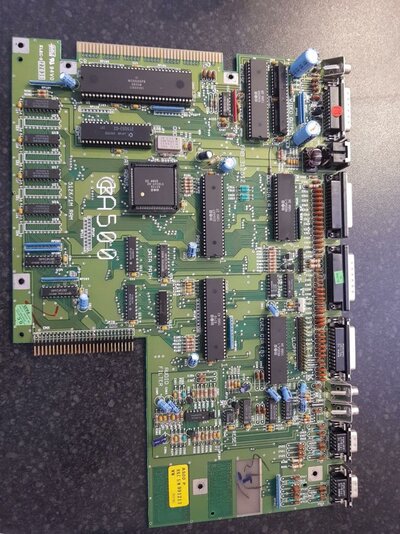
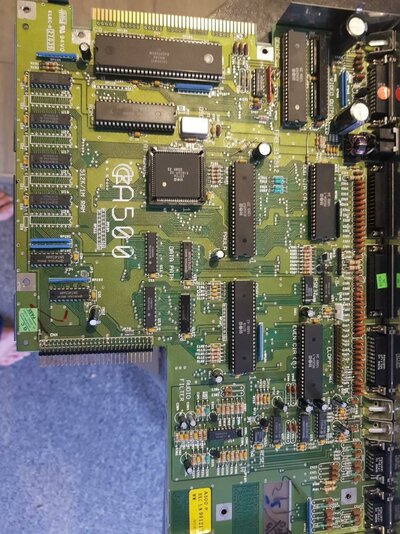
Recapping / Soldering Equiment

WonkeyDonkey

Member
AmiBayer
Joined
Mar 5, 2012
Posts
895
Country
U.K
Region
Sheffield, South Yorkshire
Hi all,

Just putting this out there for some advice really.

I have some Amigas here awaiting restoration, mostly 500 and 500+ models. I've always been a fan of having them recapped and having the sockets changed where appropriate, to give them a new lease of life.

Resident expert Baz has done a lot of this work for me in the past and has done a fantastic job every time. With his impending departure for warmer climates, Im thinking about getting some kit and learning about the process myself.

I have a couple of old donor boards and old caps to practise with, so Im really wanting advice on a decent quality solder station thats not too expensive, what other tools i should have to hand, and any tips/tricks that are useful to know.

I dont plan to rush anything and prefer to take my time to achieve a good job of something.

Any thoughts, recommendations or tips would be much appreciated.

Thanks!
 
^ Sheffield, me too! lol

As it goes I actually re-capped my Amiga A500 (Rev 6a) yesterday. To be honest there was nothing wrong wrong with my Amiga; and the caps are really not prone to failure like they are on the A600/A1200's. But like anything they will all fail eventually and for not a lot of money and a couple of hours of time I know should I have any issues, the caps likely aren't it.

I'm by no means a soldering expert, but all of the caps (in fact, pretty much everything) on the A500 is all through-hole stuff. All I used was a china special 60w (variable) soldering iron a lot like this one: https://www.ebay.co.uk/itm/220V-Sol...662158&hash=item3d5f3b8f61:g:AqIAAOSwJN9axx0z

Obviously you get what you pay for, but honestly I don't think I did a 'bad' job, I've definitely seen worse and even more importantly my 500 still works lol. Just be sure you have some quality flux, and a de-sodering pump. The pump works really well for sucking up the old solder with this type of job.

I also 'reflowed' all of the ports as well, again nothing wrong but as I use my A500 for music production and pretty much every port at the back is in use.

I ended up just buying a kit from RetroBench: https://www.ebay.co.uk/itm/AMIGA-50...e=STRK:MEBIDX:IT&_trksid=p2057872.m2749.l2649

I've no doubt you could find the capacitors cheaper buying them your self, but I thought this was a decent price and they also include an A4 sheet with a diagram of notable differences between revisions and exactly where the different caps go. He also tells you the polarity, although to be fair this is marked on the board anyway. All Panasonic, and all rated at a higher voltage than the originals so should theoretically last even longer than the original ones.

If you get stuck, gimme a shout like I said I'm also in Sheffield.
 

Attachments

  • A500 - Before.jpg
    A500 - Before.jpg
    212.7 KB · Views: 6
  • A500 - After.jpg
    A500 - After.jpg
    214.6 KB · Views: 8
Thanks Core2lee!

There looks some useful info here.

I'm at work just now but will pen a fuller reply once i'm at home in a couple of hours time :)

Edit:

That kit seems quite reaonably priced for what you get, I had in my mind a soldering station but starting off small is probably the better way to go.

I do have a caps list for the A500 and A500+, but I think on the day I will resort to actually examining each cap on the board to be done, just to be double sure.

If i'm reading it right from above, are you saying that its reasonable to increase the voltage by 1 or 2 steps so long as the uf rating remains the same ? I had that thought in my head from 'somewhere' but no idea where 'somewhere' originated :lol:

I do have a list I put together of the complete range of panasonic black & gold caps, which seem to be very highly regarded from what I read on several net forums.

Finally I have an old donor board which i intened to use for practise to get used to doing it a few times. I will maybe try a few of the SMD ones too. Could they replace the through hole ones if I fill the hole underneath ? (Simplistic idea I know!) or should i just stick to replacing like for like ?

Btw, not sure if you know, but theres an electronics repair shop opened at the bottom of The Moor where the old fruit shop used to be. That chap seems very competent at component levels repairs and recapping and such. Im thinking of taking one of my old school monitors to him to get some work done on it.:)

Last question for now, I think : I got some new caps that i bought back in 2013 some of which were used for a coule of recap jobs, these are the remaining spares. Are they ok to be used for real or should I buy fresh ones ? No idea how long they last when not used...
 
Last edited:
I'm no electronics expert by any stretch of the imagination, I've had a look a few times at investing in a 'proper' soldering station but for how little soldering I actually do I've just never bothered buying a better one. Plus more importantly my end result always looks pretty acceptable, I don't have a photo of the underside of the board but none of my soldering joints stick out like a sore thumb, all the caps are straight, no ugly looking blobs of solder.etc

Ah cool, good to see people are still opening shops up like that! Seems to be a lot of this sort of stuff going off in Sheffield, I recently purchased a screen for my Akai S950 sampler and realised one of the bigger sellers on eBay selling replacement/re-designed LCD displays for loads of old (80's/90's) keyboards and studio equipment lives on City Road of all places lol.

Yeah so (in general) with capacitors, the [FONT=&quot]microfarads (µF) must be correct for the circuit in question, the voltage again must at the very least match the voltage of the original spec, but there's no issue at all in fitting an [/FONT]electrolytic capacitor with a higher voltage than the original. in fact especially with older electronics they can actually benefit from this as to save costs when designing circuits manufacturers will often use the minimum they can get away with, to us this is a difference of a couple of pence but obviously when you are buying literally millions of the things, this can soon start to add up.

When a capacitor is capable of a higher voltage, it's basically under less stress. The only downside to this is the higher the voltage, the bigger the physical size of the cap. This is especially noticeable the 2x larger (3000 [FONT=Open Sans, Arial, sans-serif]µF I think?) capacitors at the top left of the board near the video output. However whilst all of the capacitors supplied by RetroBench are intentionally of a higher voltage, they do all fit without fouling other components. [/FONT][FONT=Open Sans, Arial, sans-serif]The 5 year old capacitors you already have are probably fine in practice, but manufacturers do put a shelf life on these (usually 2 - 3 years). So for how cheap they are, personally I would throw them out and buy fresh ones.

Just be sure to buy from a well known supplier, and a tried and tested brand like Panasonic or
[/FONT]Nichicon rather than the cheaper no-name brand ones you often see on eBay for example.

I guess some tips would be:

- Take your time
- Don't have your iron too hot
- Make sure you have a way to clean the tip (wet sponge)
- Have a pair of quality wire snippers
- Don't leave the iron resting on a pad for too long whilst removing components, the heat will start to conduct in the PCB tracks and will eventually cause damage to those, or to other nearby components.
- Make sure you have a desolder pump and some desolder wick (this is a helpful video if you have never used one: https://www.youtube.com/watch?v=Aw4lZGk90i4&t=92s )
- Buy some quality flux to apply after you remove the old component

As far as practising soldering skills goes, the A500 mainboard is about as easy as it gets :)


Now... as for SMD components. You cannot replace these with through hole ones, the A500 is a 2 layer PCB so literally tracks on the top, tracks on the bottom. The reason we use SMD components is when there are more layers than this where a hole cannot be drilled all the way through ( and it's also WAY cheaper to automate manufacturing this way), a smartphone for example can have up to 10 layers in one PCB!

Might be worth checking the general consensus in the Amiga community in terms of which type you use. You can solder with SMD ones like the originals or you can solder through hole style caps directly to the pads on the PCB. I've done this with a couple of my old synths however a lot of people do not recommend this as it could cause stress on the pads eventually causing them to tear from the PCB. Personally if I was re-capping a 600/1200 (or an entire board of capacitors on anything) I would replace them with the correct SMD style ones, i've only used the through hole style when literally replacing a single capacitor on a board.

 
If you must use a desoldering pump/sucker get one of these! you will thank me for it :)

Engineer SS-02 Solder Sucker

The absolute best manual pump solder sucker I have ever used! its well built, can be serviced but more importantly it has heat resistant replaceable tubes on the end, they do not melt and you can get the tip right into where you need it. I am so happy I bought a spare one just for the hell of it.
 
Nice!

Just like a soldering iron I've only ever used the very cheap ones that usually come with the soldering kit. The cheap one I have doesn't melt and works, but definitely isn't serviceable.

I might have the treat myself to some quality soldering gear :) do you have any recommendations for a good soldering iron/station?
 
Nice!

Just like a soldering iron I've only ever used the very cheap ones that usually come with the soldering kit. The cheap one I have doesn't melt and works, but definitely isn't serviceable.

I might have the treat myself to some quality soldering gear :) do you have any recommendations for a good soldering iron/station?

I would be interested for input about this too. I looked at some handheld ones and a couple of solder stations around the 30-40 GBP mark. I just don't know enough about them to decide which ones are worth it.
 
Hi,

I fix old gear (mostly synths and retrocomputers) as a hobby and bought the following tools throughout the years. Keep in mind that I've got many expenses so I can't get the more expensive tools like Hakko and stuff, but wherever I can I try to buy better than low quality tools because in the end it's worth buying one midly expensive tool than dozens of cheap ones that broke constantly and enhance your frustration (repairing should be fun, not frustrating).


  • Generic 60W soldering iron with fixed heating setting : good for big things like capacitors with legs on ground plane (CRT displays, power supplies...). Forget it for anything smaller, it'd only burn PCB and frustrates yourself
  • Precise TS-100 soldering iron with 2-3 fine tips : the best bang for your buck you can have, hand down the best soldering iron I ever used
  • ZD-8915 Unsoldering station with gun : after spending hundreds of frustrating hours and burning PCB tracks with the manual approach I finally bought a desoldering gun and even if this is not the best quality tool I own, for $100 it's the best tool purchase I ever made. A 16 pins socket that used to take me sometime one hour only take me about 30seconds. I went from fearing unsoldering components to doing them just for pleasure; from one repair project per weekend to ten or more. There's clones of this one here and there with other model numbers.
  • 30W Electric Automatic Desoldering Pump : if you don't have the resource to get an unsoldering station at least get one of whose (with the spring mechanism), I still use one when out of my lab. It's less quick and easy as the gun but still way more effective than the manual soldering iron+wick method
  • Engineer SS-02 Solder Sucker : (as suggested earlier in this thread) if you don't want to go to the electric way (really I don't know why you wouldn't) this solder sucker it's the absolute minimum you want to work with, I broke and melted many first price plastic models and this one never failed me, I still have it these days ($50 wasted on dozens of plastic models vs. $25 on this one)
  • 858D hot air station: cheap and fine for SMD stuff, good tool but please check the insides before plugging it to mains. There's also an open source firmware for these that improves temperature stability and make it a way more precise tool, I never needed to do this mod though so I cannot vouch for that
  • for any tool that you buy and that will be in direct contact with a PCB, please use one which is ESD safe or at least got a proper grounding (this last point is crucial for both your vital security and that of the PCB (static discharge))

There was my two cents. I'm doing repairs at home and in Repair Cafés for years now and I'm happy with these tools, depending on your needs/usecases YMMV. Before buying anything be sure to check sources like EEVBlog forum where many people way more capable and knowledgeable than me are discussing this very topic with many more hindsights.

Jonas

PS: sorry for my English, it's late here and that's not my native language
 
Last edited:
Thanks Jonas, that's some useful info there!

I'm scouting round right now for equipment to buy, I'll be posting a few links here maybe to get opinions.

:)
 
Back
Top Bottom