Solution for external Flicker fixer?

  • Thread starter Thread starter Harrison
  • Start date Start date
  • Replies Replies 814
  • Views Views 312618
Yeah I bought from eBay for $45usd too but the above link appears to be the oem and was supplied in answer to a question about who makes them.

100% just wanted to make sure that no one else paid the extortionist price I did :)

-(e)
 
Btw, I was discussing this SCART-HDMI Converter over on Lemon64 and I realised that it should support Composite AND S-Video! :cool:

On what appears to be the OEM's site:

http://www.ambery.com/rgbtohdvisch.html

it say's:

Up-converting Scart type CV/SV video (PAL/NTSC) and RGB (480i, 576i) to HDMI or optional DVI type.
SCART female x 1 for CVBS/y/c (PAL, NTSC)


I beleive I have a cheap SCART-Svideo plug adapter lying round so I might hook it up to the c64 and SCART-HDMI converter and see what happens, stay tuned. :cool:
 
Good news folks, using a scart plug adapter it most definitely converts composite and s-video to Hdmi along with the audio.

I tested the s-video with my TiVo and got a superb picture, really quite impressive considering and it shows "scart SV" via the osd.

The c64 via composite also produced a surprisingly nice picture considering, like really really nice, was hard to believe it was composite, only the softness and bit of colour bleed gave it away but it was a much better pic than my Bravia TV produces when fed the same signal!

Bad news tho, using my very cheap c64 s-video cable it doesn't recognise the signal as s-video (shows "scart av" on the osd) and as a result produces a truly aweful aweful picture!

I have heard c64's need a resistor or something to make the signal properly s-video compliant so I'll have to look into that some more.
 
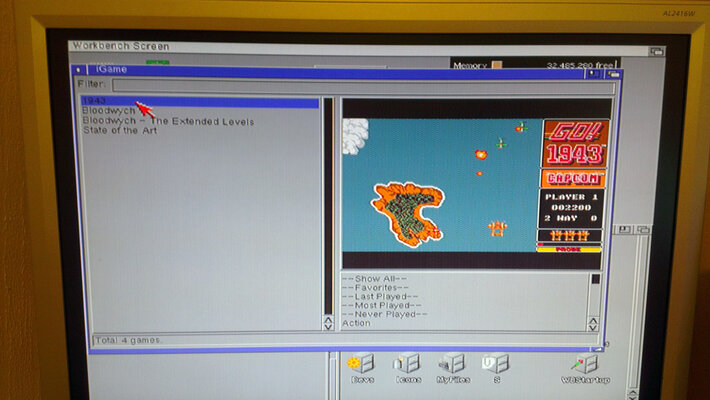
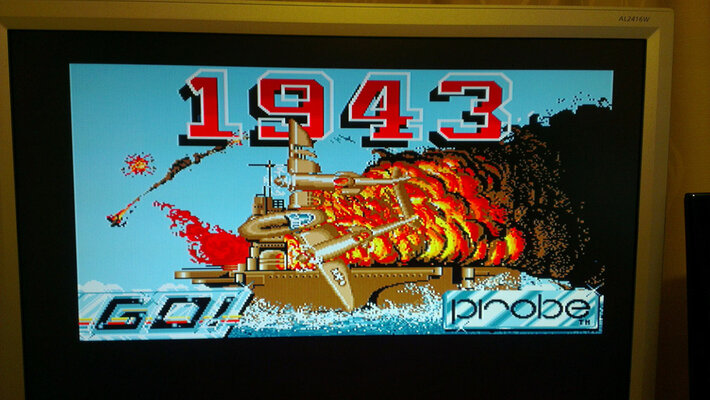
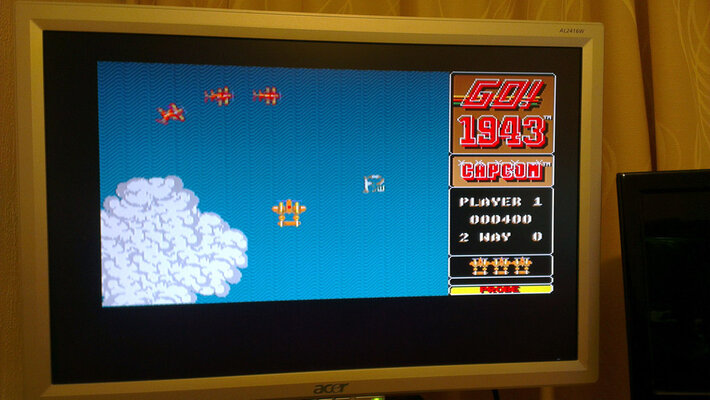
Wanted to show those that are interested in buying the GBS8220, what the quality is like. I compare the quality to that of scart, definately nowhere near Indivision quality.
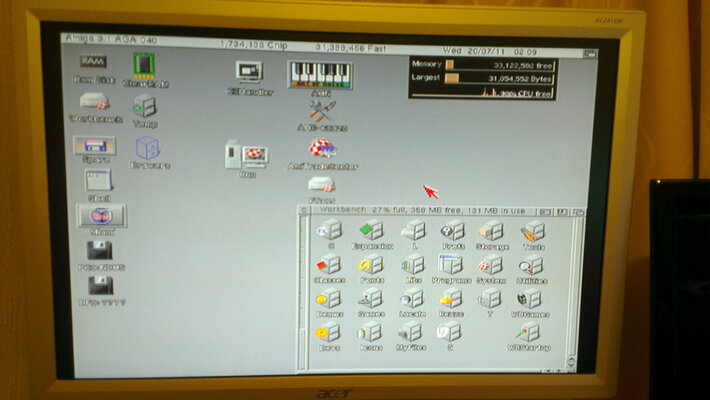
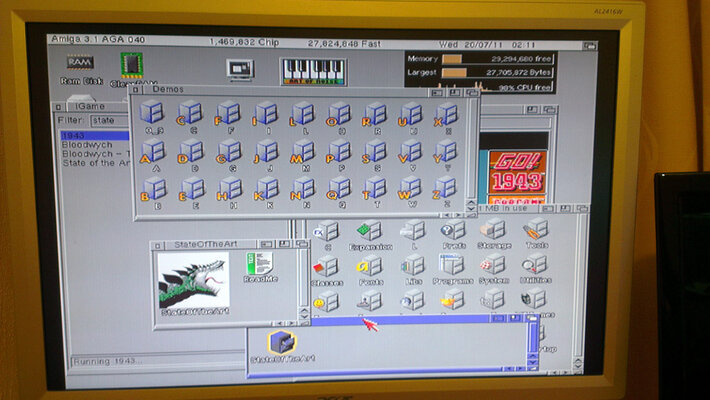
However, the flicker fixing works very well and it looks great to see my standard amiga resolutions, games, programs etc running on a 24" PC LCD monitor :)

Here's a video of it in action (this is a broken WB install, so please excuse it)
http://youtu.be/L1PpaJDyoxU
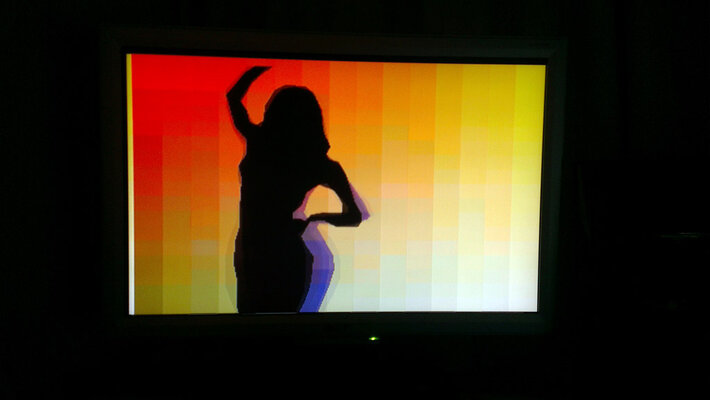
You can see a bit of banding when the screen is dark and I also got a few snow spots but nothing annoying.

Also, I've included pics.
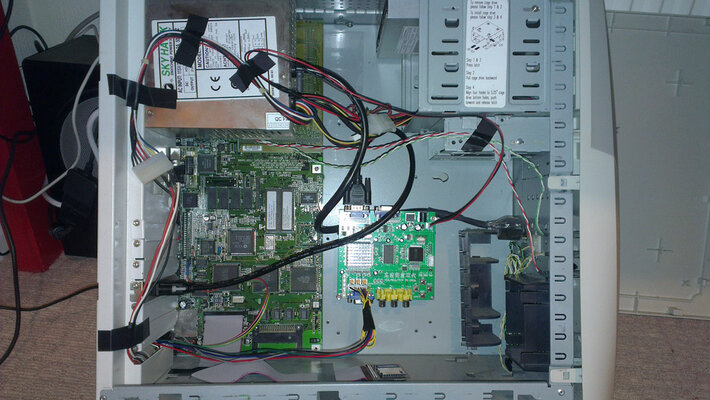
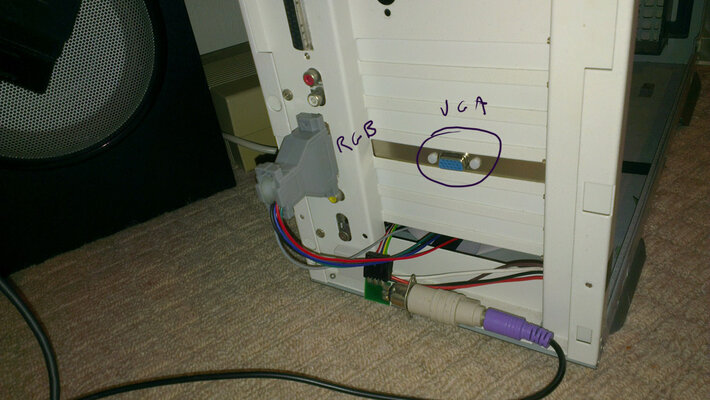
As can be seen, I used a standard 23 to 9 pin adapter and even though my soldering skills aren't good, I managed to wire it up just fine, finishing it off with hot glue to keep everything in place. I then used a VGA extender cable and borrowed a VGA plate from an old graphics card so I could mount the GBS on the inside of the 1200T. It's powered off a soldered molex connector I made for it.

Considering the price is barely more than a stock scart cable, I think it's well worth the money :thumbsup:
 

Attachments

  • 01.jpg
    01.jpg
    115.4 KB · Views: 3
  • 02.jpg
    02.jpg
    86.8 KB · Views: 9
  • 03.jpg
    03.jpg
    70.1 KB · Views: 7
  • 04.jpg
    04.jpg
    93.7 KB · Views: 6
  • 05.jpg
    05.jpg
    80.1 KB · Views: 6
  • 06.jpg
    06.jpg
    95.6 KB · Views: 5
  • 07.jpg
    07.jpg
    82 KB · Views: 6
  • 08.jpg
    08.jpg
    34 KB · Views: 6
  • 09.jpg
    09.jpg
    87.2 KB · Views: 5
  • 10.jpg
    10.jpg
    66 KB · Views: 9
One problem I have encountered (not the adapters fault) is my 19" Mitsi LCD seems to have a broken DVI-D port which is most annoying - at first I thought my HDMI-DVI-D cable might be faulty but it worked fine on my Samsung LCD. I cant even force the blasted screen to manually switch to DVI-D in the OSD, it just falls back to VGA each time. very frustrating as this is my Amiga Screen! :(

Well this is very odd, using my HDMI-DVI-D cable I connected my Mac Mini to my 19" Mitsi LCD and the DVI-D port worked perfectly - seems my Mitsi just doesnt like the SCART-HDMI adapter for some unknown reason. :nuts:

Ok I found the problem, on all my screens that support HDCP over DVI-D the SCART-HDMI adapter works perfectly via DVI-D or HDMI and my only screen that doesnt support HDCP is the Mitsi and as a result the SCART-HDMI adapter doesnt work. :(

So before buying a second hand LCD Screen for your miggy, make sure the specs say it supports HDCP over DVI-D (most modern screens do these days).
 
LOL Jesus! It`s just typical, the one monitor I had to go out and buy is a Mistubishi which doesn`t support HDCP ... right back to the second hand shop again lol - gotta find a Samsung then.
 
LOL Jesus! It`s just typical, the one monitor I had to go out and buy is a Mistubishi which doesn`t support HDCP ... right back to the second hand shop again lol - gotta find a Samsung then.

Yeah I know what you mean, I'm gonna visit cashies tomorrow and see if I an find a nice 17-19" LCD with hdcp support - I'm gonna take my scart-Hdmi converter with me so I can test them - if I see the osd I'll know I have a winner. :p
 
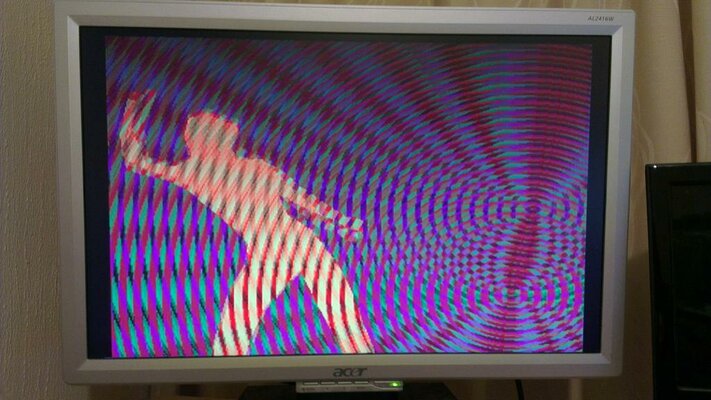
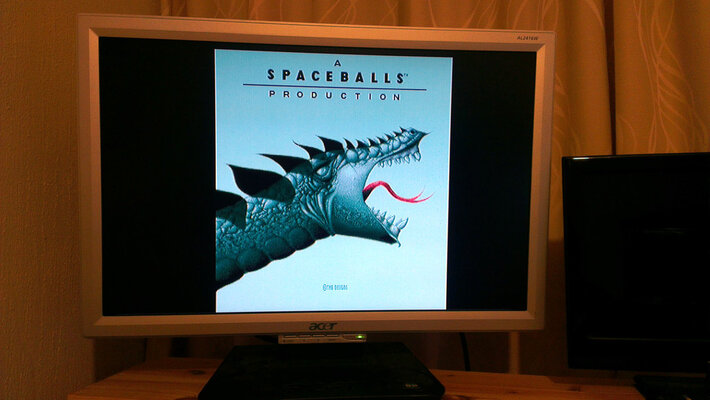
Ok so here's some Pics - a1200 @ 50hz to Samsung SyncMaster 225MS (set to 4:3 for correct image display) via SCART/RGB-HDMI Converter @ 720p50hz.

The pics are high res but were down sampled from 10MP as the files were huge - they still dont fully do the Picture Quality Justice! In some pics some colours are slightly washed out or the text not sharp, this is not how it looks in RL - especially the fine pattern from the WHDLoad screen, that is rendered really nicely in RL but hard to capture with a digital camera.

P1020081.png


P1020085.png


P1020086.png


P1020087.png


P1020092.png


P1020091.png


Im sure you'll all agree, there is nothing under $50USD that even comes close to this PQ! :cool:
 
@djos

Wow mate! That looks excellent. I just set up my GBS8220 and IMO, yours looks crisper by far! However, since I have spare PC monitors lying about, I may as well make use of them :roll:
 
Looks really good.

How well does it handle interlace? I like to run workbench in High Res Laced PAL.

Also, does it instantly change between interlaced and non-interlaced? Or is there a couple second pause? That's about the only fault I have with my XRGB-mini. It takes about 5 seconds to re-sync on the picture when switching between interlaced and non interlaced.


For me, the only feature this little box is missing is scanline generation. And I guess I could add that back in via a SLG Scart device.

Actually, if it were me, I would skip using a scart connector on this thing at all. Drill a small hole in the side or back of the case and solder a high quality cable to the PCB, run it out the hole and solder it to a DB23pin connector. Hardware this thing Amiga specific. Eliminate the Scart connectors and unnecessarily long cabling from the signal chain.

Hell, will a little creativity you could integrate this device into a towered Amiga (like jvdw007 did with the GBS board) or even possibly into the original case.


I wonder if there is enough room under the shell to integrate a SLG Scart into its case? Power it off the one PSU. An all in one solution for cheap upscaling to HDMI.


Anyone feel like opening theirs up and taking some photos?
 
Looks really good.

How well does it handle interlace? I like to run workbench in High Res Laced PAL.

Also, does it instantly change between interlaced and non-interlaced? Or is there a couple second pause? That's about the only fault I have with my XRGB-mini. It takes about 5 seconds to re-sync on the picture when switching between interlaced and non interlaced.

Yeah it's very impressive, well worth the extra coin over a GBS-8220 assuming you have a HDCP compliant screen.

It handles interlaced modes quite well with very fast change over (<1s) - I tested it with RSCP and the Pic was sharp and clear.
 
Ok so here's some Pics - a1200 @ 50hz to Samsung SyncMaster 225MS (set to 4:3 for correct image display) via SCART/RGB-HDMI Converter @ 720p50hz.

What would you look for in the specs of a tv/monitor for the ability to do 4:3 display in 720p 50? .... (or any of the HDMI inputs I guess)

Or will be pretty much trial'n'error / testing in-store before purchase....

Thanks

.aZtOcKdOg | .Key-J FReeLY
 
Ok so here's some Pics - a1200 @ 50hz to Samsung SyncMaster 225MS (set to 4:3 for correct image display) via SCART/RGB-HDMI Converter @ 720p50hz.

What would you look for in the specs of a tv/monitor for the ability to do 4:3 display in 720p 50? .... (or any of the HDMI inputs I guess)

Or will be pretty much trial'n'error / testing in-store before purchase....

Thanks

.aZtOcKdOg | .Key-J FReeLY

TBH I think any decent screen should have OSD controls for aspect ratio but it's hard to be certain - my Samsung Monitor is prolly a bit rare in that it has Composite, S-Video, Component, HDMI, DVI-D and VGA inputs so it really needs the 4:3 modes for the analogue inputs.

I'd just test any monitor before buying it, take a cheap HDMI upscaling dvd player along and and see if the screen has a 4:3 option for HD screen modes.

My Sony Bravia HDTV is one of those TV's that lets you select 4:3 on analogue SD modes but not on HD modes via HDMI.

So yeah, it's all a bit hit and miss. :blink:
 
:thumbsup:

I've decided to use my tried and true method of downloading the manual and looking at the possible inputs / settings etc... narrowing the possibilities down to a few!

.aZtOcKdOg | .Key-J FReeLY
 
:thumbsup:

I've decided to use my tried and true method of downloading the manual and looking at the possible inputs / settings etc... narrowing the possibilities down to a few!

.aZtOcKdOg | .Key-J FReeLY

Just an FYI: The instruction manuals supplied with monitors are usually incorrect in 1 way or another. In my experience. I've been tricked many times before.

According to knowledgable GBS owners, its instruction manual is wrong too.

Good luck :)
 
Interesting device... Indeed would be a cool mod to install directly inside a 1200 or 600 desktop...

Envoyé depuis mon HTC Desire S avec Tapatalk
 
Has anyone tried to hook up a C64 to GBS-8220/8200? I know C64 does not output RGB signal, but is there any way of doing this? I don't mind the picture quality, but the signal has to go through the GBS... Any ideas?:)
 
Has anyone tried to hook up a C64 to GBS-8220/8200? I know C64 does not output RGB signal, but is there any way of doing this? I don't mind the picture quality, but the signal has to go through the GBS... Any ideas?:)

You could just take your C64 to scart output, soldering the GBS wires to the relevant pins into the GBS header and it should look about as good as the original scart image, dependant on your TV/monitor you use.

Buy the cable here http://www.vesalia.de/e_c64kabel.htm
Or here http://www.retrogamingcables.co.uk/commodore-c64-vic20-128-audio-video-scart-av-cable-tv-lead-for-sale.html
Or here http://compare.ebay.co.uk/like/250953027414?_lwgsi=y&ltyp=AllFixedPriceItemTypes&var=sbar&adtype=pla&crdt=0&ff3=1&ff11=ICEP3.0.0&ff12=67&ff13=80&ff14=64&ff19=0
 
I have the cable but the problem is the C64 does not output RGB signal, only Composite/S-Video, you can transfer this signal through scart but it's still Composite/S-Video, not RGB. It's fine if you want to connect your C64 to a TV, because it takes Composite signal, but it's different if you want to hook it up to a PC VGA monitor using the GBS scaler.

The question is can you somehow pass the Composite/S-Video signal through the GBS so it can be displayed on a PC VGA monitor? :huh:

Anyone?:)

Has anyone tried to hook up a C64 to GBS-8220/8200? I know C64 does not output RGB signal, but is there any way of doing this? I don't mind the picture quality, but the signal has to go through the GBS... Any ideas?:)

You could just take your C64 to scart output, soldering the GBS wires to the relevant pins into the GBS header and it should look about as good as the original scart image, dependant on your TV/monitor you use.

Buy the cable here http://www.vesalia.de/e_c64kabel.htm
Or here http://www.retrogamingcables.co.uk/commodore-c64-vic20-128-audio-video-scart-av-cable-tv-lead-for-sale.html
Or here http://compare.ebay.co.uk/like/250953027414?_lwgsi=y&ltyp=AllFixedPriceItemTypes&var=sbar&adtype=pla&crdt=0&ff3=1&ff11=ICEP3.0.0&ff12=67&ff13=80&ff14=64&ff19=0
 
Back
Top Bottom