
You are using an out of date browser. It may not display this or other websites correctly.
You should upgrade or use an alternative browser.
You should upgrade or use an alternative browser.
Solved - RAM Disk Icon Issue
- Thread starter tpdyson67
- Start date
- Replies 11
- Views 964
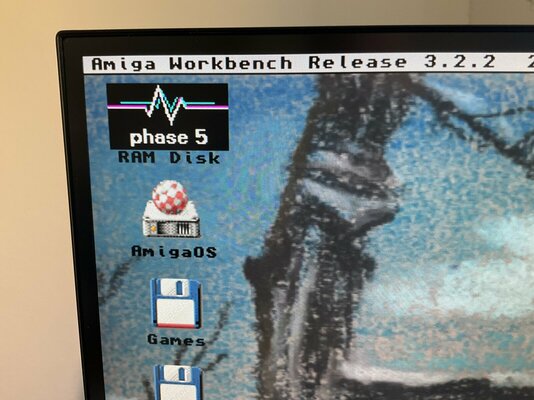

There is a line in the Sys:S/Startup-sequence pointing to the RAM disk icon:
First, check if the line is still there. If not, add it.
Second, check the icon (def_ram) in the Prefs/Env-Archive/Sys folder
Third, if the def icon is not the correct one, copy the original icon from your install CD/media.
Code:
Makelink RAM:disk.info ENVARC:Sys/def_RAM.info SOFTFirst, check if the line is still there. If not, add it.
Second, check the icon (def_ram) in the Prefs/Env-Archive/Sys folder
Third, if the def icon is not the correct one, copy the original icon from your install CD/media.
Last edited:

tpdyson67
New member
Thanks for that. I have corrected the RAM disk icon but I’m now getting the following. Not sure why, only made the change stated… Can you advise?There is a line in the Sys:S/Startup-sequence pointing to the RAM disk icon:
Code:Makelink RAM:disk.info ENVARC:Sys/def_RAM.info SOFT
First, check if the line is still there. If not, add it.
Second, check the icon (def_ram) in the Prefs/Env-Archive/Sys folder
Third, if the def icon is not the correct one, copy the original icon from your install CD/media.
Attachments
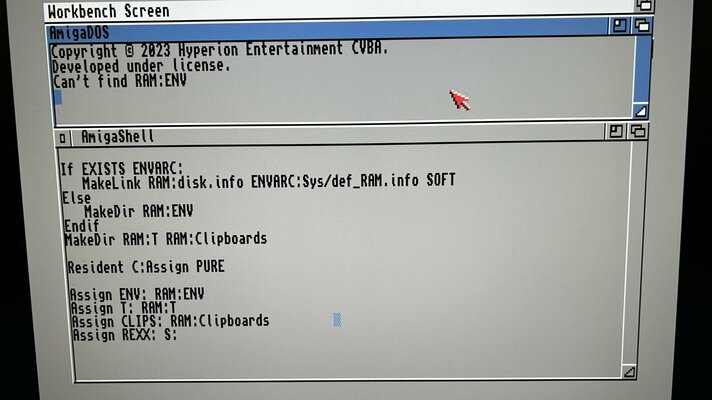
Clipboards and all the other stuff that appears in RAM: are supposed to be there. It's just a temporary storage place.
As long as you encounter no errors when booting into Workbench then it's all good
If you upload a proper picture of the RAM disk contents then we can advise you further if necessary.
As long as you encounter no errors when booting into Workbench then it's all good
If you upload a proper picture of the RAM disk contents then we can advise you further if necessary.
Last edited:
tpdyson67
New member
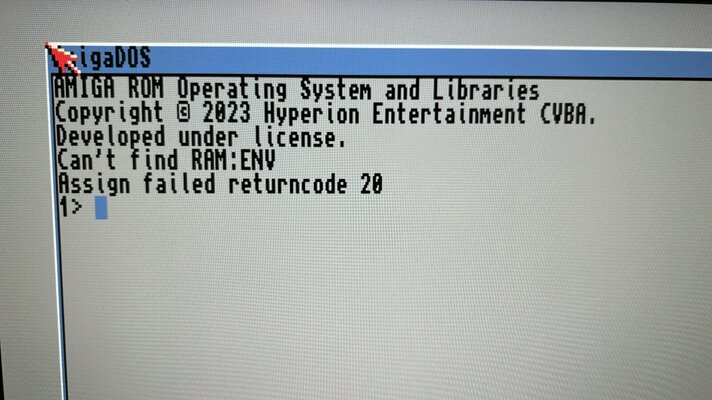
Hi, thanks for the advice. It won’t load workbench, I get the attached error…Clipboards and all the other stuff that appears in RAM: are supposed to be there. It's just a temporary storage place.
As long as you encounter no errors when booting into Workbench then it's all good
If you upload a proper picture of the RAM disk contents then we can advise you further if necessary.
if I type ‘loadwb’ I get ‘please insert ENV in any drive’. Then ‘please insert LOCAL in any drive’. This gets me to a low res version of workbench.
The RAM is only contains Clipboards and T folders…
Attachments
*edit*
I might be at fault for originally not telling you where the line is to go in the Startup-sequence.
It should go after the very first Makelink command (on the blank line below it).
I might be at fault for originally not telling you where the line is to go in the Startup-sequence.
It should go after the very first Makelink command (on the blank line below it).
Code:
MakeDir RAM:T RAM:Clipboards
MakeLink RAM:ENV to ENVARC: Force
Makelink RAM:disk.info ENVARC:Sys/def_RAM.info SOFT
Resident >NIL: C:Assign PURE
Last edited:
tpdyson67
New member
I’ll try this after work today. Thanks again.*edit*
I might be at fault for originally not telling you where the line is to go in the Startup-sequence.
It should go after the very first Makelink command (on the blank line below it).
Code:MakeDir RAM:T RAM:Clipboards MakeLink RAM:ENV to ENVARC: Force Makelink RAM:disk.info ENVARC:Sys/def_RAM.info SOFT Resident >NIL: C:Assign PURE
tpdyson67
New member
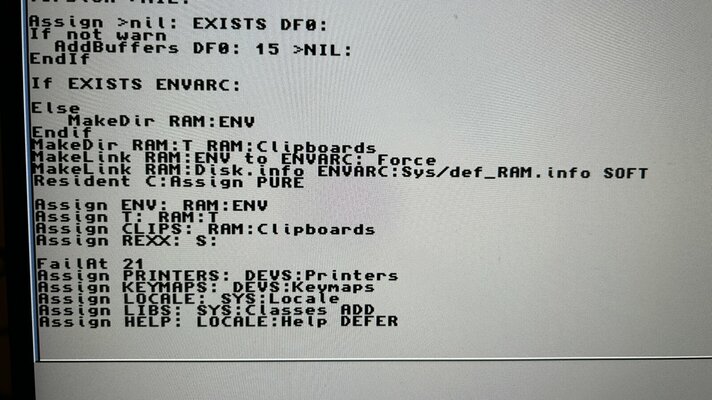
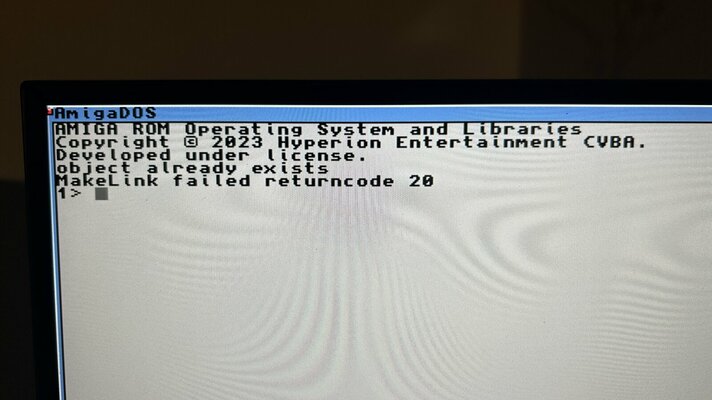
I’ve changed the code to what you have suggested and it’s much better but still throwing up an error. I’ve attached the error and part of my startup-sequence, it still looks a little untidy.
If I type loadwb when the error pops up it will load correctly from this point.
If I type loadwb when the error pops up it will load correctly from this point.
Attachments
Remove the line you just entered, save and reboot. See if you still have the error message appear.
tpdyson67
New member
That’s fixed it! Thanks for all your help with this 
No problem 
