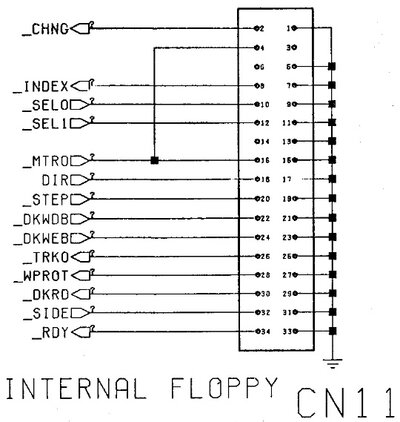
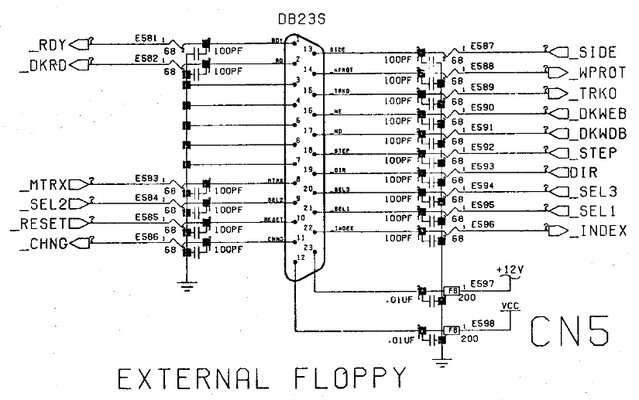
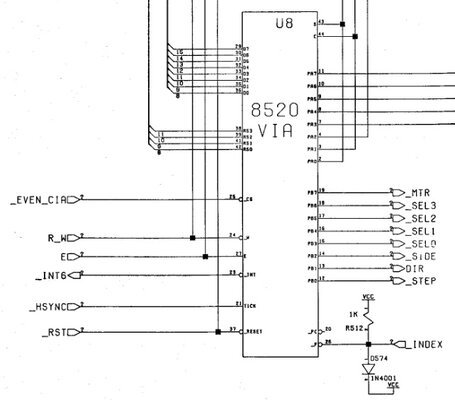
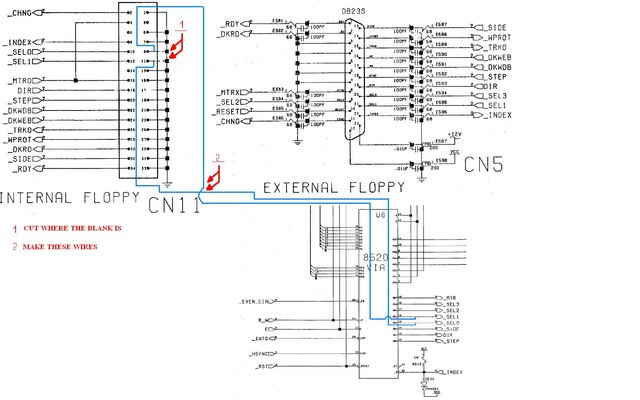
Mario, i don't know if you intend to boot from an external floppy, but have a look here too: http://www.amigahistory.co.uk/hardwarefaq.html
Q. How can I persuade the OS that my second floppy drive is DF0: as my internal drive is damaged?
A. You could use a tool like Degrader, which allows floppy drives to be remapped to others as well as disabled. Otherwise add the following to your S:User-Startup:
; Disable DF0: and map DF1: in its place
Assign Dismount DF0:
Assign DF0: DF1:
This will fool any CLI commands, so you can CD to DF0: and DF1:, reaching the same destination drive. Even DMS works with this system. However most games and demos will use custom / non OS-legal floppy addressing and will fail.
Might come in handy if/when you find an external unit...
Q. How can I persuade the OS that my second floppy drive is DF0: as my internal drive is damaged?
A. You could use a tool like Degrader, which allows floppy drives to be remapped to others as well as disabled. Otherwise add the following to your S:User-Startup:
; Disable DF0: and map DF1: in its place
Assign Dismount DF0:
Assign DF0: DF1:
This will fool any CLI commands, so you can CD to DF0: and DF1:, reaching the same destination drive. Even DMS works with this system. However most games and demos will use custom / non OS-legal floppy addressing and will fail.
Might come in handy if/when you find an external unit...