Timtheloon's CD32 TF360 Plus ProModule Build

  • Thread starter Thread starter Timtheloon
  • Start date Start date
  • Replies Replies 64
  • Views Views 5703
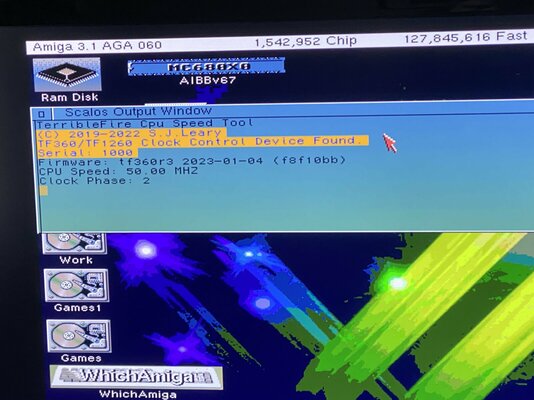
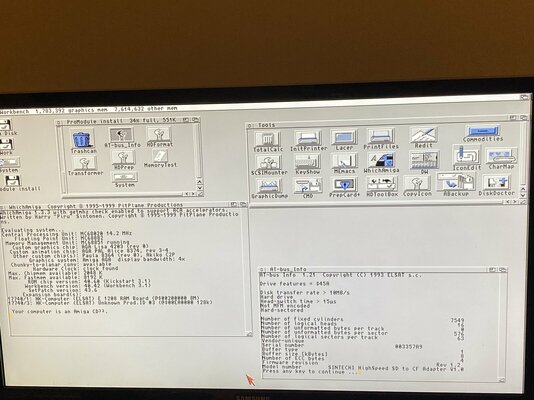
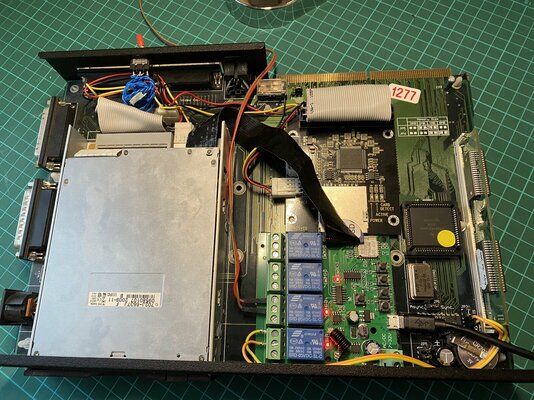
I finally upgraded my Pro Module with the TF360 and it works great including the floppy and ports, thanks very much for the heads up. :) I think what's most cool about this setup apart from the 060 and missing i/o is just how easily you can switch between hardware environments, so when you have the TF360 enabled then it boots from the IDE on that card, the Elsat.device on the Pro Module side seems to be parked and disabled, and then when you say later encounter a troublesome demo or game which doesn't play nicely with the 060, then you can simply disable the TF360 via the jumper switch, and the Pro Module's IDE controller then springs back into life and boots straight into a native 020/8MB Workbench.

A few quirks I'm encountering is that I haven't found a way yet to overclock the TF360 when coupled with the Pro Module, I've successfully overclocked in conjunction with the TF360 and Kipper2k Riser card, but when installed in the Pro Module it locks up even when I attempt even a conservative 62 MHz overclock, I guess this could be because the FPU is still present in my Pro Module, but something is definitely unhappy when both are at play when overclocked in my system. Also interestingly when I try to use the Pro Module 8MB Simm along with the TF360 it seems to be recognised in showconfig, but it's not being allocated to the fast memory total in Workbench like it is with your setup.

I'm just wondering if you have tried yet overclocking with the Pro Module and had any success? Also someone briefly mentioned in a sales thread that they successfully got the TF360 'NOTPORT' working with the Subway 2021 USB card and ANAllS, I wonder if you have you heard any reports of it working yet with any of the other USB cards that use the Poseidon stack, the original Subway, Freeway or RapidRoad? I have been scouring the Internet for details and pictures of what clockport devices might be compatible and how to install them, but there doesn't seem to be very much info about TF360 at present. I would love to test the Prisma Megamix from my A4000, but I wouldn't have the nerve to unless I was 100% confident it was connected up correctly to the 'NOTPORT'. If I had a quid for every-time I connected up an IDE cable incorrectly on the Amiga I would be a millionaire, but thankfully thats not usually a fatal like it is with clockport devices.
 

Attachments

  • IMG_0324.jpg
    IMG_0324.jpg
    239.9 KB · Views: 41
  • IMG_0325.jpg
    IMG_0325.jpg
    225.8 KB · Views: 36
I had to remove the FPU in mine It would load up to workbench but it would crash when starting certain programs so I removed it thinking the FPUs were fighting each other, don't know if this was the case but it stopped the crashing.

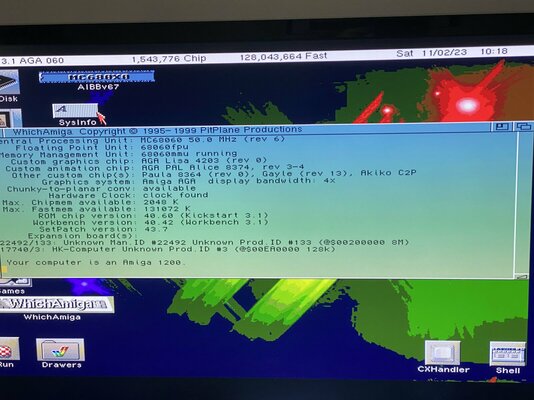
What is the 22492 I'd for? If this is your TF360 it seems to have a different id to mine, is there a newer firmware for it. Looking at it now it seems to be the promodule 8 mb side but why the different number.

Sadly my TF disable jumper doesn't seem to work for me I've seen a few users stating this, would love it to work on mine.

I've not tried overclocking but mines fitted with a rev 1 so not gonna bother 😆

Not tried the Notport yet but will be looking to in the future.

Now my question for you is Elsat IDE what are you using on that and how did you set it up? I can't seem to setup the drive on it old hdd or new cf
 
Last edited:
If USB works it would be awesome, this is really the last hurrdle that stops the CD32 from truely matching the A1200 in terms of basic functionality, I’m guessing a USB network adapter under something like RapidRoad would probably run rings around the TF’s ESP8266 WiFi. It would also just be nice to see Poseidon running on a CD32 for the first time. :)

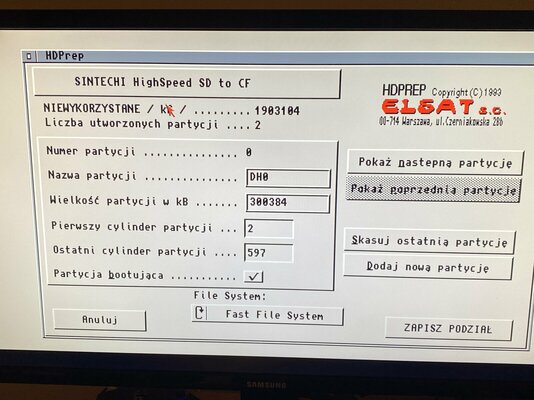
In answer to your question, I think in order to use the internal IDE you must first use HDPREP the from the Pro Module’s installation disk rather than from HDToolbox, I vaguely remember someone saying that the Pro Module uses Elsat’s own custom IDE controller technology that they originally developed for their Zorro memory/IDE cards. I think this also means you can’t have big HD’s on the Pro Module and there is a 2GB limitation, I might be mistaken so someone please correct me if I’m wrong.

Those two address spaces appear when I have the Pro Module’s 8MB Simm enabled, one address is the Pro Module Simm, and the other seems to be the Pro Module expansion itself, for some reason when I run this configuration the TF360 is not being reported but is still present and functional. If I disable the Simm then both the Simm and Pro Module vanish, but the Pro Module is also still funtional.

The Firmware that fixes the disable bug was only released about a month or so ago, Stephen wrote a explanation about it on the Exxoss forum along with a link to the new firmware which should resolve this issue.

I attached a couple pics of Workbench under the Pro Module and contents of the installation disk and IDE to SD adaptor installed.
 

Attachments

  • IMG_0331.jpeg
    IMG_0331.jpeg
    283.6 KB · Views: 56
  • IMG_0332.jpeg
    IMG_0332.jpeg
    243.2 KB · Views: 53
  • IMG_0299.jpeg
    IMG_0299.jpeg
    481.3 KB · Views: 65
Hi ppl.

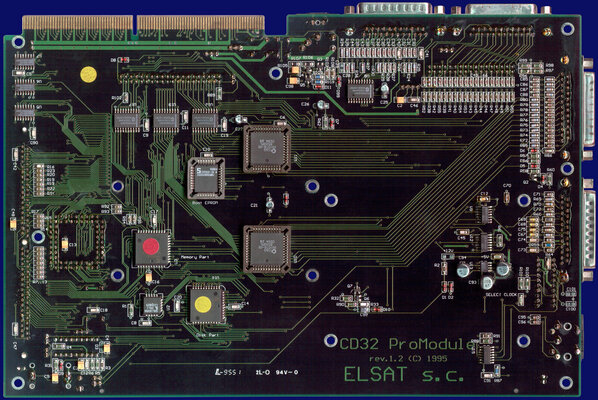
Did anyone of you recapped this board? Timtheloon, Akiko80 ... ?

Found that almost all SMD caps have wrong polarity - soldered other way around.
C21, C22, C25, C26 & C92 have + pole on ground.
C93 is properly connected - minus/black mark on ground.
C94 has no direct contact to plus or minus/ground pole - think to solder it as is.

C21, C22, C25, C26 - are on my Rev 1.1 47µF, on Rev 1.2 they are 10µF.
C92, C93, C94 are 100µF on both revisions.

all caps-marks.jpg


Caps-47mf-mark.jpg


Caps-100mf-mark.jpg


What did you do? If anyone already did recap?
Shall I do it right - minus to the ground? C 21, 22, 25, 26, 92.
Change capacity from 47µF to 10µF? Or leave it as is - saw on Rev 1.2 there are on some places bigger + extra kerkos (Ceramic Caps).


promodule-back.jpg


Thanks in advance.


greetz,
Miron
 
I've not done a recap on mine but now you mention it, its on the cards for me to do.

There are differences with the 1.1 & 1.2 maybe that's the reason for the different caps

With regards to the whether they are the wrong way around need an electronics expert for that maybe someone like @hese could give us his opinion?
 
The rev is written on the main PCB of the ProModule if you look at the one on Amiga Resource it is V1.2 so when you unpack it we will see :LOL:
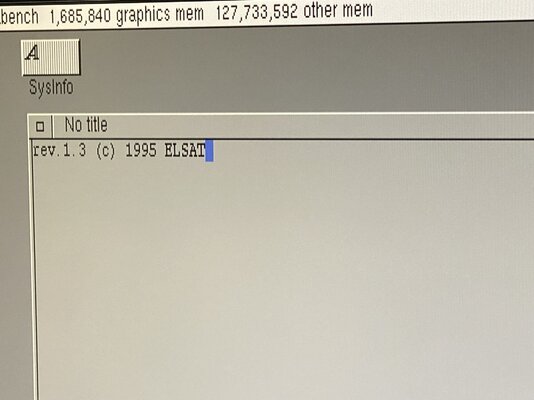
I Just noticed if you open a text editor or shell and press the pause/Break key on the keyboard the ProModule appears to spit out it's board revision.
I'm not sure if this readout is available on all revisions, or something added later.
 

Attachments

  • IMG_1763 2.JPG
    IMG_1763 2.JPG
    260.5 KB · Views: 21
I have one of these promodule units. It has been a little unloved and then I became its latest custodian.

I have a TF330 hidden away. Also the promodule's riser is damaged but I need to find it as it has vanished in my stuff.
From what I can remember there is a small amount of damage to some of the data lines...
 
Yep mine had a similar problem with the riser, are you gonna go for the repair yourself @ElectroBlaster or get someone else to do it?

Maybe we should look into PCBway to get new ones made 🤔
 
Yep mine had a similar problem with the riser, are you gonna go for the repair yourself @ElectroBlaster or get someone else to do it?

Maybe we should look into PCBway to get new ones made 🤔
I am not sure yet. I need to locate the riser, it has vanished in all my stuff! I did go through the main unit, tidied up and reseated the disk drive, replaced
manky screws etc. But I have more problems there is a relay near the power input and the cover for that is long gone! I did try searching for a replacement relay but initially could not find the exact one, but something that appeared to look the same.

Maybe I should fish out the promodule and grab some pictures of it all.
 
Definitely worth getting that bad boy out, it is a great addition to the CD32 and the fact that the TF CD32 Accelerator range works with them is an added bonus
 
Hi Guys,

I have a Promodule as well and 2 different tf330:s but I can't seem to get either of them to work.
One of them will work like every once in a while but mostly will just result in a boot loop and the other one will just straight up never work.
@Timtheloon I read that you had a similar problem with your 330 but it works with your 360 so maybe the board rev has something to do with some people having success with the 330 and some don't.
You also mentioned that your Promodule riser was damaged, did you fix it and if so how?
Also when/if you fixed it, are you using the original riser for the 360?

@Akiko80 You seem to have a 330 that works well with the Promodule, did it just work right away or did you have to do something to get it to work that I might be missing or maybe I just have to bite the bullet and buy a 360.
What is the "floppy fix" that you guys are talking about btw?
And the final question is if you guys ended up making new risers and if so how would I go about having one made, do you guys have any file that I could send to a pcb manufacturer?
 
Howdy @HankTMFT

So the floppy fix is on certain Revs of the Promodule boards and done by the manufacturers of the pro module,

I haven't tried mine with the 330 since Still rocking the 360.

I had to fix my riser due to track damage on it so needed a few bridging wires
 
Last edited:
Hi Guys,

I have a Promodule as well and 2 different tf330:s but I can't seem to get either of them to work.
One of them will work like every once in a while but mostly will just result in a boot loop and the other one will just straight up never work.
@Timtheloon I read that you had a similar problem with your 330 but it works with your 360 so maybe the board rev has something to do with some people having success with the 330 and some don't.
What is the "
You also mentioned that your Promodule riser was damaged, did you fix it and if so how?
Also when/if you fixed it, are you using the original riser for the 360?
And the final question is if you guys ended up making new risers and if so how would I go about having one made, do you guys have any file that I could send to a pcb manufacturer?
 
Sorry for the double post, logged in on my phone and it sent it a second time.
Played around with the Promodule just now and it's for sure something with the riser because I can wiggle the cd32 and in certain positions it will boot into wb.
I think maybe the edge connectors might be bad?
Can you change them out or do you think it might be track damage?
 
upload pictures of the riser

the fact it works when you wiggle it does seem more like a bad connection

@screemo use to sell the edge connectors for the CD32
 
looks in better condition than my one

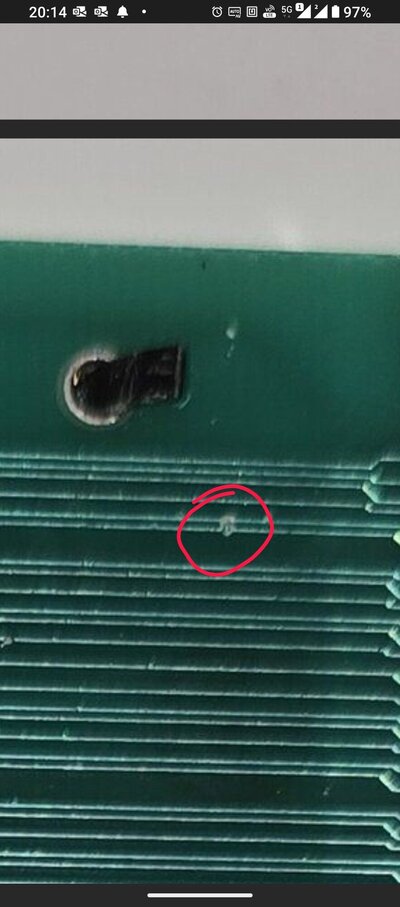
only one area of concern
 

Attachments

  • 1000013664.jpg
    1000013664.jpg
    138 KB · Views: 14
Back
Top Bottom