
You are using an out of date browser. It may not display this or other websites correctly.
You should upgrade or use an alternative browser.
You should upgrade or use an alternative browser.
ZIP to SIMM adapter for the A3000D
- Thread starter vibros
- Start date
- Replies 326
- Views 58871
- Status
- Not open for further replies.

vibros
New member
Hello,
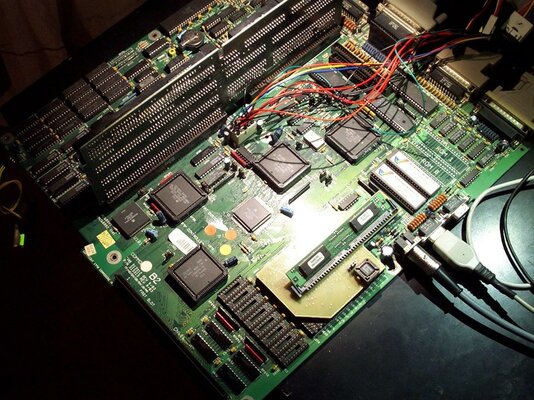
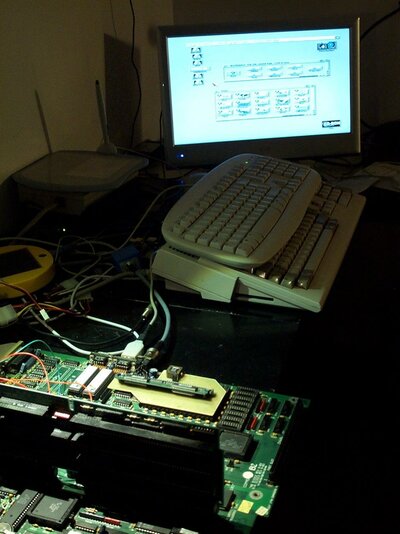
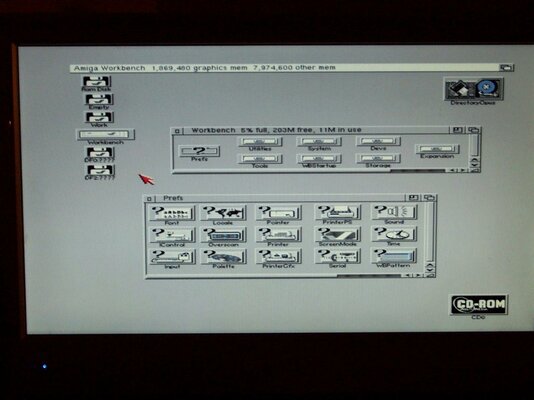
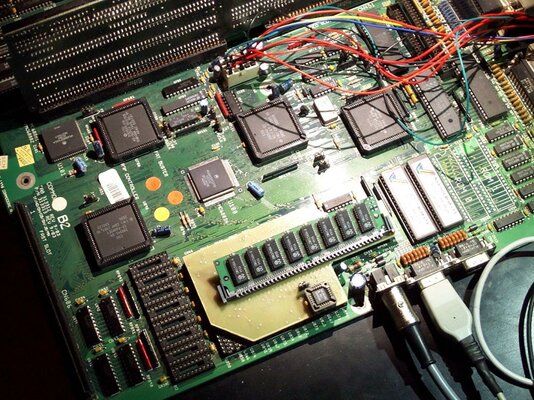
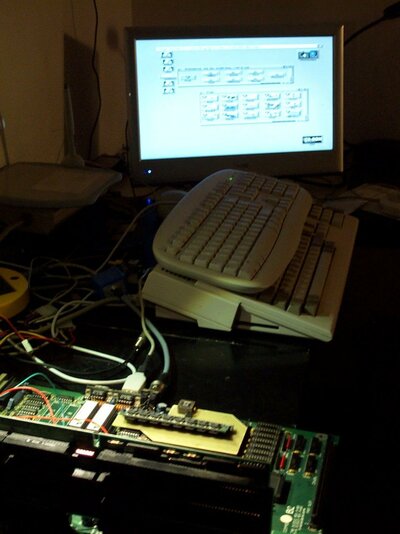
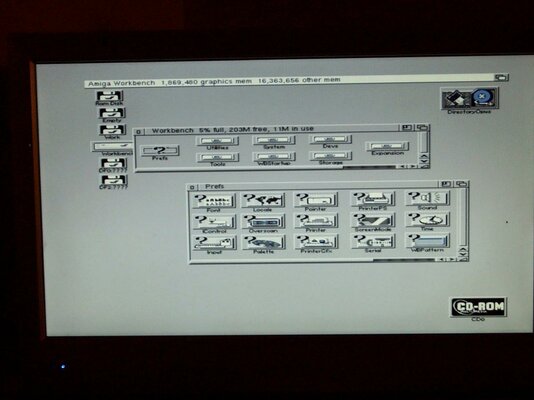
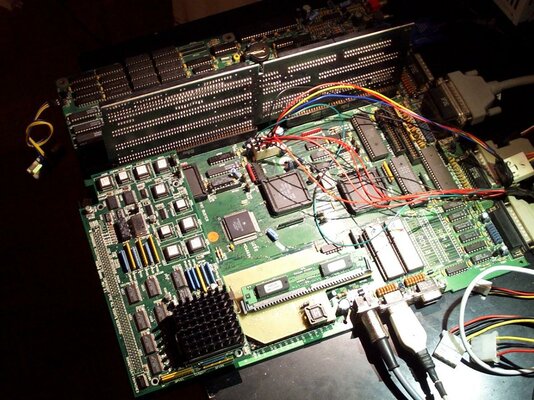
baz has received the device and installed it on his motherboard. Tested with an 8mb memory simm and a 16mb simm.
Regards
Stefano
baz has received the device and installed it on his motherboard. Tested with an 8mb memory simm and a 16mb simm.
Regards
Stefano
Attachments
Last edited:
vibros
New member
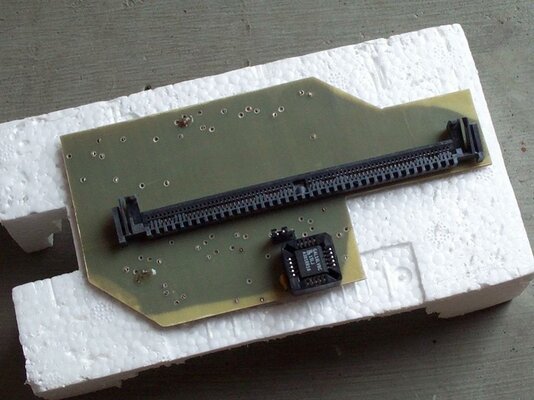
vibros
New member
Hello,
one of the goals of this device was the ability to stay with accelerator boards for the A3000! At least the A3640: on the post above there is some pictures related to this thing.
here
https://www.amibay.com/showthread.p...-for-the-A3000&p=618383&viewfull=1#post618383
Regards
Stefano
one of the goals of this device was the ability to stay with accelerator boards for the A3000! At least the A3640: on the post above there is some pictures related to this thing.
here
https://www.amibay.com/showthread.p...-for-the-A3000&p=618383&viewfull=1#post618383
Regards
Stefano
Last edited:
vibros
New member
Hello,
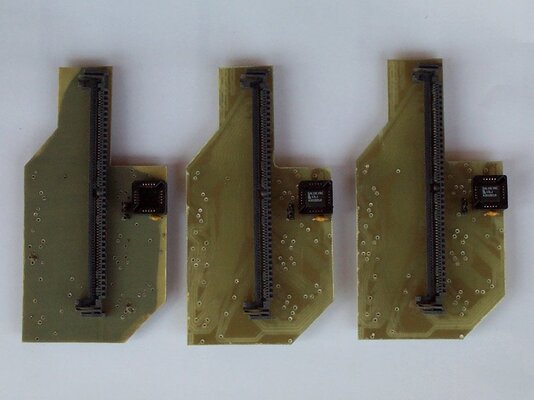
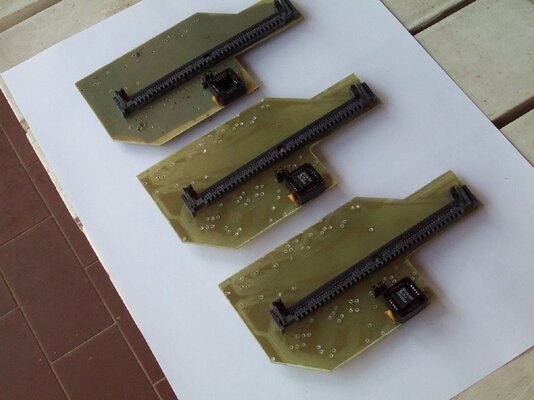
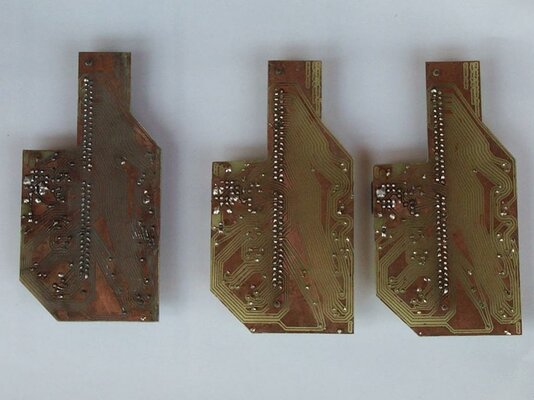
i have for sale three units of this device. Tested and working, they all are reliable, protect against oxidation, and without strange issue like contact problem and so one.
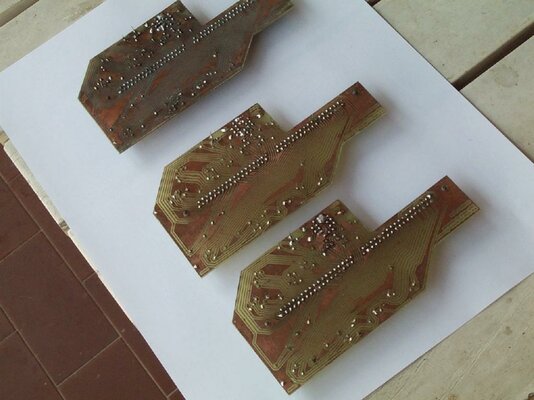
The first device (most left on the pictures) was already here on the posts above: i sell it for 30 Eur, without logic. That mean, it work with a max af 8mb, but you can buy or burn a logic IC and add it whenever you want.
The quality of the PCB is not good: you can see some issues around the border of the PCB, but it is reliable (already tested and used on my A3000D motherboard).
The other two devices are better in quality: i sell it for 40 Eur/unit with the logic, or 35 Eur/unit without the logic.
The program inside the IC is here on Amibay: it is made by SpeedGeek and freely usable (if i have right understood...)
Regards
Stefano
i have for sale three units of this device. Tested and working, they all are reliable, protect against oxidation, and without strange issue like contact problem and so one.
The first device (most left on the pictures) was already here on the posts above: i sell it for 30 Eur, without logic. That mean, it work with a max af 8mb, but you can buy or burn a logic IC and add it whenever you want.
The quality of the PCB is not good: you can see some issues around the border of the PCB, but it is reliable (already tested and used on my A3000D motherboard).
The other two devices are better in quality: i sell it for 40 Eur/unit with the logic, or 35 Eur/unit without the logic.
The program inside the IC is here on Amibay: it is made by SpeedGeek and freely usable (if i have right understood...)
Regards
Stefano
Attachments
Hello,
no-one interested in this sale?
Regards
Stefano
can I add 16MB of memory to adapter with ic?
vibros
New member
Interested in one of the nice ones with IC.
Hello,
thanks and already replied on PM.
Regards
Stefano
- - - Updated - - -
Pretty sure I already know the answer, but... does it support burst mode?
Hello,
i don't know, but with the program for the A3000 'SetRamsey' ( not the one for the A4000 ), you can play with the access speed of the memory, and, with a good simm (60ns or 50ns model) and with a 10ns logic IC (i sell this device with a 15ns logic IC) you can improve the performance of the fast ram (but very few, about 1-2% as SysInfo report).
Regards
Stefano
- - - Updated - - -
Hello,
no-one interested in this sale?
Regards
Stefano
can I add 16MB of memory to adapter with ic?
Hello,
yes, with logic IC you can have 16mb, without no more of 4-8mb (but i need to verify this thing).
Regards
Stefano
Last edited:
vibros
New member
Payment sent!
Hello,
item sent today; more on PM.
- - - Updated - - -
interested
Hello replied on PM
Regards
Stefano
- - - Updated - - -
Hello,
to all interested on this device, please, read carefully:
to install this device, you need to detach the motherboard from the metal case and detach the daughterboard from it. Then, put a light between the zip sockets and the power connector of the motherboard;
take a look at the empty sockets, they need to be in good condition, otherwise with a little flat screwdriver try to make the things better.
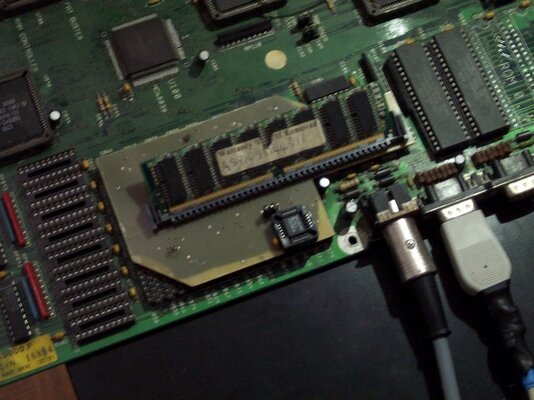
Put the device on the sockets (see the pictures on this thread) and carefully press it down. If you encounter resistence, detach it , look at the pins, adjust what need to be adjusted and reput it on the sockets.
Shake it to right and to left, carefully, to feel the right position, then press it: it need to stay about 1-2mm over the sockets. With the help of the light, take a look that no pins are bend.
This device is handmade, but print it with a machinery give a result slight better. The worst part of this work is to solder the pins. On my device the pins are flat and not round, and this thing give a better (for my opinion) contact between the parts.
On the market, i have not found flat pins, and i have made it manually from new parts. they are like nails to avoid to tear the tracks when you detach the adapter from the motherboard.
Last thing, to detach this device, use a flat screwdriver and act around the border.
Regards
Stefano
Last edited:
vibros
New member
Thanks for the instructions, but why remove motherboard from case? Is that necessary?
Hello,
it is better, but not necessary.
Your device was tested one day on my A3000D and all the pins are ok. In theory, you can put it on the empty sockets, try to feel if all is ok (to press carefully), then insert it down.
If the sockets are ok and this device is right centered, no problem if you do not wish to leave out the motherboard from the case.
Please, write to me when you try to install it on your Amiga.
Regards
Stefano
- Status
- Not open for further replies.
Similar threads

- Replies
- 9
- Views
- 833
- Replies
- 1
- Views
- 247

- Replies
- 9
- Views
- 3K
