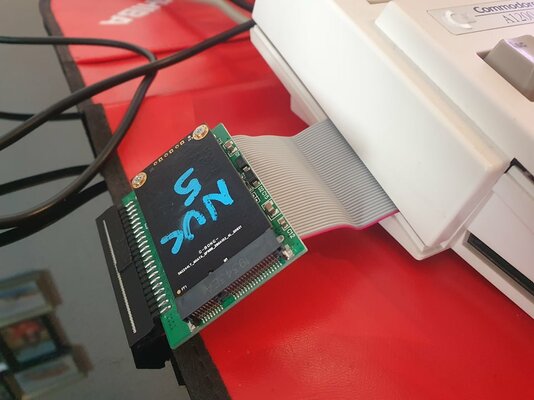
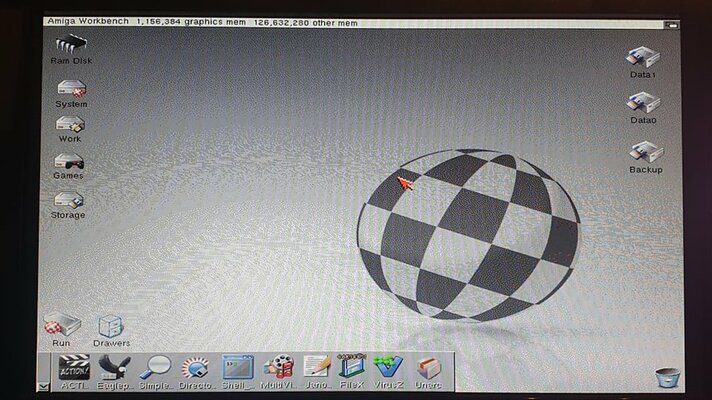
A1200 TF1260 Build

  • Thread starter Thread starter fitzsteve
  • Start date Start date
  • Replies Replies 90
  • Views Views 7397
sweet work steve. have you updated the firmware?

No it's as is when I got it from Superduper a week ago, is there a new FW already? I will look at your tutorial I have one of those USB things for updating the Vampire if it's the same thing?

My next job is to work on the OS:
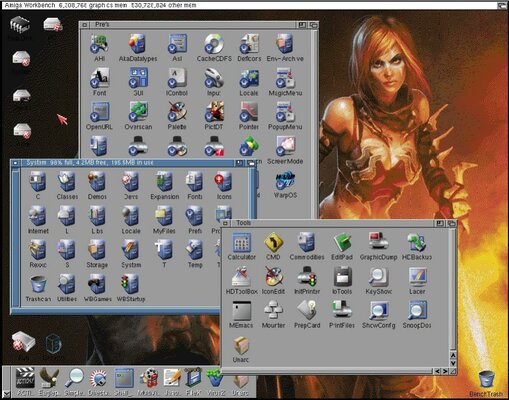
4.jpg
 
Last edited:
** Note

To all you great owners of the TF1260, the ones shipped in the sale thread already have the latest firmware so no need to update guys :)
 
Last edited:
beta fw is here:

https://www.exxoshost.co.uk/forum/viewtopic.php?f=75&t=4600

if you want to use a programmer then you need a xilinx one, i dont know what vampire uses.

Vampire's use a USB blaster kit - NOT suitable for flashing the TF1260

You will probably brick your card so don't even try it!


Yeah that's the one I got ok so I wont try that!

** Note

To all you great owners of the TF1260, the ones shipped in the sale thread already have the latest firmware so no need to update guys :)

Good to know! thanks =D
 
It was bit of pain putting TF1260 in(I have done it :) ) but I got some questions before I go step further is

Should I used Normal Amiga PSU or higher Watts PSU?

Do I have upgrade the Rom of 3.1 chip(my rom chip is 3.0)?
 
Last edited:
Normal PSU will be fine, you must use minimum of 3.1 rom ( It is mentioned in the document I link you to in the email), 3.0 roms will not work
 
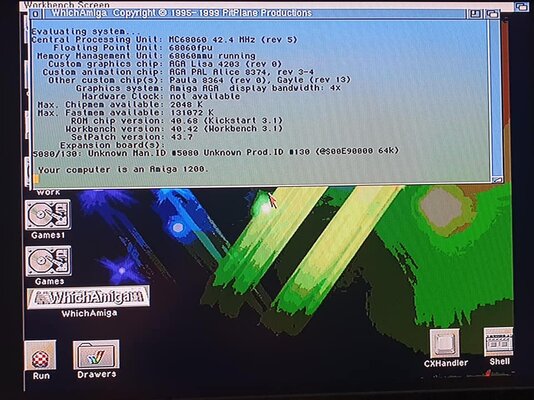
So I gave in and got a Rev5 060 =D

5.jpg

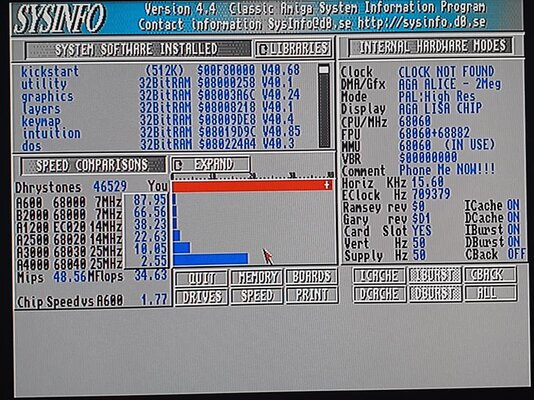
tested @ 63mhz
6.jpg

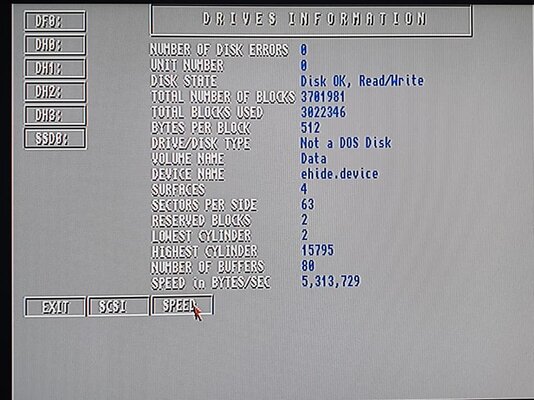
IDE @ 63mhz
7.jpg

Had a quick blast on Quake which ran well all stable :thumbsup:

Gets fairly warm mind you so could use some cooling above 50mhz...
 
So this accelerator has slipped under my radar! And Now I'm slobbering all over the place as I have read more about this. I guess I'm looking to go bezerk and run one even faster than 80mhz though as I have a rev6 060 I stockpiled last year (mind you I only have the sellers word that it's genuine so let hope it is). Is that going to be possible with later FM to run at such a speed?

Also will it fit in a desktop wedge case with a fan mounted+heatsink or just a fan mounted? was watching this Commodore Amiga TF1260 060 CPU Accelerator + 128MB + EIDE (For the A1200) - TerribleFire - YouTube and the guy couldn't get his case closed with a heatsink on it.
 
@rabidgerry

I don't think there is not enough room under the keyboard for both a heatsink and fan to be stuck on top of the 060. A couple of low profile heatsinks (20x20x6mm are ideal) fixed with thermal glue or tape is definitely the order of the day here though. Or you can do something similar like VosCoBoss did back at the beginning of this thread with his custom heatsink.

Don't forget that you may also need a fan to circulate the air around the chips, they do get quite hot when pushed!
 
Last edited:
Just a small update before I turn in for the night..

I tested a few bits a bobs, namely Novas ports, AmiQuake, AmiDoom and AmiDuke, all run very well at 63mhz which is good and measured the temperature with a IR thermometer to be around 40c under load.

I tried to see if I could test a bit higher, the next jump seems to be 80mhz which is beyond my CPU (crashed immediately)

Well that's it for tonight :D
 
@rabidgerry

I don't think there is not enough room under the keyboard for both a heatsink and fan to be stuck on top of the 060. A couple of low profile heatsinks (20x20x6mm are ideal) fixed with thermal glue or tape is definitely the order of the day here though. Or you can do something similar like VosCoBoss did back at the beginning of this thread with his custom heatsink.

Don't forget that you may also need a fan to circulate the air around the chips, they do get quite hot when pushed!

Thanks for that info. Pardon my lack of knowledge in the area, but a heat sink should be enough then on just the CPU? And then a fan located somewhere in the middle for air flow? I have used/am using a fan tapped from the 5v rail from my floppy power connector. It's not even mounted to the CPU though as it fell off, it's sort off sitting wedged over the top of the CPU.


Just a small update before I turn in for the night..

I tested a few bits a bobs, namely Novas ports, AmiQuake, AmiDoom and AmiDuke, all run very well at 63mhz which is good and measured the temperature with a IR thermometer to be around 40c under load.

I tried to see if I could test a bit higher, the next jump seems to be 80mhz which is beyond my CPU (crashed immediately)

Well that's it for tonight :D

They run well at that speed? Interesting. What kind of frame rate? My Apollo is clocked at 80mhz and Amiduke as nice as it is to play is still a little jerky. Playable but few extra frames would be nice. I don't play AmiDoom, just Doom Attack AOI and it runs smooth as anything. Just trying to get an idea of performance from the TF :thumbsup:
 
Thanks for that info. Pardon my lack of knowledge in the area, but a heat sink should be enough then on just the CPU? And then a fan located somewhere in the middle for air flow? I have used/am using a fan tapped from the 5v rail from my floppy power connector. It's not even mounted to the CPU though as it fell off, it's sort off sitting wedged over the top of the CPU.

Put heatsinks on both the CPU and the 2 CPLD chips, there's not enough room under the keyboard to place them on the RAM chips too. If you are not overclocking the CPU then no active cooling should be necessary.

If you do need active cooling then the position and type of the fan/blower is ultimately your choice. In my own experiments, a 12v 50mm blower fan located by the edge connector blowing air from left to right seems to be ideal for my needs.

You can see a similar example on cooling by Trixster >> here <<
 
Last edited:
They run well at that speed? Interesting. What kind of frame rate? My Apollo is clocked at 80mhz and Amiduke as nice as it is to play is still a little jerky. Playable but few extra frames would be nice. I don't play AmiDoom, just Doom Attack AOI and it runs smooth as anything. Just trying to get an idea of performance from the TF :thumbsup:

Yeah AmiDuke is nice, actually feels very smooth I will see if there's an FPS meter for it. AmiQuake a little slow, but playable. Would benefit from 80mhz for sure but my CPU isn't up to the task.

For Doom I actually prefer ADoom, Doom Attack gave white lines on the screen for some reason?
 
They run well at that speed? Interesting. What kind of frame rate? My Apollo is clocked at 80mhz and Amiduke s nice as it is to play is still a little jerky. Playable but few extra frames would be nice. I don't play AmiDoom, just Doom Attack AOI and it runs smooth as anything. Just trying to get an idea of performance from the TF :thumbsup:

Yeah AmiDuke is nice, actually feels very smooth I will see if there's an FPS meter for it. AmiQuake a little slow, but playable. Would benefit from 80mhz for sure but my CPU isn't up to the task.

For Doom I actually prefer ADoom, Doom Attack gave white lines on the screen for some reason?


Hmmm I'm curious about this now. I tried AmiDuke again yesterday and it is running nicely I guess, but I know it's going to choke up when it gets busy like the ShadowWarrior and Blood ports I am also enjoying playing at the minute. So this is why I was asking, in case the TF at a lower speed is running your AmiDuke better than my Apollo1260@80mhz. I haven't played AmiDuke a lot as no CD32 support and I hate using keys so I can't speak much about it's performance other than the first couple of levels of LA. Meltdown. I thought there was a frame rate counter, but might have imagined that!

This is another reason for DoomAttackAIO over other Dooms, the CD32 support. Don't get the white lines with this myself, strange that you do?? Runs really well on my machine, and if you can get the WADs you have all the other Dooms to play as well with that AIO pack.:)
 
Last edited:
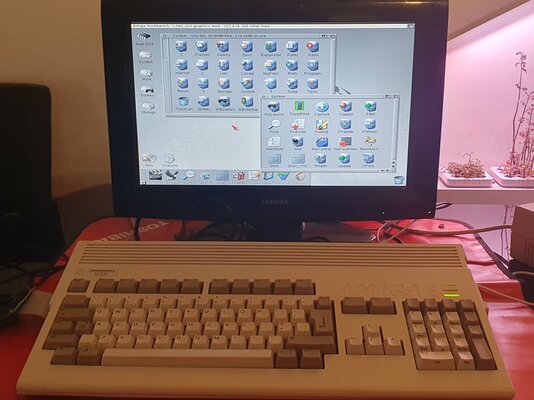
Small update; I finally setup my own OS, I went with my favourite CWB 3.9 and updated the Icons with Kens Icons. I was tearing my hair out for a while as it wouldn't boot, turns out the scsi.device of BB2 does not like the mini SSD adapter! Sadly these drives don't work on the TF IDE which is a shame (maybe in a future IDE driver?) But it boots fine on the Amiga IDE using 43.45 :)

In addition to the 32gb SSD I have an 8gb CF on the TF IDE for some extra storage and to enjoy the faster speeds loading up some of the bigger games, etc. Screenmode is 800x600 out of the Indivision AGA MkII. 64 colours


10.jpg

9.jpg

8.jpg
 
Last edited:
Very nice :-)

Quick question, how are you getting 800x600 out of the Indivision?

Cheers!
A.

Hi Andy, thanks for the kind words. I use the superplus driver for 800x600 note that it only works with the original firmware the indi was shipped with. It also works on the IndiECS if you have the Beta FW.

There's also HighGFX (1024x768) and HD720 but they use a lot of Chip Ram!
 
Back
Top Bottom