Best Gotek adapter for Amiga 2000?

PacificState

Member
AmiBayer
Joined
Apr 17, 2018
Posts
82
Country
USA
Region
CA
I'm rebuilding my Amiga 2000, and trying to figure out how to put a Gotek in there - but I can't decide which adapter to use.

I have a 3D printer - is there a particular bracket someone has used and can recommend? Thanks!
 
Hi,

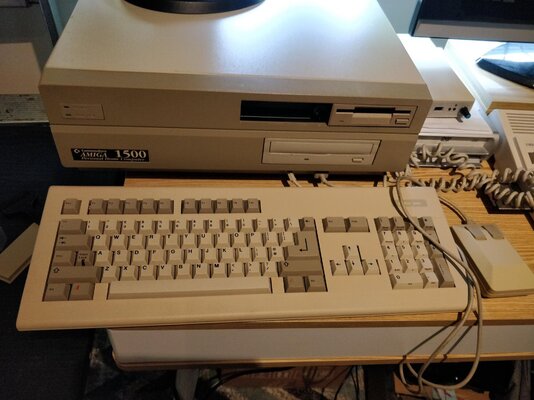
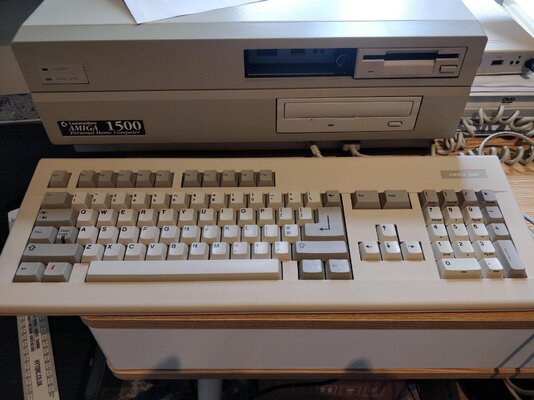
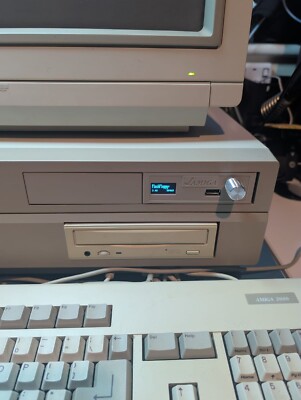
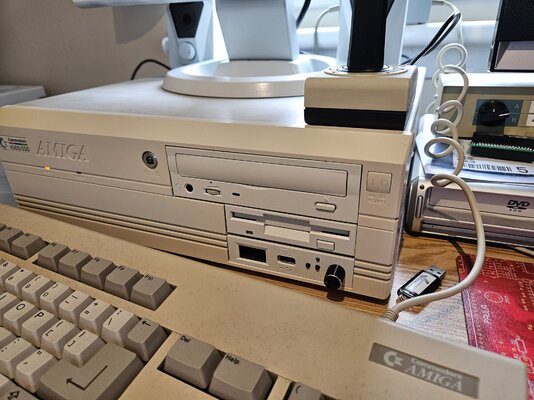
I used the standard Gotek case in my A2000 front bay. I only have a photo of it recessed for shipping when I sold it.

Regards

Barry
 

Attachments

  • A1500 - Keyboard.jpg
    A1500 - Keyboard.jpg
    343.9 KB · Views: 17
  • IMG_20220819_153135.jpg
    IMG_20220819_153135.jpg
    307.8 KB · Views: 19
@uniquefreak - I'm not sure that solution solves the "visual distraction" issue. I may have to take on this issue myself and come up with a solution for my 2000...if I ever get around to dealing with it. :)
 

or in a different colour:

 
Last edited:
Here's some color info...


or in a different colour:

Mine's similar to that one, looks good when fitted. Not sure I like the rotary but it's worth having for convenience sake.

1732735733736.png
 
It's the dial knobs - none of them look right, all of them stick out like a sore thumb to me. There has got to be a better way.

How about a horizontally positioned mouse scroll wheel instead? For example...
 
It's the dial knobs - none of them look right, all of them stick out like a sore thumb to me. There has got to be a better way.

How about a horizontally positioned mouse scroll wheel instead? For example...
That would be brilliant. It could be styled like a CD-ROM drive's volume control.
 
Hi @PacificState, not sure if it fits your requirements and/or skills, but have you had a look at FlashFloppy-osd? You can control your gotek with your keyboard and see the flashfloppy menu on your screen.

In summary you can get rid of the knob and the small lcd in one shot...

Otherwise, I remember that the Goex from Centuriontech uses a different approach to control the menus, which seems to be way nicer and less obtrusive than the knob. It's not built specifically for a big box Amiga, but maybe with a 3d printer...
 
Last edited:
Some Gotek opinions...

  • currently there are AT415 and AT435 base
  • AT415 are
    • cheaper
    • 32KB of usable space; this is not ADF or disk space
  • AT435 are
    • almost double the price
    • better for future updates
    • 384KB of usable space (somebody verify this?); this is not ADF or disk space
  • install a speaker, it's one of the things I surprising use the most
  • an OLED is a very nice add-on
  • I don't care about the rotary knob, I have some with and some without
  • there is talk of having FlashFloppy work like (2) floppy drives
  • I don't see anything happening with FlashFloppy in the future, it works very well, it has excellent support on the existing gotek hardware, people get bored with incremental upgrades and want a newer/better challenge, and just to be clear I'm talking about people in general and NOT talking smack about the author

I name my ADF files with a number then the disk name. Then auto-sorting makes it super easy to use the up/down button. As in
  • 01-os21-install.ADF
  • 02-os21-wb.ADF
  • 03-os21-extras.ADF
I group tools
  • 40-atk.ADF
  • 41-sysinfo.ADF
same with games
  • 60-lemmings.ADF
  • 61-QIX.ADF
  • 62-frogger.ADF

I load up all OS files in their own folder (os13, os21, os31). To use them, I COPY all of the os files into the main root folder of the USB. Don't MOVE them, COPY them - that way you can nuke the os files there when you plug into a new system without remembering the need to move them back.

Goteks support high density 'disks'. When bored I'll make a sigle installer out of multiple disks. For example, my Octamed v6 is (2) disks, I re-write the installer script (again bored) to take into account the new paths, then I put them into a single HD ADF, and save it like that. Now I only need to track one Octamed ADF file. My naming scheme is to add a .0.1 so I know it's mine, so Octamed v6.0.1

By default, all ADF are R/W. I'll update my 02-os21-wb.ADF to not have a backdrop (a personal pevee), then snapshot/save that cfg. Some of my game disks support RW (QIX) and some don't (the new open source Frogger game?). If you're gaming, you gotta write your name in the High Score area!
 
Last edited:
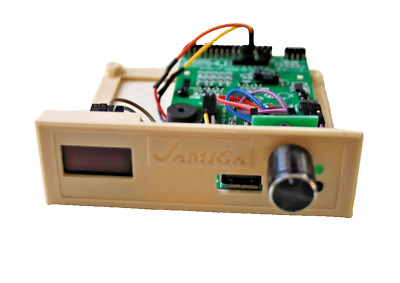
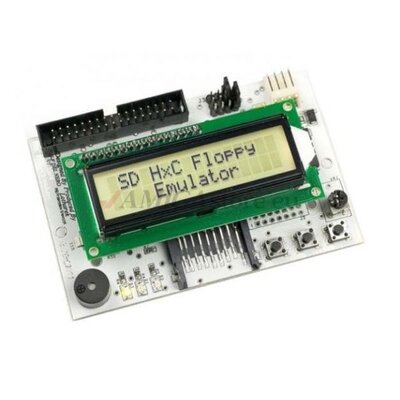
Anyone try doing something with one of these in a 2000?
 

Attachments

  • sd-floppy-emulator-lcd-display-rev-c.jpg
    sd-floppy-emulator-lcd-display-rev-c.jpg
    35.5 KB · Views: 9
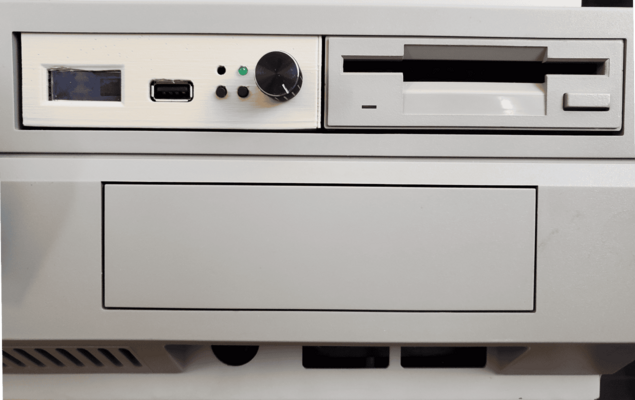
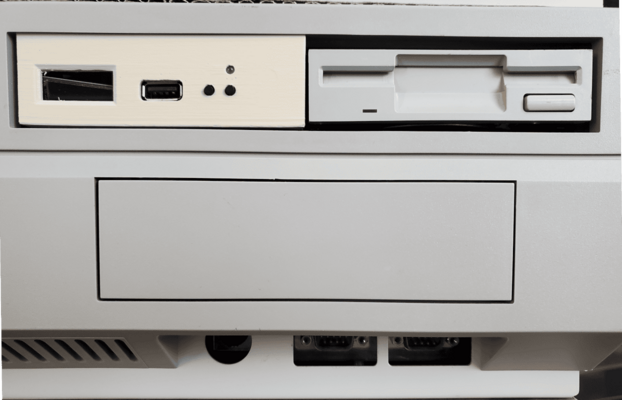
I just Bought this but it has a fault and not happy with the amount of gap in the front case, what do you guys rekon ? Im not so thrilled about the size of dial Knob as you can get smaller but i was gonna put up with it, but the Gap? maybe im the only fussy one?
IMG_20241218_210927.jpg
 
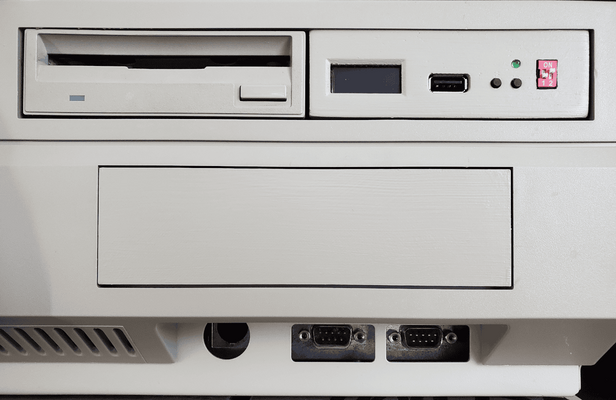
For reference, here are few of my gotek faces. While I add the 1mm on each vertical side before printing, they still look best when they are in the right bay.

The knob is knob. All of them are too big visually but their size is handy.

I leave a block of space on the right side of the gotek face for knobs, nothing, quad ROM selector switches, etc.

Tan is the filament color, also shown is my attempt at painting one to match.

These are all SFRKC30.AT2 boards. I think your board is one of the mini boards? Please report your use after a month> does it work with every file you load? I am suspicious of the mini boards > am I right? wrong?
 

Attachments

  • gotek3.png
    gotek3.png
    214.8 KB · Views: 16
  • gotek2.png
    gotek2.png
    207.1 KB · Views: 14
  • gotek1.png
    gotek1.png
    260.7 KB · Views: 15
I just think a normal Gotek case fits a lot better than any of the 3D printed items. An they can be easily painted to match whatever beige hue you computer is!

If I was to do it again, I would just stick to the buttons without the knob and align the gaps better when I am next in the A4000!
 

Attachments

  • 20230818_151529.jpg
    20230818_151529.jpg
    438.8 KB · Views: 13
I think the main issue is that giant knob. The one I posted above, which granted I have not yet deployed in a project myself (but am about to do something cool with) has an on-screen control component, which I understand GoTek is going to have too, perhaps making that giant knob obsolete. I guess I'm not the only who wasn't a fan of it. :)

FYI: http://hxc2001.free.fr/floppy_drive_emulator/index.html
 
For reference, here are few of my gotek faces. While I add the 1mm on each vertical side before printing, they still look best when they are in the right bay.

The knob is knob. All of them are too big visually but their size is handy.

I leave a block of space on the right side of the gotek face for knobs, nothing, quad ROM selector switches, etc.

Tan is the filament color, also shown is my attempt at painting one to match.

These are all SFRKC30.AT2 boards. I think your board is one of the mini boards? Please report your use after a month> does it work with every file you load? I am suspicious of the mini boards > am I right? wrong?
Hi, this board is an SFRKC30.at4.35 Thanks for the info and pics.
 
I just think a normal Gotek case fits a lot better than any of the 3D printed items. An they can be easily painted to match whatever beige hue you computer is!

If I was to do it again, I would just stick to the buttons without the knob and align the gaps better when I am next in the A4000!
Hi, I have a decent external gotek like the one fitted in yiur A4000 but on the 2000 the front bezel of the standard 3.5" floppy drive is a few mm taller. So it means you need one specially made for the 2000, i bought one all ready done here in the uk.
 
Back
Top Bottom