Flight School
Flight School
Ok good folks Of Amibay, today I was on the Frontier Forum and one of the regular members on there, DraQ, posted some helpful hints in getting to grips with the flight model in FE2. So with his permission I post an excerpt from it below:
Original Post By DraQ
"Yes, the trick is setting engines to the not-so-aptly named "engines off" mode. You'd also do best if you turned "use Elite control method in space" off if it's on - this is not Elite and Elite wasn't actually in space, so why make things harder for yourself? In Frontier there are three (four, if you count takeoff) ways ship's computer handles the engines:
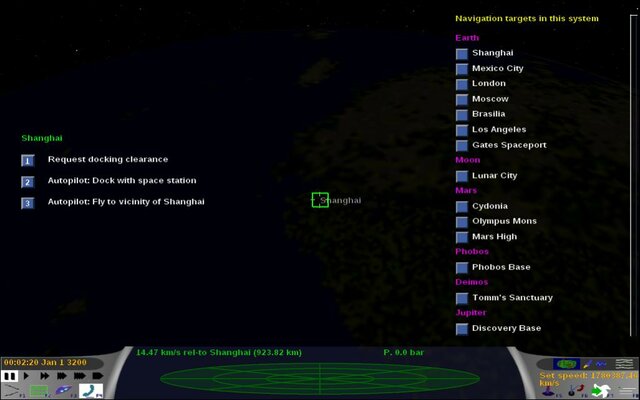
1. Autopilot - lets the commander specify the destination and takes over, using ship's thrusters to get there and stop (relative to the destination) in a reasonably timely manner. It also lands/docks and asks for permissions on its own. Spiffy.
2. Manual, usually referred to as "set speed" around these parts - lets the commander set desired velocity (measured along it's long axis) and rotate ship freely, while the computer chooses frame of reference (because there is no such thing as absolute velocity, it's always relative to something), usually based on whichever body is gravitationally dominant at the moment, but it may also use other criteria allowing it to select space stations, or something completely off the wall, if the system gives it a headache. Then the computer works its magic with thrusters to set your velocity along axis to desired value, your lateral velocity to ZERO and continuously redjusts it as you rotate, change frames of reference or have other factors, like gravity change your velocity (actually it undercompensates for gravity to make landings possible).
3. Engines off, usually referred to as "full manual" here - computer relinquishes all control over engines (presumably only killing your ship rotation when you're not actively turning around) and lets you fire main and retro thrusters on full burn exactly when and for how long you think it's necessary.
To sum it up:
Autopilot:
[pilot: destination]->[computer: velocity vector]->[computer: thrusters]
Set speed:
[pilot: velocity vector]->[computer: thrusters]
Full manual:
[pilot: thrusters]
Note the changed naming convention as I will use it exclusively to help dispel any misconceptions in-game names set up.
On exiting autopilot you're typically in set speed mode. This mode is actually useful in many circumstances:
- when manoeuvring near planetary surface it will actively prevent you from falling down and crashing or drifting sideways, while still keeping your ship manoeuvrable at low speeds around 1000-3000 km/h, so it can even be used for atmospheric combat where you need to account for gravity, have meaningful frame of reference and where air resistance limits use of special manoeuvres anyway.
- when manoeuvring near space stations if you're not experienced pilot (or can't be bothered).
- when manoeuvring around the system at high velocities and high settings of stardreamer, when reaction time measured in hours or even days is not an issue (though typically you will either use full manual or autopilot in such cases anyway).
Unfortunately it is completely inadequate for space battles and here is why:
In typical space battle scenario you're intercepted while you're doing around several thousand km/s relative to the most relevant frame of reference. Set speed adjusts your velocity relative to this frame of reference but at speeds involved your velocity vector relative to the frame of reference won't change noticeably for the entire duration of combat. This is the source of one of the main misconceptions among beginners - that they are going too fast to manoeuvre. This is not the case - no matter how fast are you going relative to your frame of reference, you are generally not moving faster than several thousand km/h relative to your target, similarly here on Earth the fact that you're going about 30km/s around the Sun has no bearing on your ability to walk around your room. Unfortunately that also means that any velocity indicators apart from direct visual examination and the pace at which the distance to your target changes are utterly meaningless and completely misleading in deep space combat.
The reason why set speed fails so horribly in deep space combat is that its inability to keep up doesn't prevent it from trying. Depending on whether your set speed is higher, lower or equal than your actual one mains, retros or no thrusters at all will fire when you're pointing at your destination - effectively you will accelerate forward or backwards without any control or be a sitting duck. If you're pointing the opposite way, your mains will continuously fire at full burn (attempting to counter your tremendous velocity) causing you to accelerate out of control relative to your target. If you are pointing sideways, your mains will fire at full burn attempting to build velocity in that direction (again, making you accelerate out of control), while lateral thrusters will attempt to kill the velocity you already have (making you accelerate out of control SIDEWAYS).
All in all you can expect as much control over your ship as you'd have if you tried ice-skating with live JATO strapped to your back. Plus another one - sideways.
Now, full manual (remember, it's called "engines off" in game) is rather straightforward thanks not trying to be smart or user friendly. You press [enter] - your mains fire at full burn. You press [shift] - your retros do. This means you can accelerate forward or backward as you wish. If you don't press anything, your velocity doesn't change unless you're in atmosphere or under influence of gravity. There are several helpful tricks here, for example not holding enter all the time (repeat after me "accelerate out of control"), knowing when to brake (with retros) and so on. Unfortunately, you'll have to mostly grok it yourself, the only helpful advice I can give is missile avoidance (easy in FE2, hard in FFE, you just have to turn towards the middle of the curve made by the missile as it homes on you and accelerate, repeat as long as necessary - it's based on similar tactics used by modern military choppers to try to evade fighter jets in case of attack) and laser avoidance (accelerate towards target but slightly to the side - you will want to both move aside and close the distance so that the enemy will be unable to keep tracking you even at low speeds, after you're reasonably close you will want to brake to not overshoot your target, turn around to have it in your sight and stick close).
Also,
click and scroll down - it's for JJFFE (improved version of FFE), so some things like Jordanian Controls (full thruster control, not just main and retro, via numpad introduced by John Jordan) may not be relevant to FE2, but the overall mechanics is exactly the same in both games."
Hope you found that helpful. If you want to read the original post here is a link
http://forums.frontier.co.uk/showthread.php?p=17209&posted=1#post17209



 Imperial Trader