Getting my A3000 to recognize my current SCSI CD drive

  • Thread starter Thread starter jnfweber
  • Start date Start date
  • Replies Replies 29
  • Views Views 743
The ZZ9000 is expensive but not only an ethernet and USB cad but also provides a high-resolution RTG board with HDMI interface. Also actively being developed... The DENEB is not available anymore and will never be released again. I see an occasional listing here on Amibay but they tend to go very quickly for a lot of money. Gotek works just fine, or you could get an Xsurf100 or Plipbox ethernet!

Enjoy your travels and family!
 
Hi!

You would need to install a filesystem for the CDROM to start with. Did you manage to do that? Depending on which version you used you might need to set the correct SCSI ID in the tooltypes of the icon in DEVS. Same goes for the two files I shared for the Zip drive (put them in DEVS DOSDrivers). Then edit the tooltypes (click the icon once and select "Information" in the workbench menu) and set the correct SCSI device and SCSI ID.
Getting back to this, I tried to do this but I did not find the appropriate icon. I will try this before I leave tomorrow. Thank you for all your help. I have packed a 3000 and the CDROM for travel (minivan) and will work on the system when I arrive in California.
 
Hi!

You would need to install a filesystem for the CDROM to start with. Did you manage to do that? Depending on which version you used you might need to set the correct SCSI ID in the tooltypes of the icon in DEVS. Same goes for the two files I shared for the Zip drive (put them in DEVS DOSDrivers). Then edit the tooltypes (click the icon once and select "Information" in the workbench menu) and set the correct SCSI device and SCSI ID.

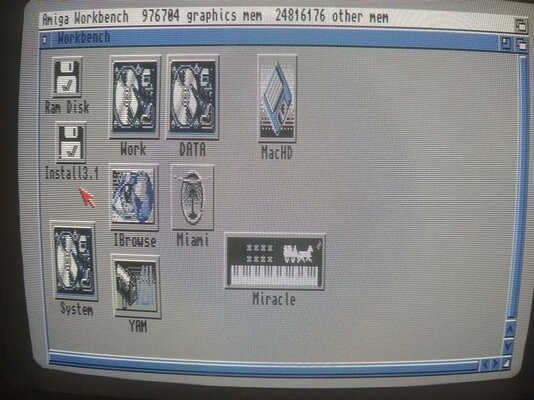
I brought another working 3000 and the IBM SCSI CD drive mounted in a case with me to California on March 11 to continue the quest. The OS is WB 3.1, with KS 3.1 as well. HD Toolbox, and identifies my 110 MB hard drive at LUN 6 and the CD drive at LUN 3, status "Unknown". Clicking on "Change Drive Type" changes LUN 3 to IOMEGA ZIP 100 E.08, and under Define a New Drive Type, "Read Configuration" opens a box "Unit is not a disk (type5)! "Continue" goes back to the drive definitions, which are not the same as the Iomega Zip, and can't be saved. Going to Devs/DOSDrivers, there are 5 icons, PIPE,PCO,RAD,AUX,and PC1, all "already mounted".

I do not have a PC with a floppy disk drive, and although both laptops have WinUAE version 6, I have no way here of converting .adf or zip files and copying them to a floppy disk which is readable on my A3000. So, am I stopped for now?

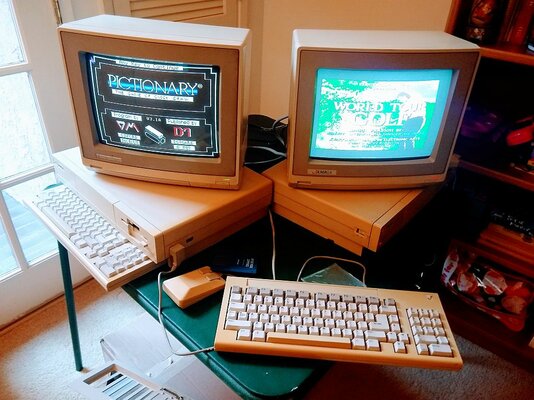
As a side problem, I have unboxed two A1000's, one with a KS 1.3 disk, and the other with a 2.0 KS ROM. Both work as expected, but I have a mice (plural) problem. One mouse works most of the time, and the other one will just go up and down on the left side of the monitor. I have sprayed both mice innards and connections with electrode cleaner, with no effect. Attached is a photo, just for fun.

2 1000's.jpg
 
Last edited:
Hi!

You would need to install a filesystem for the CDROM to start with. Did you manage to do that? Depending on which version you used you might need to set the correct SCSI ID in the tooltypes of the icon in DEVS. Same goes for the two files I shared for the Zip drive (put them in DEVS DOSDrivers). Then edit the tooltypes (click the icon once and select "Information" in the workbench menu) and set the correct SCSI device and SCSI ID.

I brought another working 3000 and the IBM SCSI CD drive mounted in a case with me to California on March 11 to continue the quest. The OS is WB 3.1, with KS 3.1 as well. HD Toolbox, and identifies my 110 MB hard drive at LUN 6 and the CD drive at LUN 3, status "Unknown". Clicking on "Change Drive Type" changes LUN 3 to IOMEGA ZIP 100 E.08, and under Define a New Drive Type, "Read Configuration" opens a box "Unit is not a disk (type5)! "Continue" goes back to the drive definitions, which are not the same as the Iomega Zip, and can't be saved. Going to Devs/DOSDrivers, there are 5 icons, PIPE,PCO,RAD,AUX,and PC1, all "already mounted".

I do not have a PC with a floppy disk drive, and although both laptops have WinUAE version 6, I have no way here of converting .adf or zip files and copying them to a floppy disk which is readable on my A3000. So, am I stopped for now?
AFAIK you do not have to do anything in HDToolbox. These are drives with changeable media and layouts. In DEVS/DOSDrivers you would need the ZIP: ZIC: and CD0: icons and set the SCSI ID's used under the tooltypes of the icons. The CD one is installed when you install a filesystem for the CD, the ZIP ones are in the archive I shared and should work.
 
I do not know how to install a filesystem for the CD, and how do I transfer the ZIP ones you sent into my 3000? I do not have a 3.5 floppy disk drive in my laptop pc. I do have ASIMCDFS in my current 3000, and I understand I may be able to use this to install the CD drive. I also read that one of these systems may read a CD formatted in a pc. Excuse me for being such a dunce, but it has been a long time since I installed the CD drive in a 3000. The 2000HD I have here contains a defective CD drive which makes a grinding sound when it gets power, but I will investigate this as far as tooltypes and drivers are concerned.
 
Happy to send you a floppy with the drivers if you want, free of charge.

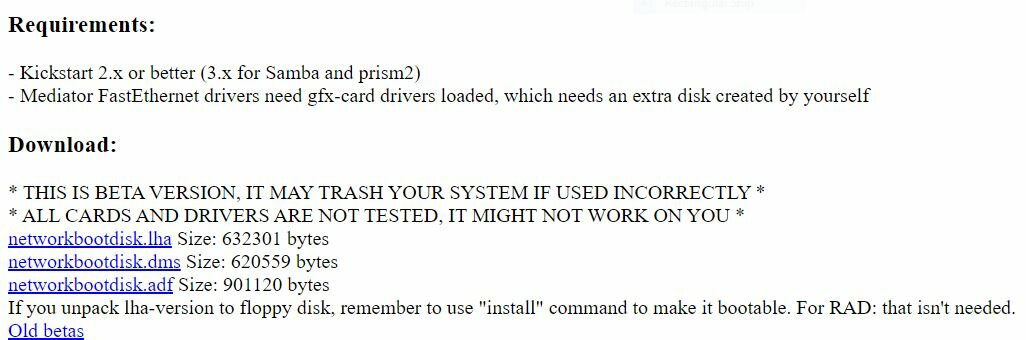
Alternatively search for "NetworkBootDisk", it's a single floppy that will allow you to get your network stack up and running and transfer files.
 
Happy to send you a floppy with the drivers if you want, free of charge.

Alternatively search for "NetworkBootDisk", it's a single floppy that will allow you to get your network stack up and running and transfer files.

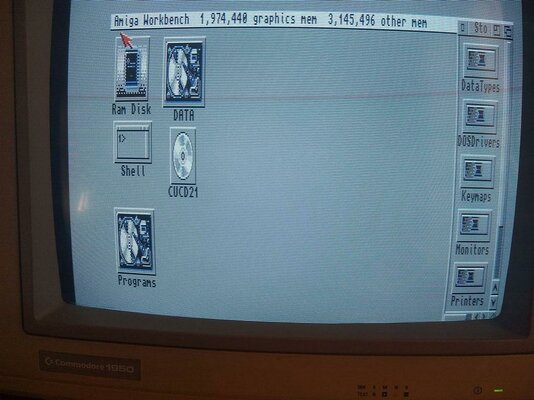
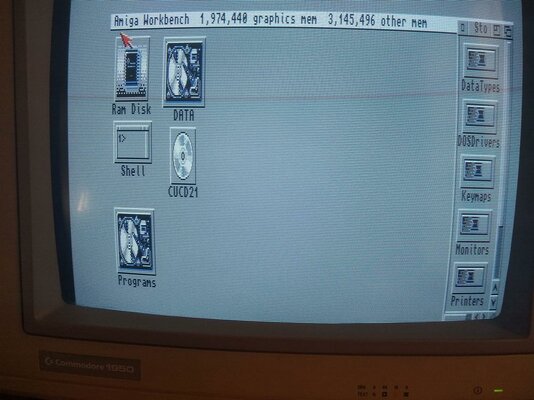
Hello mousehouse, I'm happy to report that just this morning I was able to mount CD0 at location 4, my hard drive is at 6, and I noted in "Storage" I had CD0 at location 4, so I changed the jumpers on the CD drive to 4, attached it via ribbon cable, and crashed the system. After several restarts, plus hours for the Amiga to self-correct, this morning I was able to access CU Amiga Magazines Super CD ROM 21and have attached a screen shot.
Thanks for the offer of the disk with drivers, I imagine they are DosDrivers, which seem to be mounted in my Devs drawer. Maybe I can get along for now.
I also downloaded the NetworkBootDisk, both for PC and Amiga, on my laptop. Screenshot also attached. I don't have a PC floppy disk read/write on my laptop, my only pc, but I do have a floor machine back home in Montana where I installed a floppy disk drive Windows 10, and I also have an older PC in Montana running Windows Vista, which should be able to read both 720 and 880 DD floppy disks (PC and Amiga)

Jack
 

Attachments

  • CUCD21.jpg
    CUCD21.jpg
    138.4 KB · Views: 6
  • Netwok Amiga.JPG
    Netwok Amiga.JPG
    54 KB · Views: 6
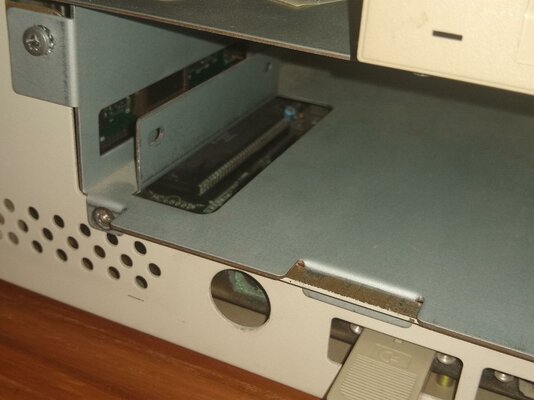
Now I have CD-ROM drives on both my 2000 and 3000. Next I need to get rid of messages on startup "Please insert AsimCDFS_Buffer and AsimCDFS into any drive." The CD drive is at location 0 in the 2000 and 4 in the 3000. Hard drives are at location 3 in both. Next project is placing the CD drive in the large bay in the 2000. I need to remove the right side mechanicals including floppy disk drive and power supply to screw the CD drive on both sides. While that is out, I will remove the 68020 chip from the 2000 and clean the contacts, hopefully causing no harm. Then maybe my 2000HD will run without stopping or locking up, although this might also be a memory chip problem. Time will tell.....
corrosion.jpg
 
Last edited:
I've got both A2000 and A3000 working from hard drives with WB3.1, and the A3000 recognizes the CD drive at location 3 on startup. Also have the Buddha CDI working on both, depending which one I put it in. I am beginning to think there is something wrong with the CD drive in the A2000, which I recently bought on ebay, said to be "used and working". I've used the same startup-sequence and user-startup on both and have CD0 in DosDrivers in both. Same thing with AsimCDFS and AsimCDFS_Buffer in both. I still get the error message "Insert AsimCDFS in any drive" and "Insert AsimCDFS_Buffer in any drive" in the A3000 where the CD drive is working. I don't have enough memory in the A3000 to load WB 3.5 from the CD-ROM disk, but in the A2000 I have plenty of memory since I am using the SCSI controller on the G-Force=4000 card to boot up, and it is the full complement of memory chips, 20.000.000 bytes. But it is unstable in the A2090 scsi controller board it came with as A2000HD. Go figure. And no help from Buddha, 'cause even with the Buddha in the A3000, it doesn't add any memory and can't be utilized to install WB.3.5

A3000+CD.jpgA200HD.jpg
 
Awesome work and thanks for the updates!

As for swapping harddrives between the A2090 and the SCSI controller in the A3000 I vaguely remember that will not work. Maybe different format, but I might be wrong. As for the AsimCDFS popups, I'm thinking you're missing an ASSIGN somewhere in the user-startup.

I managed to find some ZIP ram expansion for the A3000 online for not too much money (8M for $60 or so?), and I also have a ZIP -> SIMM adapter that I do not use. I was always hesitant to install afraid to damage the memory sockets. But if you want to give it a go I'm happy to send it off by mail.

Cheers,
mh
 
Back
Top Bottom