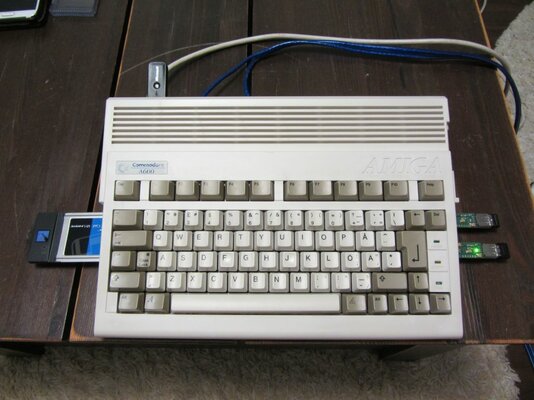
My Amiga 600 restoration + accelerator project

  • Thread starter Thread starter jarpatus
  • Start date Start date
  • Replies Replies 24
  • Views Views 7202

jarpatus

New member
Joined
Apr 2, 2016
Posts
18
Country
Finland
Region
Central Finland
Hi all,

Been reading this forum a lot and get inspiration to get and upgrade Amiga 600 because of you! So decided to also post photos of my ongoing project just in case I need help but also perhaps somebody could get useful ideas and avoid mistakes I made...

So my goal is:

1) Buy used Amiga 600
2) Restore it as necessary including Retr0bright bath if necessary
3) Add accelerator and all necessary goodies
4) WHDload

I already was able to secure old Amiga 600 and started my project, pics will follow...

Edit: Oh and forgot 2.5) Re-cap motherboard and PSU.

-Jarp
 
Last edited:
looking forward to this. the 600 was one of the last i added to the collection. and now the vampire is out and it seems to go online. top machine!!
 
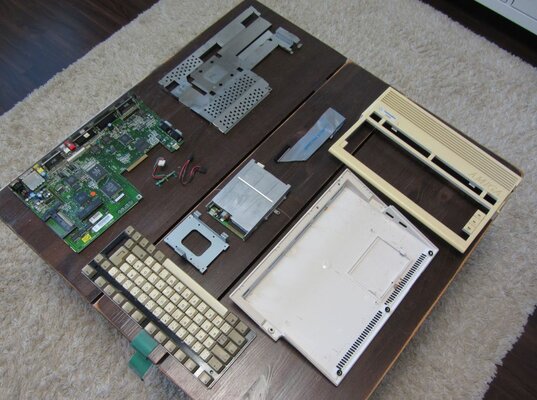
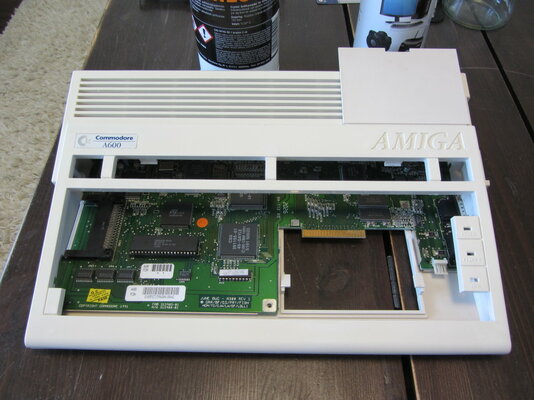
So like I said, I was able to secure A600 few days ago. So first I needed to take whole machine apart...

01 Disassemble.JPG02 Disassemble.JPG03 Disassemble.JPG

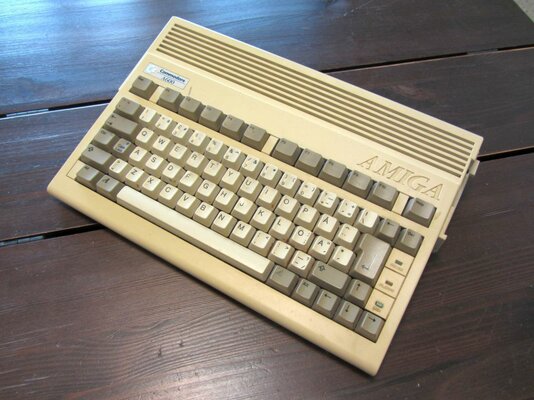
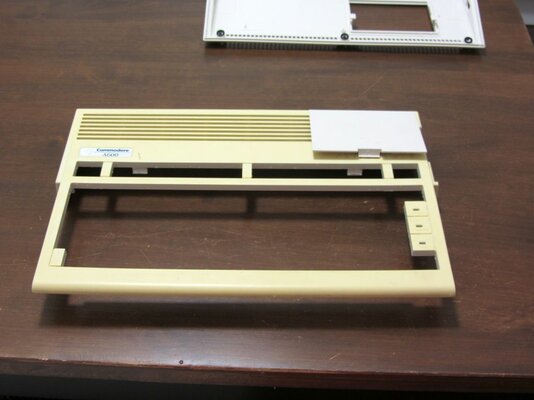
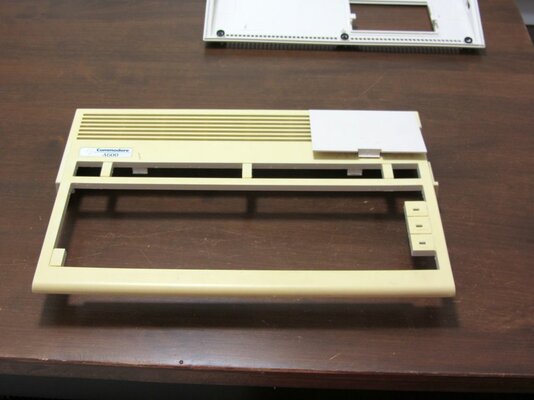
Turned out that it's really old, Rev 1, labeled internally as Amiga 300 and everything. Quite yellowed also and somebody has spilled something very nasty and sticky on to the keyboard and enclosure! Luckily keyboard and enclosure protected motherboard, enclosure can be washed but keyboard needs some extra care...

So let's have a closed look of the keyboard:

06 Keyboard.JPG08 Keyboard.JPG

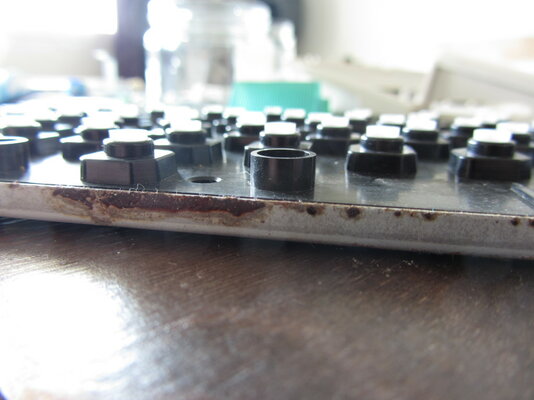
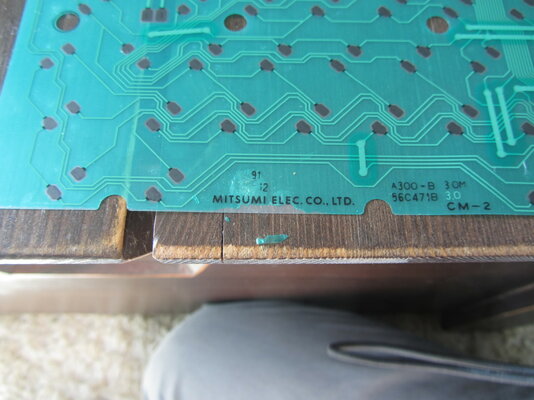
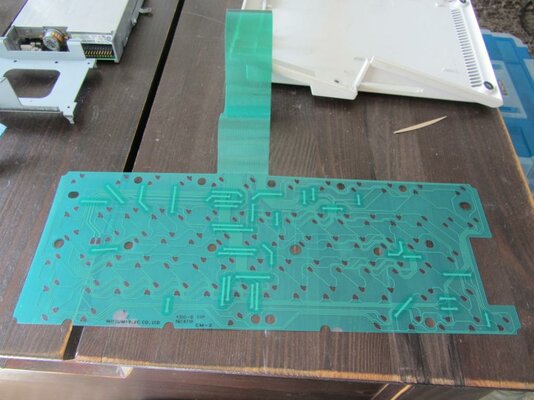
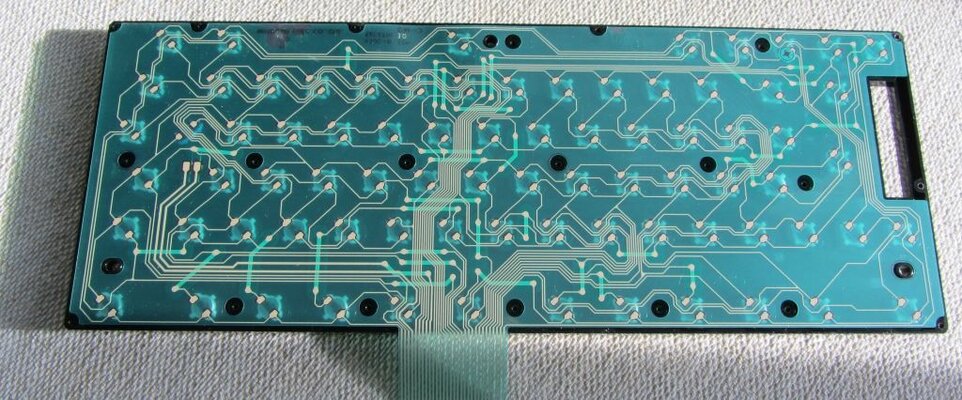
Oi oi, it's rusted... Need to take it totally apart as goo has spilled inside also. Don't know what stuff went in but it also did corrode keyboard membrane... But luckily traces are fine. So I washed all plastic and metal parts in warm soap water and brushed membrane with soft brush. I also scraped off corroded part from membrane and wiped corroded areas with IPA (seems IPA is good solvent for that green plating so be very very careful not to destroy membrane even more if you use IPA). Plastic parts and membrane looks good now:

09 Keyboard.jpg 11 Keyboard.JPG

But rust needs to be removed, I do not like rust inside computers:

07 Keyboard.JPG

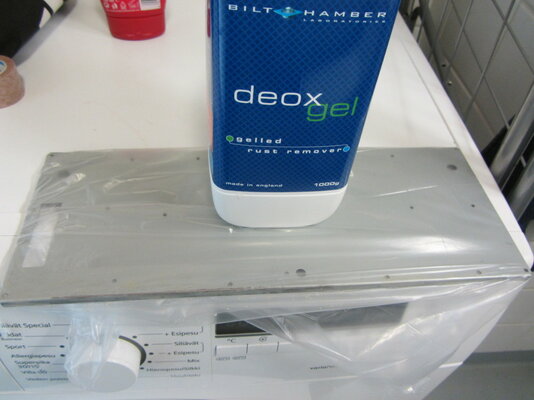
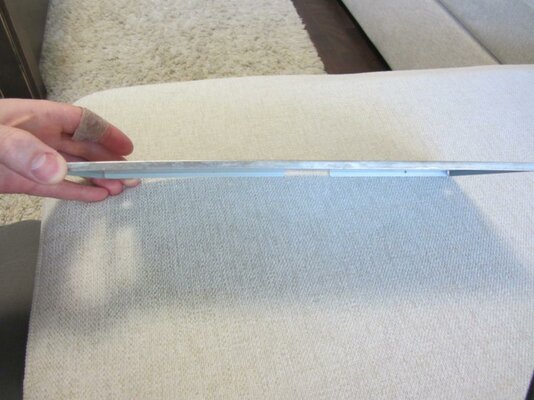
Mistake #1. Deox Gel is amazing stuff and took off the rust in hours. Too bad it took off the galvanization also! Take a look (and that metal part is Sharp, I cut my finger also as you can see):

10 Keyboard.jpg

Hmmm... I could paint the keyboard with zinc spray which would prevent rusting but after thinking about this for a while I decided not to. I mean if worst happens and zinc spray won't stick well enough and will chip away then conducting zinc chips could scorch my motherboard! I'll leave this as is, I think this won't rust in normal household conditions. If it does, then I'll redo rust removal and paint it.
 
Thank you for your kind words!

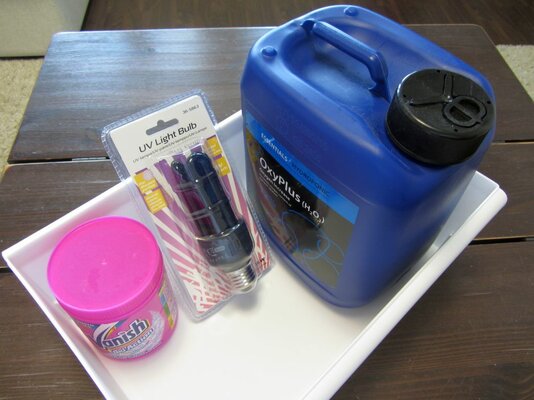
My project took another step forward as I just pulled the enclosure from the Retr0bright solution. Let's have a look of the setup:

10 Retr0bright.JPG

Some 12% hydrogen peroxide (H2O2), Oxy Vanish (contains TAED) and UV-bulb. Not visible in picture but most importantly also protective eye wear and gloves! I decided to use liquid solution instead of gel which most people are using. I think liquid solution is more easy to handle even though it's much more expensive unless you can buy H2O2 in bulk.

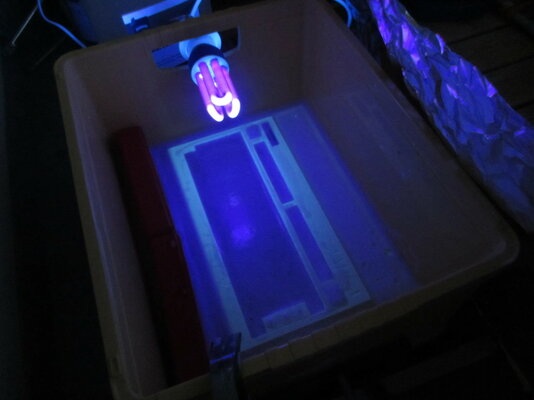
14 Retr0bright.JPG

Plastic box and aluminum foil. Rudimentary but works! In a retrospect I should have bought two UV-bulbs, now I had to switch sides every few hours. Price would have been negligible compared to total costs. Also I added too much Oxy Vanish I think as there were quite a lot of bubbling which blocks the UV-light to some extent...

Anyways, I just pulled the enclosure from the solution. As a reminder before picture:

02 Disassemble.JPG

And then picture after 3 days on the solution (white balance is not calibrated or anything but should be close enough for comparison):

15 Retr0bright.JPG

Sweeeeeet! Not perfect (perfect as in looks like brand new), but will do. Perhaps 3 more days would've made it perfect but does not matter, it will re-yellow anyways and 25 years old machine can show at least a BIT yellowing or what do you think?

Key caps just went into the Retr0bright solution and I have to wait for some exciting parcels from The Internet!

Ps. Yes, 12% H2O2 burns, of course I had to spill some on my fingers while I was not wearing protective gear. Wear protective gear. You DO NOT want that stuff into your eyes!

-J
 
Last edited:
Looks like a nice result on that picture. To make it a lot cheaper when you require those large volumes, one can thin the H2O2 with some demineralised water down to perhaps 3%. It still works, but it takes a bit longer (pretty sure it does not mean x4). It will also make it a bit safer to work with.
 
Last edited:
I think you can use a transparent coat over the plastic to protect it against yellowing again. Car painters have such. At least this is what I am going to try on mine...

Kirk
 
Last edited:
Yeah I've seen few blog posts about it; re-yellowing seems to happen sooner or later. Though writers have not coated their units with lacquer, only stored them to dark place (== no-UV). If re-yellowing happens because of the oxygen then coating could help, but who knows...

So not going to bother with coating any retro gear... I read about dyeing plastic though, that seemed interesting (not painting which just stays top of the plastic but dyeing which goes inside the plastic). Dyeing Amiga to a bit darker color could be cool experiment.

Ps. I've been wondering why it took 3 days to whiten the enclosure while others have reported that it took only 3 hours. Today was quite sunny and I put original Amiga mouse to the solution and instead of UV bulb left it in sunlight. I can almost swear that I saw yellowing to disappear before my eyes (also chemical reaction was quite something under the sung, almost like boiling water). After 3 hours the mouse was like a new. So plenty of UV helps, that 15W UV-light just is not enough especially when there is some foam on the top of the water.
 
Last edited:
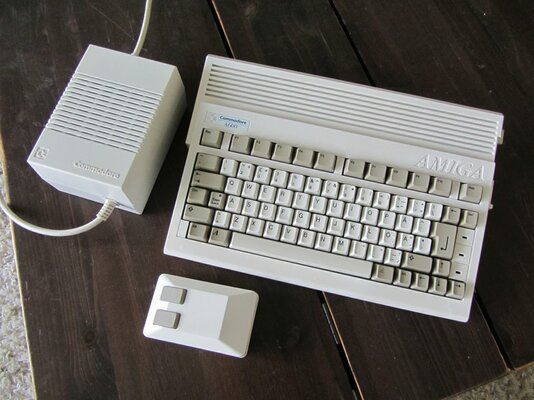
My Keyboard, PSU and mouse just came from the Retr0bright solution and I think results are superb taking into account how old the machine really is:

18 Retr0bright.JPG

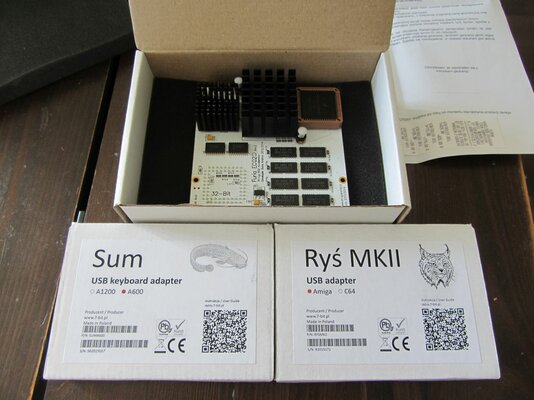
Re-capping and upgrading the hardware will be the next steps. What a coincidence - I received very very exciting shipment from the Poland also on today.

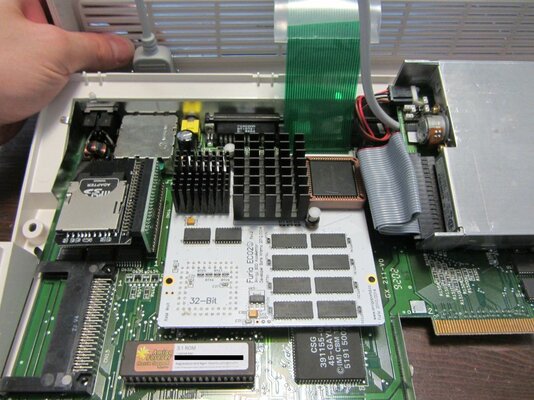
31 Upgrades.JPG

Thank you Poland, thank you Czech Republic! I WAS supposed to re-cap everything before I'll install any upgrades, but I just was unable to resist...

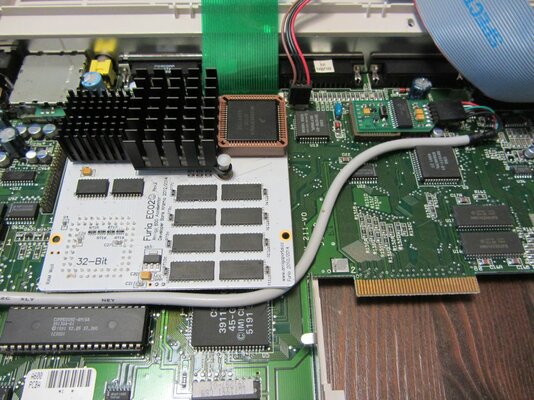
33 Upgrades.JPG

Freaking sweet! Ok I actually have no software other than Workbench and no means to transfer any software to the Amiga as I am waiting for some other gear related gear, but at least Workbench was FAST. I am so excited!

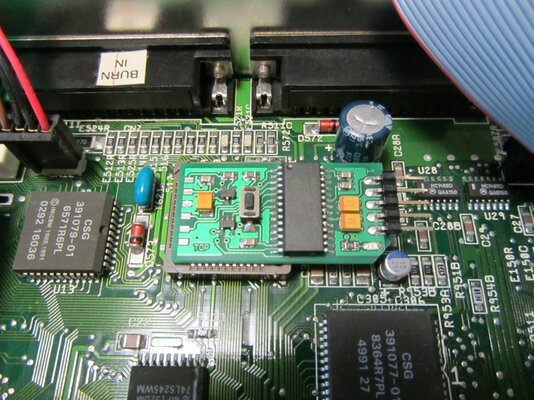
There were slight problem with the Sum adapter though. I think it's design flaw, not sure if it affects all Amiga 600 revisions but the Sum adapter did not fit into Rev 1 A600 until I sanded one corner a bit:

32 Upgrades.JPG

After some sanding it works like a charm! Took perhaps a bit too much away but does not matter really.

I just cannot wait until I get few more shipments, sdcard adapter, new capacitors and then some more. Perhaps I will receive some day parcel from Canada also, but meanwhile Furia will give more than enough power for playing some games.
 
Last edited:
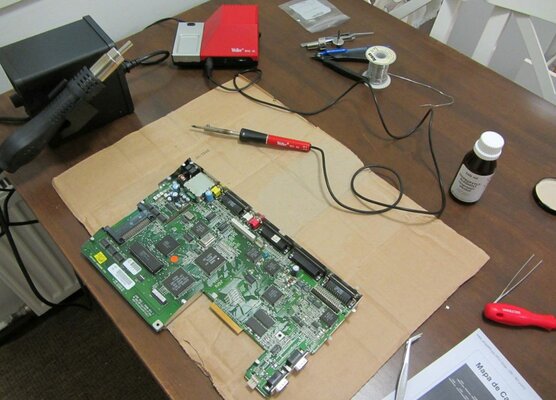
Got some new gear... Namely hot air SMD rework station and some caps.

IMG_4749.JPG

Spent last two days recapping my Amiga 600. Should I have known how major PITA it was, I would have gladly paid somebody to do it for me. Removing old cap using hot air was child's play but new caps... I bought Panasonic's ultra-low ESR caps and they were just as big as original caps, some even bigger (my bad, should've checked the diameter). I did not dear to use hot air for soldering new caps and some caps had extremely limited space to operate soldering iron (audio caps and those 100uF caps behind TV modulator, also 47uF caps were much bigger than original ones).

I had to even bend legs of few caps and lift them in air a bit in order to make good solder joints... I know, I know, that's poor soldering job, should have bought new smaller caps and/or use hot air and some soldering paste for soldering, but I was impatient and wanted to see some results. But I think I succeeded, all solder joints looks good and everything works without any problems.

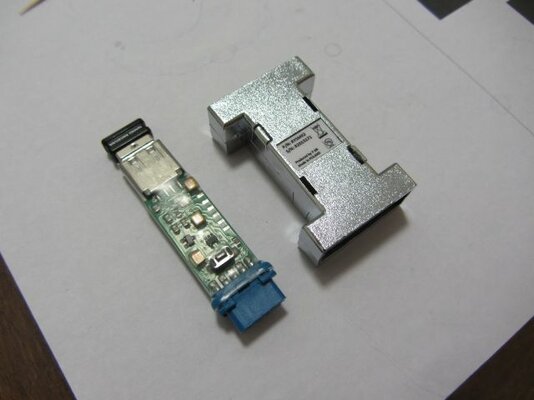
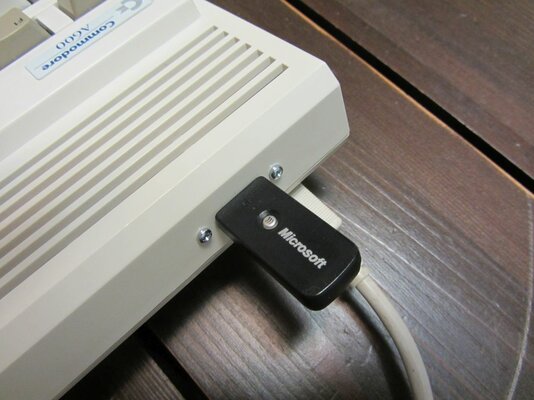
Hot air station was also handy for heat shrink tube... Rys MKII game port - USB adapter does not fit A600 without extension cord unless disassembled. Want to minimize amount of cables so disassembled it and used some heat shrink for protection. Works good and looks decent. And I have to say both Rys MKII and Sum adapters are pure gold, works with my wireless gear without any problems

IMG_4751.JPG
 
I did exactly the same thing last weekend, on my new/old A600. Retrobrighted the case, power supply, and keys. I just put the keys into a jar with 12% h2o2 because it's easier than fooling with the gloppy retrobright on the small key caps. I imported this A600 from the UK (I'm in the US) so I got a small 40W power supply from digi-key (100-240v input, 50/60 hz) and replaced the original Commodore 220V board. I started re-capping the board but couldn't finish because, like you also mentioned, some of them were too big. My 10uf SMD caps were 6.3mm (correct size is 5.0mm), and my 1000uf caps were also too big (correct size is 10mm).

I wish I had known how to remove the SMD caps with hot air. I just got a hot air station but don't have any experience with it so I was afraid of damaging the board or other components and I removed them with a soldering iron instead. Which wasn't the greatest because I damaged 3 of the pads in removing the caps. Replacing the 3 SMD caps with the damaged pads took the most time, because I had to clean off the trace and solder down a tiny wire to replace the pad. I had an easy time replacing the rest of the caps. I just put a little more solder on the pads, then flux on the capacitor leads, then line it up and press down on the cap with my finger while heating the tip of one lead until the solder flows and I feel the cap sink down. Then do the other side, and it's good to go. I'm still waiting for the smaller 10uf and 1000uf caps from digi-key, hopefully they will come in a day or two. I also have a Furia 600 to install; I can't wait to check this out.

I also learned recently that our Amiga 3 1/2" floppy drives will die due to capacitor failure. Depending on the model, there may be 1 or 2 SMD electrolytic caps on the logic and/or power boards. The failure symptoms are that the drive appears to be working, the disk spins and the head seeks. But you just get a DF0:???? when you insert a disk, and attempting to format will give you a failure on cylinder 0. The original drive on this A600 was bad so I put in my spare drive, only to find that it was also bad in the same way. I replaced the cap on the power board of my spare drive and that brought it back to life. Now I need to do the same for the original drive which came with this computer. So much stuff to fix.
 
You should practice a bit using hot air with some dead hardware. It was super easy, I literally practiced only 15 minutes and then proceeded to remove caps from Amiga and had no problems whatsoever. I really do not know how I've been able to do any SMD work without... For soldering new caps I used your method exactly - worked like a charm.

Found also one electrolytic cap from original Amiga mouse - re-capped it too, just in case, but did not bother to use any ultra-low ESR caps ;) It's a pity, so much old hardware getting ruined by themselves because of electrolytic caps.
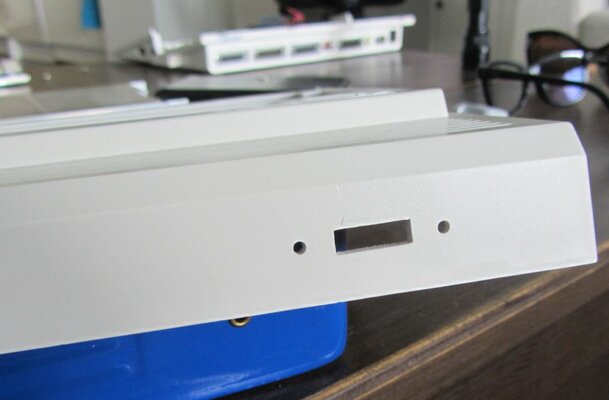
 
Just got 44pin IDE-cable, SD-card reader and Kickstart 3.x ROM. Prepared SD-card with WinUAE and put it into Amiga... aaaaand nothing. Re-plugged everything multiple times and finally got flickering HDD led - but it was not flickering due to data transfer since it soon faded slowly and turned off.

I was soooo sure that I somehow scorched the IDE controller. However after carefully cleaning IDE connector with IPA wham, everything works. Huh, I must've spilled flux on to the pins while doing recapping...

Ps. Kickstart 3.x is pain. No workbench floppies will boot due to missing workbench.library. Only way to get into workbench is to prepare bootable hdd (or rather sd-card) with WinUAE and copy workbench.library into it. But then again I knew that, I just wanted to be able to use big sd-cards without patching scsi.device on boot.
 
Last edited:
Yes, I do need to practice. I have a Nortel SBC (off of which I took an LC060 with a vacuum desoldering pump) and a bunch of boards from a Sony HD reference monitor, and I can use these for practicing with the hot air station. In this case (the caps on my A600) I was didn't attempt this because I was under the impression that it would be potentially damaging to the board or nearby components to desolder the caps with hot air. But since you had good results with this method, I will definitely investigate it further. I do have a spare A1200 mobo that will need to be recapped someday.

I got the smaller 10uf and 1000uf caps in the mail yesterday, so I will be able to finish installing the new ones and test the A600 in the next couple of days when I get some time.

My machine also has kickstart 2.0.. I thought about upgrading to 3.0 but I think I'll leave it at 2.0 because I already have an A1200 with kickstart 3.0, and my goal with this A600 is to have an OCS machine which can run some software which is not compatible with the newer machines. I know that some demos/games will not run with kickstart 3.0. This is why I decided to get a wired 10/100 pcmcia NIC (which only requires KS 2.0) instead of the wifi card (which requires KS 3.0). I can't wait to try out the Furia 600.
 
Furia is superb, have no bad word to say about it. Did you already put the new caps in?

Meanwhile my personal project is coming to the end (that is until I manage to get Vampire II, 604n and RapidRoad USB). My primary purpose was to restore but reluctantly I had to destroy something also...

50 USB.JPG52 USB.JPG

I am not sure if this was good move since enclosure was in good shape, but I wanted to have external USB port for keyboard. Of course it will never look like it should be there, but I tried to do as good job as I can with manual tools. Of course I failed a bit and due to measurement error I did cut the slot a tad too wide. Oh well.

Also got this superb angle adapter for SD-card, it's totally awesome. It also made HDD led to work, before it was lit all the time.


60 Done.JPG

Also received final missing piece, namely wifi card. Everything is ready, everything works, I'll go to play some games!

61 Done.JPG

Ps. Take care when installing Furia (and kickstart ROM). A600 enclosure has rubber feet on the corners only and when you press Furia hard, enclosure and mobo will flex a lot. I did bent my mobo quite a lot until I realized that this is not they way to go. One must put something under the enclosure to prevent it flexing! I've heard those SMD ceramic caps are quite fragile...
 
Last edited:
Your machine looks good. I would say the USB port looks great; it's very hard to cut a straight rectangular port with hand tools.

I did finish up the capacitors on my a600 this weekend. I agree the Furia 600 is awesome; I love it. I think it's a really good value for the price. I'm doing a wired ethernet card on mine so that I can stick with the 2.0 ROMs; I got the card ($9.99 NIB from ebay) but haven't set up the software yet. I had good luck with AmiTCP on my A1200 with wifi, so I'll probably stick with that TCP stack. When I installed the Furia 600, the motherboard was out of the case and laying on an anti-static mat. This is the best way to install it (though it takes some extra time) because you can press hard and the board won't flex at all. It is kind of a tight fit to get everything in that A600 case. I also had to bunch up the floppy cable between the drive and the accelerator board, like you showed in your picture. Your angled CF card adapter looks very nice too; that is a good solution. I got an IDE adapter with a pre-loaded CF card from a guy in the UK on ebay, and it is a nice adapter (small and the HDD light works perfectly) with a short (maybe 3 cm) ribbon cable. I had to twist the cable with a 90 degree angle to place the CF card on top of the small heatsink on the Furia. At any other location it interfered with the keyboard; there's very little clearance there.

I also practiced removing SMD caps and chips with my hot air station. :) I got some 2mil kapton tape so I was using that a bit to see if I could remove components near plastic connectors without melting the connectors. I had some good success with that. My next challenge is to clean up some pads and try soldering TSOPs back onto the board with paste.
 
Back
Top Bottom