RGB2HDMI - what screenmodes can it handle?

  • Thread starter Thread starter Jameson
  • Start date Start date
  • Replies Replies 36
  • Views Views 2921

Jameson

Active member
AmiBayer
Joined
Jan 19, 2015
Posts
995
Country
Australia
Region
Queensland
Hey guys,

due to the increasing difficulty in sourcing them, and the ridiculously high prices they now seem to go for, I am having to consider RGB2HDMI's instead of the, IMO, vastly superior Indivision ECS for a couple of miggies.

I have seen reports that PAL to NTSC / NTSC to PAL switching is very problematic - which is going to be a problem for me as I routinely use both screenmodes switching between constantly - for instance, for WHDLoad games I use PAL 320x256 as most games are PAL, but then for things like ADoom etc I switch to NTSC 320 x 200 as that is a perfect match for the original PC resolution.

Is switching between PAl / NTSC really a problem for this device?

Secondly, from what I have seen, running 31khz screenmodes does not work with the RGB2HDMI - so, for instance Multiscan 640x480 will not work. This I can live without as I can simply use interlaced modes such as NTSC High Res Laced or PAL High Red Laced.

HOWEVER, I often use Superplus and Highgfx (800x600 and 1024 x 768). Are these modes supported by the RGB2HDMI?

Thanks for your help.
 
The Indivision’s seem to be readily available from IComp.de so your issue is the price? I was just looking at them for an A4000 and the price is a bit steep so I will probably just go full steam ahead and order a ZZ9000 based on recommendations of others. Good lick.

Good luck. Anything requiring a pi is problematic due to supply chain problems with pi’s. I have 4 pi’s on backorder from Digikey with estimated delivery around November!
 
The Indivision’s seem to be readily available from IComp.de so your issue is the price? I was just looking at them for an A4000 and the price is a bit steep so I will probably just go full steam ahead and order a ZZ9000 based on recommendations of others. Good lick.

Good luck. Anything requiring a pi is problematic due to supply chain problems with pi’s. I have 4 pi’s on backorder from Digikey with estimated delivery around November!
I disagree, I feel my ZZ9000 Scandoubler is poor compared to the indivisons, I've not gone down the path of the MKIII yet but I'm extremely pleased with all my MKII's. I am surprised though that Individual Computers have not released a video slot version of their Indy's, think they're missing a trick there. I would get one for all my video slot compatible amigas
 
Last edited:
I bought an Indi ECS V3 last week for my Denise, was a bit pricier than i wanted to pay and i also got stung for an additional £46 in customs charges but once fit it just worked and the image quality is fantastic if i'm honest
 
About that ZZ9000 scandoubler comparison with the Indi AGA MK3, i use both side to side on the same desk, one in the A4000 and the other on the A1200.
Both are very crisp and can have smooth 50 Hz scrolling. There is no config tool for the ZZ9000 scandoubler but it works out of the box and i think it helps i am using it on a 4/3 lcd monitor from Iliyama. The Indi MK3 is fine out of the box but needs tuning to be perfect on a specific monitor. The trick is to setup the overscan on PAL and use a vertical resolution matching 1/4 of the monitor (assuming you have typical 24' LCD in wide screen), and then it will be scaled just perfect. However, i have no succeded so far with anything else than PAL. I have combing effect on sprites in PAL Highres Interlaced, which is unavoidable because of the way the chipset works, and would like to try DBLPAL Highres non interlaced instead but i get nothing good.
Note that so far there is no scanlines on the ZZ9000 scandoubler.
As for the RGB2HDMI, i have one installed in my half working A500Plus, seems crisp with no lag but i haven't been able to use it much apart from PAL gaming for test purpose.
Just a word also about the D520 external device, not currently available, also offers an HDMI out of the RGB port of every Amiga, and is more or less on par with the MK3 with the advabtage of being an external device.
 
I disagree, I feel my ZZ9000 Scandoubler is poor compared to the indivisons, I've not gone down the path of the MKIII yet but I'm extremely pleased with all my MKII's. I am surprised though that Individual Computers have not released a video slot version of their Indy's, think they're missing a trick there. I would get one for all my video slot compatible amigas

That would be only for the A4000, because it is better to use the Denise socket in the A2000/3000 and keep the videoslot free for something else.
 
That would be only for the A4000, because it is better to use the Denise socket in the A2000/3000 and keep the videoslot free for something else.
Well if your like me I have two amiga 1200 Busboards with videoslots so I would welcome them hehe
 
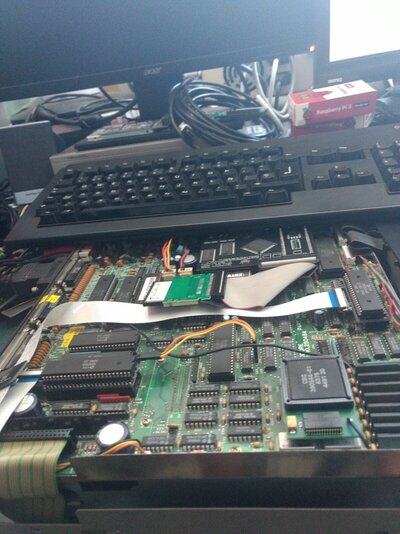
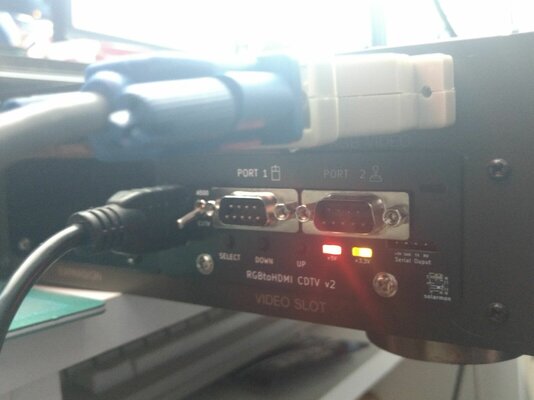
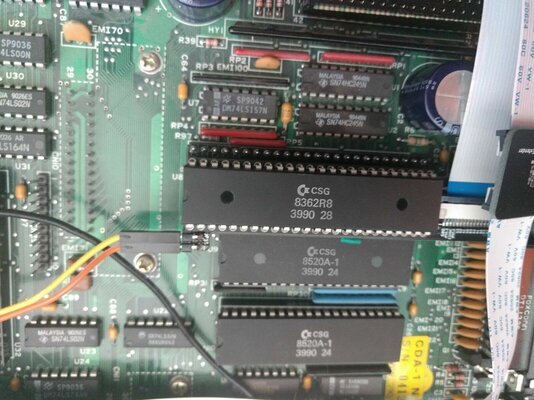
@Jameson , I'm hoping to get my CDTV setup with a RGB2HDMI this weekend if nothing else comes up and I get it up and running I can do some testing for you.
 
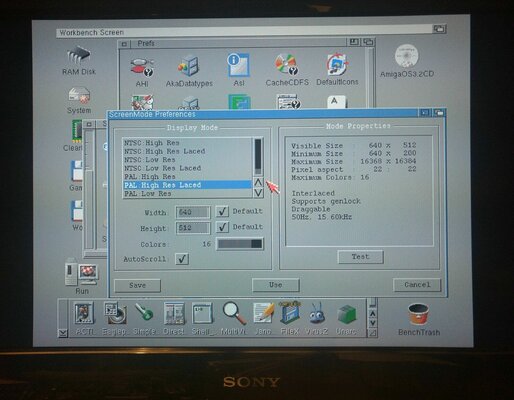
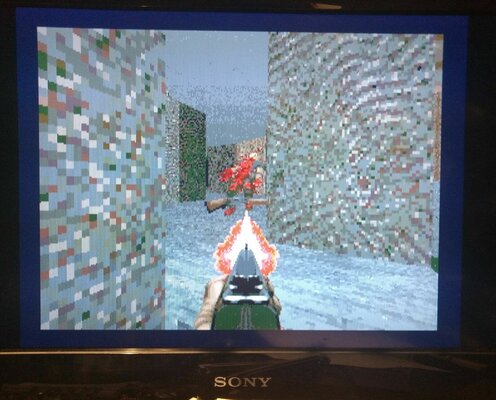
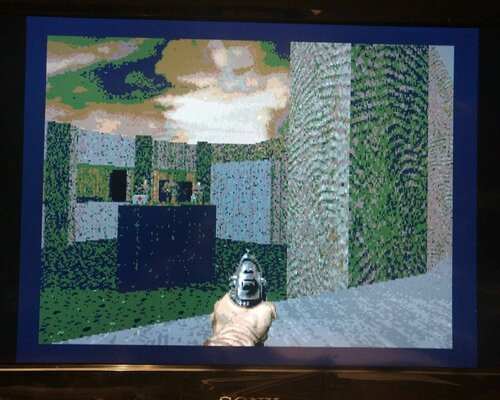
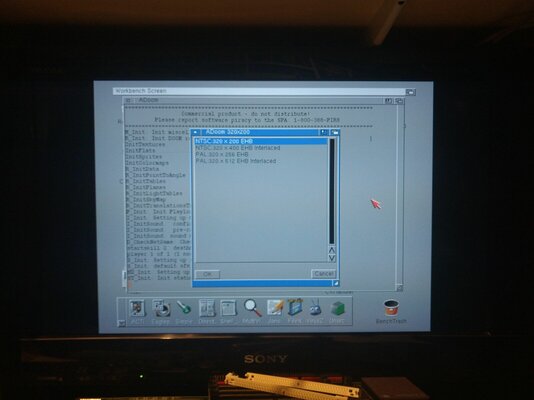
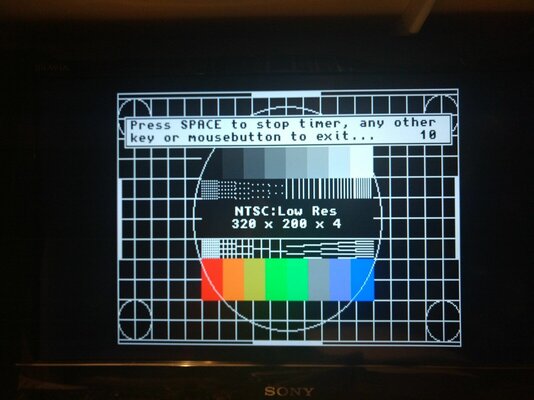
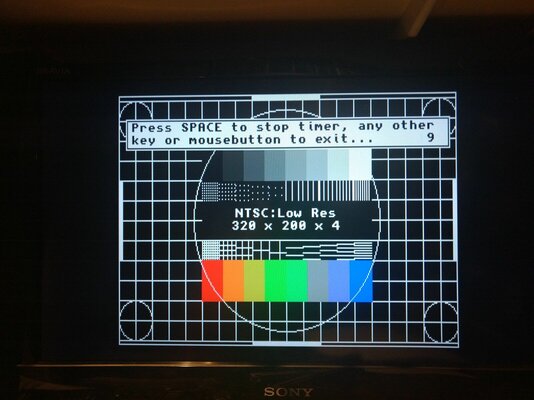
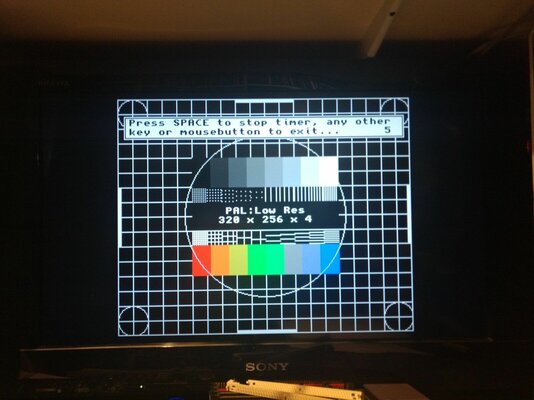
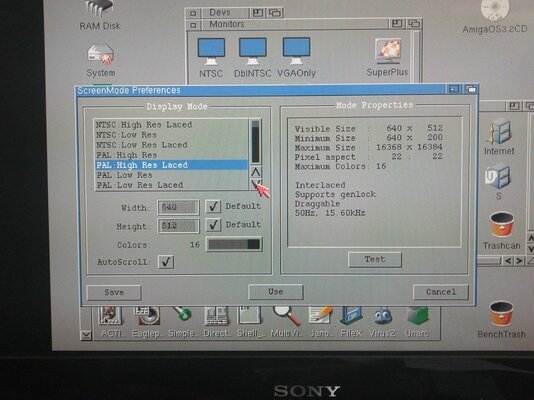
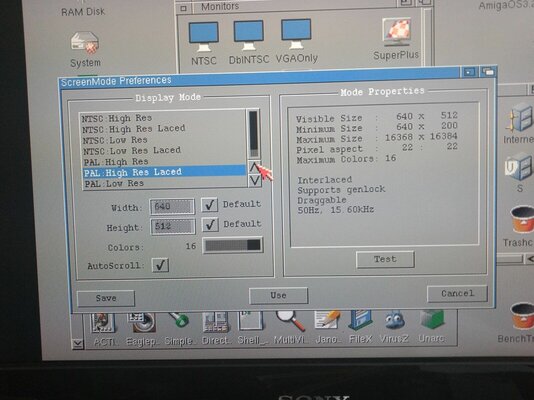
@Jameson done some testing with the NTSC & PAL Screen modes and they all came up and I even loaded Adoom in NTSC 320x200 and it loaded up fine

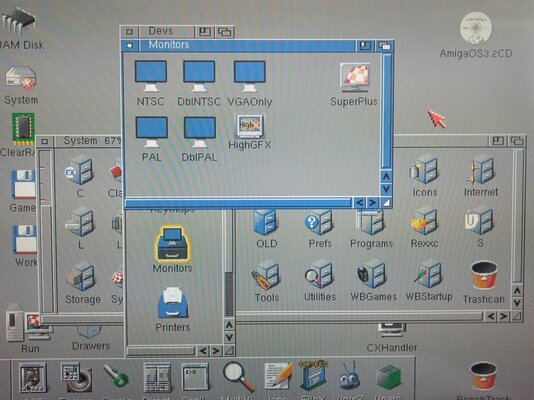
However I can't seem to add superplus or HighGFX to my screenmode options I'm not sure if this is because it is a CDTV or if AmigaOS 3.2.2 is not allowing them to load

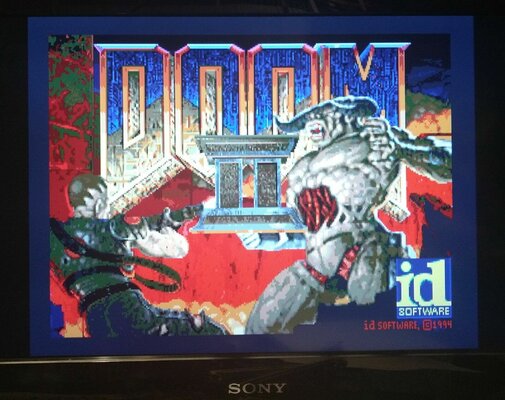
I've added some pics sorry I broke my phone and I'm using an old one so picture quality is not the best sadly

The monitor is a Sony Bravia PS2TV and the RGB2HDMI is set to output at 1024x768 @ 60hz and scaling to a 4:3 ratio
 

Attachments

  • IMG_20230624_221242314.jpg
    IMG_20230624_221242314.jpg
    329.4 KB · Views: 83
  • IMG_20230624_223751207.jpg
    IMG_20230624_223751207.jpg
    333.3 KB · Views: 53
  • IMG_20230624_223737853.jpg
    IMG_20230624_223737853.jpg
    364.5 KB · Views: 39
  • IMG_20230624_223721056.jpg
    IMG_20230624_223721056.jpg
    329.2 KB · Views: 38
  • IMG_20230624_223703266.jpg
    IMG_20230624_223703266.jpg
    146.3 KB · Views: 54
  • IMG_20230624_221759989_BURST000_COVER_TOP.jpg
    IMG_20230624_221759989_BURST000_COVER_TOP.jpg
    195.9 KB · Views: 50
  • IMG_20230624_221759989_BURST001.jpg
    IMG_20230624_221759989_BURST001.jpg
    209.4 KB · Views: 40
  • IMG_20230624_221736354.jpg
    IMG_20230624_221736354.jpg
    209.5 KB · Views: 57
The Indivision’s seem to be readily available from IComp.de so your issue is the price? I was just looking at them for an A4000 and the price is a bit steep so I will probably just go full steam ahead and order a ZZ9000 based on recommendations of others. Good lick.

Good luck. Anything requiring a pi is problematic due to supply chain problems with pi’s. I have 4 pi’s on backorder from Digikey with estimated delivery around November!
Hey there,

is the Indivision ECS available? The last time I checked, which was a little while ago, the Indivision AGA was available, not but the ECS.
 
@Jameson done some testing with the NTSC & PAL Screen modes and they all came up and I even loaded Adoom in NTSC 320x200 and it loaded up fine

However I can't seem to add superplus or HighGFX to my screenmode options I'm not sure if this is because it is a CDTV or if AmigaOS 3.2.2 is not allowing them to load

I've added some pics sorry I broke my phone and I'm using an old one so picture quality is not the best sadly

The monitor is a Sony Bravia PS2TV and the RGB2HDMI is set to output at 1024x768 @ 60hz and scaling to a 4:3 ratio
Thanks for that mate - appreciate the time and effort and it provides some good information.

I am running 3.2.2 on several ECS systems and SuperPlus/HighGfx works perfectly on them (Indivision ECS), so it can't be a 3.2.2 issue.... not sure if you need BOTH a 2MB Agnus AND an ECS Denise to get access to HighGfx screenmodes - can anyone confirm? If you DO need both, then that would explain why you cannot access them on your CDTV (assuming of course you have not upgraded you Agnus and ChipRAM to 2MB).

If the combination of a 1MB Agnus and ECS Denise can access HighGfx screenmodes then it means the RGB2HDMI cannot handle those modes.... which means they are totally useless to me. :(
 
The Indivision’s seem to be readily available from IComp.de so your issue is the price? I was just looking at them for an A4000 and the price is a bit steep so I will probably just go full steam ahead and order a ZZ9000 based on recommendations of others. Good lick.

Good luck. Anything requiring a pi is problematic due to supply chain problems with pi’s. I have 4 pi’s on backorder from Digikey with estimated delivery around November!
Oh, and I have quite literally dozens of Pi 3A's, Zeros and Zero Wifis. :) I purchased them in bulk from Core Electronics when they had a big sale about 3 years ago. :)
 
My CDTV has a megachip clone so that's not the issue I believe it's ECS. This issue I'm having is getting the modes to even show up in screenmodes I only get the NTSC & PAL options to choose from even though I've placed HighGFX and Superplus into Devs/Monitors, so it probably something I'm doing wrong.
 
Ah, okay. That's weird. Silly question, but they are in your Devs/Monitors drawer?
 
Yep as stated prior

I put all the others in to like VGA only but I still only get them two options
 
Hmmm, I remember having this issue on a system ages ago, but I cannot remember what caused it or how I fixed it. Let me have a think about it.

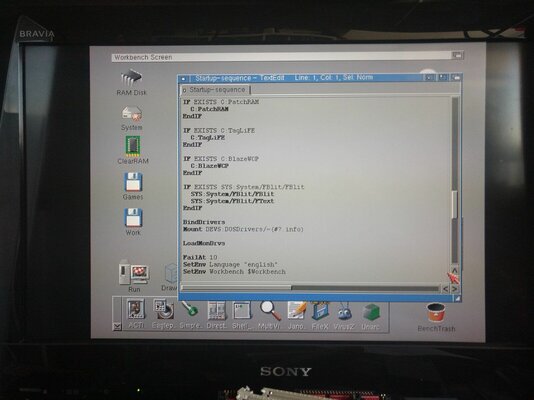
Do you have any monitor driver loaders in your SS?
 
If you give me a few minutes to wake up (had a Sunday layin' today) I'll get some screen shots for you. Be about 15 minutes
 
Right showered, woke up and got a coffee ☕ and in the messy mancave.

CDTV loaded and here are some pictures showing the system and screenshots

As you can see no other options I've had a similar issue when installing RTG cards, if I remember correctly that required an addition line in the Startup-Sequence wonder if it's the same added a pic to show it just has LoadMonDrvs in SS
 

Attachments

  • IMG_20230625_092210071.jpg
    IMG_20230625_092210071.jpg
    329.8 KB · Views: 48
  • IMG_20230625_092642621_BURST001.jpg
    IMG_20230625_092642621_BURST001.jpg
    346.8 KB · Views: 46
  • IMG_20230625_092626950.jpg
    IMG_20230625_092626950.jpg
    289.7 KB · Views: 41
  • IMG_20230625_092546419.jpg
    IMG_20230625_092546419.jpg
    381.9 KB · Views: 43
  • IMG_20230625_092501309.jpg
    IMG_20230625_092501309.jpg
    161.9 KB · Views: 44
  • IMG_20230625_092222520.jpg
    IMG_20230625_092222520.jpg
    309.7 KB · Views: 41
  • IMG_20230625_094748847.jpg
    IMG_20230625_094748847.jpg
    209.7 KB · Views: 50
Last edited:
Back
Top Bottom