
You are using an out of date browser. It may not display this or other websites correctly.
You should upgrade or use an alternative browser.
You should upgrade or use an alternative browser.
A1200 problem
- Thread starter drlajger
- Start date
- Replies 39
- Views 1959


Sounds like one of your CIA chips is defective. Usually it's the 'even' CIA chip at board location U7 that's first to show signs of a problem.

Another possible problem area is the Gayle chip. It also has control of the IDE interface bus but usually it's not the first to go bad in an A1200.
- 'Even' CIA functions: floppy control, serial control, some parallel port status
- 'Odd' CIA functions: parallel port, keyboard, some floppy support, joystick/mouse button number one.
Another possible problem area is the Gayle chip. It also has control of the IDE interface bus but usually it's not the first to go bad in an A1200.
Last edited:

i think it was recapped , sometimes it boots all the way to workbench and then it start freezing, sometimes it does even get to the multicolour screen just gets stuck on the gray screen,hdd light is always on or it flashes like hdd is working but nothing is happening.
Your main suspect seems to be the 'even' CIA ... Check there first and see if it gets overly hot to the touch.
Also have a close look at the pins to see if there are signs of bad solder joints.
Also have a close look at the pins to see if there are signs of bad solder joints.
Last edited:
its not CIA they are 25c,no solder bridges any ware , search continues.
i was taping the board with my finger and for a moment i've got a a screen and then just disappeared . Next reboot went straight to red screen and then started flickering .
I have a lot of issues on this A1200
i was taping the board with my finger and for a moment i've got a a screen and then just disappeared . Next reboot went straight to red screen and then started flickering .
I have a lot of issues on this A1200
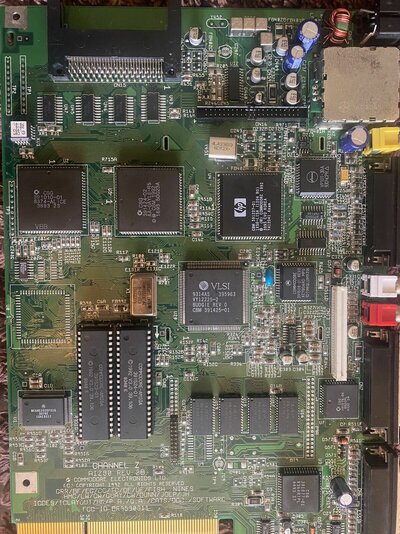
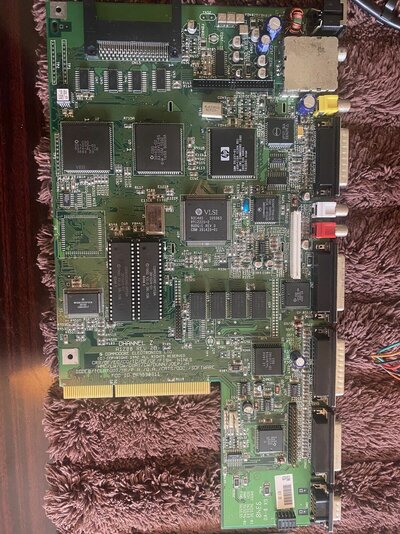
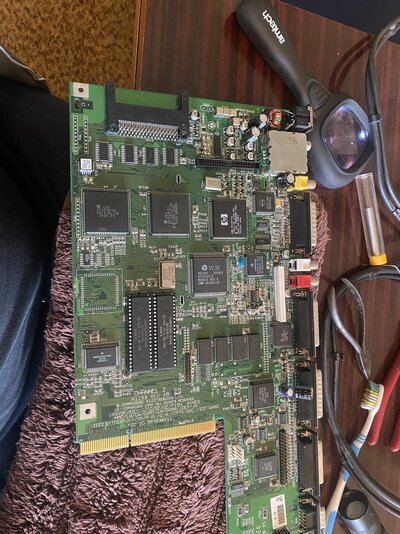
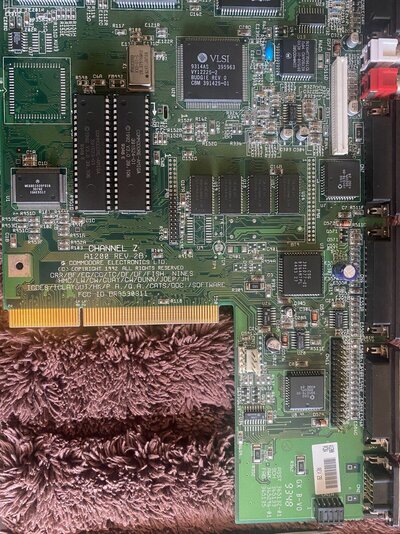
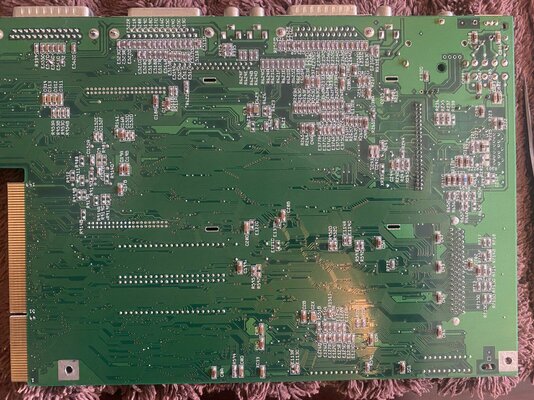
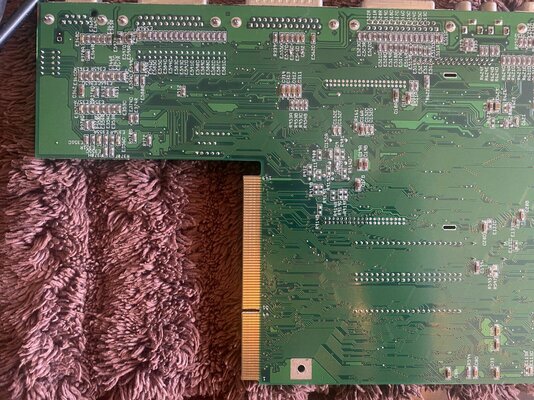

Well not to be that guy. Why on earth is the board on a carpet that can cause electrostatic discharge?Can anyone maybe see anything wrong on this board
Anyways. One thing I have noticed. Not sure if you are using an Accelerator board? But the 2B board hasn’t had its timing fixes done.
See here for a list:
That board doesn't look as if it's been recapped IMHO.
I was thinking the same. But I was under the impression they looked like Panasonic Caps? I know the light blue Shoei Caps can be spotted a mile off. But it all depends if Commodore Changed to another brand before they went under. Especially being a 2B revision.That board doesn't look as if it's been recapped IMHO.
carpet was under just while i was inspecting the board so it dos not slide around table,I was thinking of using PI storm 68 with this amigaWell not to be that guy. Why on earth is the board on a carpet that can cause electrostatic discharge?
Anyways. One thing I have noticed. Not sure if you are using an Accelerator board? But the 2B board hasn’t had its timing fixes done.
See here for a list:
I was thinking the same. But I was under the impression they looked like Panasonic Caps? I know the light blue Shoei Caps can be spotted a mile off. But it all depends if Commodore Changed to another brand before they went under. Especially being a 2B revision.
Commodore used whatever components were available/cheapest at the time back in the day.
Just look at the power supply with different coloured wiring in some, which makes it all the more important to check what one goes where. I have also seen different coloured capacitors on same revision boards over the years which has given me pause for thought and going on to triple-check.
i was taping the board with my finger and for a moment i've got a a screen and then just disappeared . Next reboot went straight to red screen and then started flickering .
Is this something you can reproduce repeatedly?
Nope,it happened onece,while I was looking for bad contact.Is this something you can reproduce repeatedly?
You might have board bend. Try flexing the board. Or laying it flat some how. Some of the connections on the board maybe dodgy.Nope,it happened onece,while I was looking for bad contact.
You might have board bend. Try flexing the board. Or laying it flat some how. Some of the connections on the board maybe dodgy.
Once on a flat hard flat surface such as a table, press gently down on each of the mainboard's four corners to see if there is any movement or rocking - you should see the one or possibly two of the other corners lift up if there is.
Similar threads

- Replies
- 9
- Views
- 356

