A1200 Rev1B - Weird vertical lines

Karlosjackel

Active member
AmiBayer
Joined
Jul 27, 2022
Posts
196
Country
UK
Region
Gloucester
Hello,

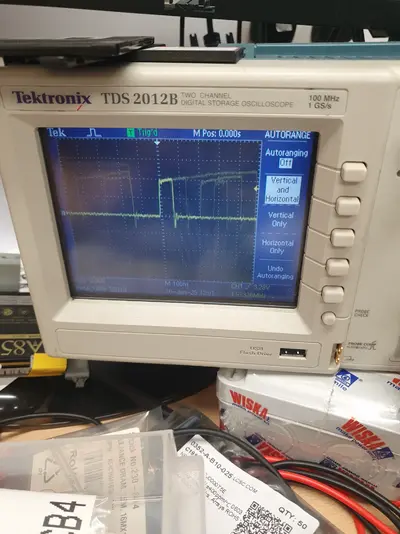
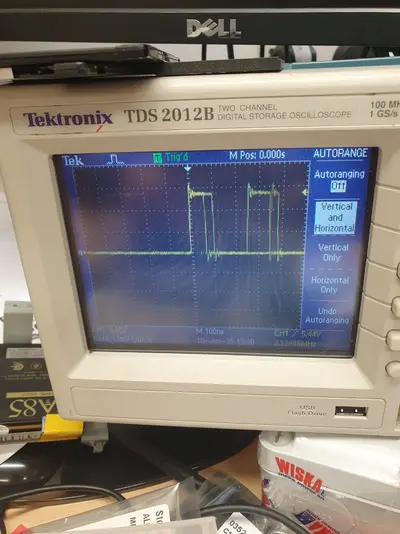
I'm currently repairing a Rev1B, not really sure of its history, but another has been in there and given up. I've got the A1200 booted up now, but the video output from the RGB has these weird vertical lines:

1749475478201.webp
1749475545403.webp


The machine has been recapped with quality caps, C460 was present so I replaced that one as well. I have no idea if the machine had the problem beforehand as it wouldn't boot up initially.


The DAC is a ADV101KP30, I lifted the chip as it was in a messed condition [corroded looking joints, deep solder splashes etc] cleaned underneath, resoldered - Still the same.

Bit stumped at the moment which direction to go... Is this picking up some interference from somewhere? Any ideas peeps?

Kind regards,
 
Last edited:
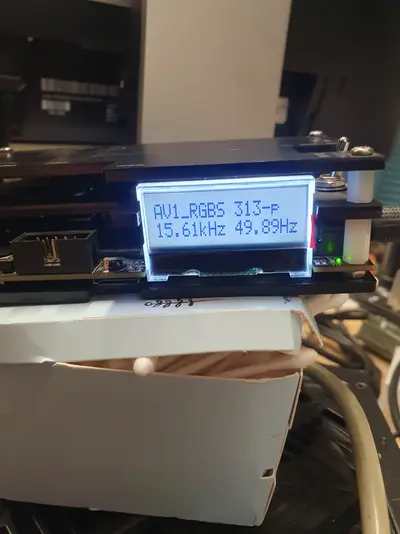
The next part of this strange fault...

Going through an OSSC:

17495555053823457351320299159261.webp


No lines!

The original connection to my 15kHz capable monitor is through this 23pin - to - VGA adapter:

17495556342518497062494755871716.webp


So going through the OSSC:

17495557004073184585417300576880.webp

Needs further investigation :D

The 23pin to VGA solution works on every other Amiga I have, so the OSSC is doing the lifting work here...
 
This is standard behaviour when using A1200s on 15Khz capable Dell monitors via one of those adapters in my experience. You can try adjusting clock/phase to see if it improves but I have never managed to completely solve it.
 
I had similar experience with Dell. First of all, I'm not sure 15kHz is even officially supported by their monitors. While the internal hardware does, the quality is questionable. In my case I also used a good shielded SCART to connect it to OSSC, and had no such issues back then. I also tested same monitor with another A500 - it was not that bad, but you could still notice some vertical artefacts. And non of the RGB-VGA dongles helped completely.
 
Interesting guys, thanks!

Continuing the journey of discovery, out of curiosity, I wondered if the interference was on one or all of the colour channels. I pulled each of the ferrites in turn, and the interference was across all of them. So, it appears that the interference is from the source of LISA rather than downstream, which could be a number of signals entering U4.

1749590936941.webp


1749591099404.webp

U23 and U32 have similar signals of those from a 1D4 that I'm currently using as a reference.

20250610_125612.webp20250610_125539.webp
A couple of the signals were jittery, but no different to another Amiga A1200, I think I will take a look at the signals into Lisa tomorrow and have a look at the clock phases as mentioned earlier :D
 
1749593125665.webp

** Note: _MLD from U34, _BCAS_XX from U20 Budgie, SCLK out... 14Mhz out, 28 from U20 Budgie, CCK from the usual CBM bodge...

1749594970012.webp


1749595081227.webp


Found some better schematics!
 
Also interested to see what you find - as above I have found that an A500 or A2000 suffers far less from this issue than 1200s do, using a CBM adapter. I tried one of the filtering adapters which removed the lines but just made everything horribly blurry.
 
What really was strange in my case is that only switch from RGB->VGA (buffered and filtered) to RGB->SCART helped, both options connected through OSSC. I was thinking it could be a real inference, i.e. from neighbours' TV or something. But I dunno how sensitive 1200 to that kind of things.
 
Back
Top Bottom