
You are using an out of date browser. It may not display this or other websites correctly.
You should upgrade or use an alternative browser.
You should upgrade or use an alternative browser.
Amiga VIDEO - VGA (DSUB) Adapter
- Thread starter a.mi.goun
- Start date
- Replies 419
- Views 86203
- Status
- Not open for further replies.

doboy
New member
Hi there, my adaptors arrived in Australia today. 17 days of travel.
Hooked them up to my partially built Amiga 1200 and connected to a Dell 2001FP and after some tweaking, the images is PRISTINE. Still only got a Kickstart screen as my CF card is currently being built but I am very happy with the results so far.
View attachment 94615
Will provide a further update when she's up and running properly.
Also, anyone else on here using a Dell 2001FP? It seems when I adjust pixel clock and phase to get the correct image it doesn't remember the details. Do I have to keep doing these each time I turn the monitor on?
Cheers,
Steve
i found the same monitor and i have the same problem, can't save settings... also the picture is not full screen, but is little smaller...

 feedback on its way
mamejay
Member
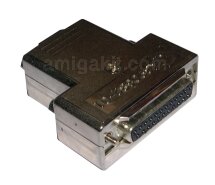
Hello. I bought 2 x NEC 1970NXp and i have a Commodore branded RGB to VGA adapter. I get these bars running vertically down the screen when using my Amiga 500. Is this adapter different? Is it just a copy of the Commodore branded one of is there some other magic components in it? If so I would be interested in grabbing one. The Adapter I have looks like below.
khimru
New member
This adapter it just a cheaper version of an official Commodore adapter. It's not as "cool" but functionally they are identical. If official Commodore version does not work then this one wouldn't work either.
Vertical bars sound like problem with your monitor settings, though. Have you tried to adjust them?
Vertical bars sound like problem with your monitor settings, though. Have you tried to adjust them?

@ a.mi.goun
How about testing DblPAL High Res No Flicker screenmode?
I'm very curious, because then I don't need an expensive flickerfixer
anymore. :roll:
I have a benq BL702A and i tried DblPal but the workbench doesn´t fill the screen (black vertical borders),
also i have some small vertical bands...What is your screen resolution, pixel clock and phase ?
regards
CBM
@ a.mi.goun
How about testing DblPAL High Res No Flicker screenmode?
I'm very curious, because then I don't need an expensive flickerfixer
anymore. :roll:
I have a benq BL702A and i tried DblPal but the workbench doesn´t fill the screen (black vertical borders),
also i have some small vertical bands...What is your screen resolution, pixel clock and phase ?
regards
CBM
The borders appear in PAL, NTSC, DblPAL & DblNTSC. I've solved it with the Overscan Prefs.
My screen resolution is PAL: 716 x 564. Pixelclock 90, Phase: 21.
Last edited:
allanmb
New member
I currently have WB working at 1024x512 over scart to my progressive scan LCD which is pretty good quality. Will this be noticeably better?
Do you know if this will work with my Toshiba Regza 42XV555D? Over VGA it supports the following:
VGA 640 × 480 59.940Hz 31.469kHz 25.175MHz
72.809Hz 37.861kHz 31.500MHz
75.000Hz 37.500kHz 31.500MHz
SVGA 800 × 600 60.317Hz 37.879kHz 40.000MHz
72.188Hz 48.077kHz 50.000MHz
75.000Hz 46.875kHz 49.500MHz
XGA 1024 × 768 60.004Hz 48.363kHz 65.000MHz
70.069Hz 56.476kHz 75.000MHz
75.029Hz 60.023kHz 78.750MHz
WXGA 1280 × 768 59.995Hz 47.396kHz 68.250MHz
59.870Hz 47.776kHz 79.500MHz
74.893Hz 60.289kHz 102.250MHz
1360 × 768 60.015Hz 47.712kHz 85.500MHz
SXGA 1280 × 1024 60.020Hz 63.981kHz 108.000MHz
75.025Hz 79.976kHz 135.000MHz
But over HDMI it supports:
480i 720 × 480i 59.940/60.000Hz 15.734/15.750kHz 27.000/27.027MHz
576i 720 × 576i 50.000Hz 15.625kHz 27.000MHz
480p 720 × 480p 59.940/60.000Hz 31.469/31.500kHz 27.000/27.027MHz
576p 720 × 576p 50.000Hz 31.250kHz 27.000MHz
1080i 1920 × 1080i 59.940/60.000Hz 33.716/33.750kHz 74.176/74.250MHz
1080i 1920 × 1080i 50.000Hz 28.125kHz 74.250MHz
720p 1280 × 720p 59.940/60.000Hz 44.955/45.000kHz 74.176/74.250MHz
720p 1280 × 720p 50.000Hz 37.500kHz 74.250MHz
1080p 1920 × 1080p 59.940/60.000Hz 67.500kHz 148.500MHz
1080p 1920 × 1080p 50.000Hz 56.250kHz 148.500MHz
1080p 1920 × 1080p 24.000Hz 27.000kHz 74.250MHz
VGA 640 × 480 59.940Hz 31.469kHz 25.175MHz
72.809Hz 37.861kHz 31.500MHz
75.000Hz 37.500kHz 31.500MHz
SVGA 800 × 600 60.317Hz 37.879kHz 40.000MHz
72.188Hz 48.077kHz 50.000MHz
75.000Hz 46.875kHz 49.500MHz
XGA 1024 × 768 60.004Hz 48.363kHz 65.000MHz
70.069Hz 56.476kHz 75.000MHz
75.029Hz 60.023kHz 78.750MHz
WXGA 1280 × 768 59.995Hz 47.396kHz 68.250MHz
59.870Hz 47.776kHz 79.500MHz
74.893Hz 60.289kHz 102.250MHz
1360 × 768 60.015Hz 47.712kHz 85.500MHz
SXGA 1280 × 1024 60.020Hz 63.981kHz 108.000MHz
75.025Hz 79.976kHz 135.000MHz
Do you know if this will work with my Toshiba Regza 42XV555D? Over VGA it supports the following:
VGA 640 × 480 59.940Hz 31.469kHz 25.175MHz
72.809Hz 37.861kHz 31.500MHz
75.000Hz 37.500kHz 31.500MHz
SVGA 800 × 600 60.317Hz 37.879kHz 40.000MHz
72.188Hz 48.077kHz 50.000MHz
75.000Hz 46.875kHz 49.500MHz
XGA 1024 × 768 60.004Hz 48.363kHz 65.000MHz
70.069Hz 56.476kHz 75.000MHz
75.029Hz 60.023kHz 78.750MHz
WXGA 1280 × 768 59.995Hz 47.396kHz 68.250MHz
59.870Hz 47.776kHz 79.500MHz
74.893Hz 60.289kHz 102.250MHz
1360 × 768 60.015Hz 47.712kHz 85.500MHz
SXGA 1280 × 1024 60.020Hz 63.981kHz 108.000MHz
75.025Hz 79.976kHz 135.000MHz
But over HDMI it supports:
480i 720 × 480i 59.940/60.000Hz 15.734/15.750kHz 27.000/27.027MHz
576i 720 × 576i 50.000Hz 15.625kHz 27.000MHz
480p 720 × 480p 59.940/60.000Hz 31.469/31.500kHz 27.000/27.027MHz
576p 720 × 576p 50.000Hz 31.250kHz 27.000MHz
1080i 1920 × 1080i 59.940/60.000Hz 33.716/33.750kHz 74.176/74.250MHz
1080i 1920 × 1080i 50.000Hz 28.125kHz 74.250MHz
720p 1280 × 720p 59.940/60.000Hz 44.955/45.000kHz 74.176/74.250MHz
720p 1280 × 720p 50.000Hz 37.500kHz 74.250MHz
1080p 1920 × 1080p 59.940/60.000Hz 67.500kHz 148.500MHz
1080p 1920 × 1080p 50.000Hz 56.250kHz 148.500MHz
1080p 1920 × 1080p 24.000Hz 27.000kHz 74.250MHz
VGA 640 × 480 59.940Hz 31.469kHz 25.175MHz
72.809Hz 37.861kHz 31.500MHz
75.000Hz 37.500kHz 31.500MHz
SVGA 800 × 600 60.317Hz 37.879kHz 40.000MHz
72.188Hz 48.077kHz 50.000MHz
75.000Hz 46.875kHz 49.500MHz
XGA 1024 × 768 60.004Hz 48.363kHz 65.000MHz
70.069Hz 56.476kHz 75.000MHz
75.029Hz 60.023kHz 78.750MHz
WXGA 1280 × 768 59.995Hz 47.396kHz 68.250MHz
59.870Hz 47.776kHz 79.500MHz
74.893Hz 60.289kHz 102.250MHz
1360 × 768 60.015Hz 47.712kHz 85.500MHz
SXGA 1280 × 1024 60.020Hz 63.981kHz 108.000MHz
75.025Hz 79.976kHz 135.000MHz
@ a.mi.goun
How about testing DblPAL High Res No Flicker screenmode?
I'm very curious, because then I don't need an expensive flickerfixer
anymore. :roll:
I have a benq BL702A and i tried DblPal but the workbench doesn´t fill the screen (black vertical borders),
also i have some small vertical bands...What is your screen resolution, pixel clock and phase ?
regards
CBM
The borders appear in PAL, NTSC, DblPAL & DblNTSC. I've solved it with the Overscan Prefs.
My screen resolution is PAL: 716 x 564. Pixelclock 90, Phase: 21.
Thanks for your tips. I changed to DBLNTSC with pixel clock, and phase 21, and noticed improvement.
When you said that your reslution is PAL, are you talking about PAL HIGH RES monitor driver ? The workbench fills the monitor screen completly ?
I have a benq BL702A and i tried DblPal but the workbench doesn´t fill the screen (black vertical borders),
also i have some small vertical bands...What is your screen resolution, pixel clock and phase ?
regards
CBM
The borders appear in PAL, NTSC, DblPAL & DblNTSC. I've solved it with the Overscan Prefs.
My screen resolution is PAL: 716 x 564. Pixelclock 90, Phase: 21.
Thanks for your tips. I changed to DBLNTSC with pixel clock, and phase 21, and noticed improvement.
When you said that your reslution is PAL, are you talking about PAL HIGH RES monitor driver ? The workbench fills the monitor screen completly ?
Yes, PAL Highres-Laced.

marrriooo
New member
I got Benq bl702a and it work perfect but i just got an NEC 1970NXp and in PAL this monitor cutting a little of screen at the bottom. Multiscan work perfect.
Overscan can't fix that.
PAL
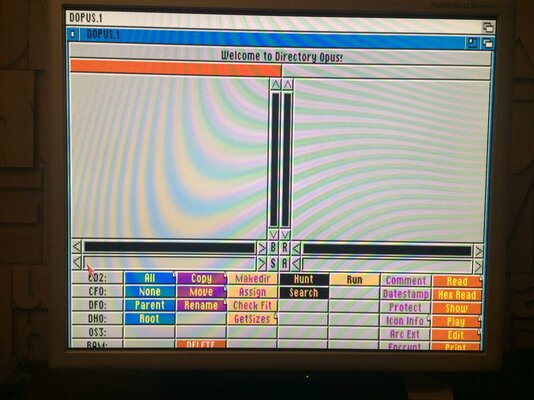
MULTISCAN
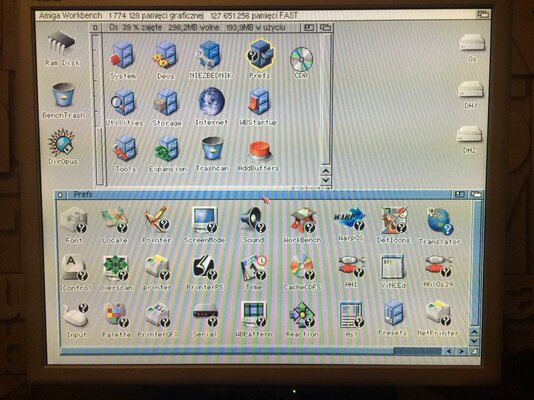
Overscan can't fix that.
PAL
MULTISCAN

Thanks for pictures, NEC seems to display PAL without any overscan, something like 640x500px apart from BenQ which show full PAL with overscan eg. 720x576px.
Can you try interlace modes on NEC if it flickers?
Can you try interlace modes on NEC if it flickers?
marrriooo
New member
Yes interlace modes flicker  Its not a bad monitor. Quality of screen is really good but sadly in PAL part of the bottom screen is cute and Pal is important for demos and games.
Benq is still my number one. Im thinking about 19" Benq BL912 if this monitor is same or better then my Benq BL702.
DBLNTSC HIGH RES NO FLICKER
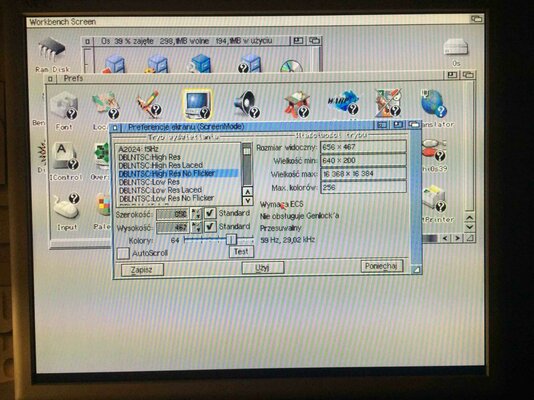
DBLPAL HIGH RES LACED
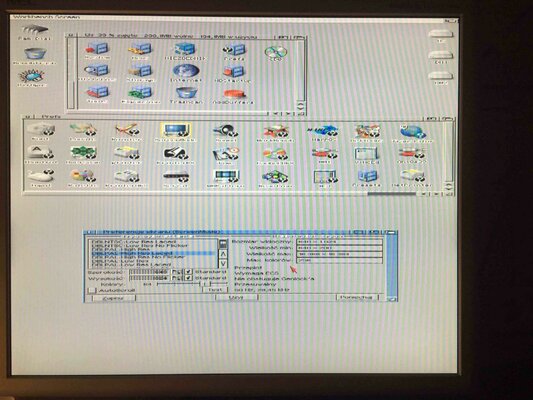
DBLPAL HIGH RES NO FLICKER
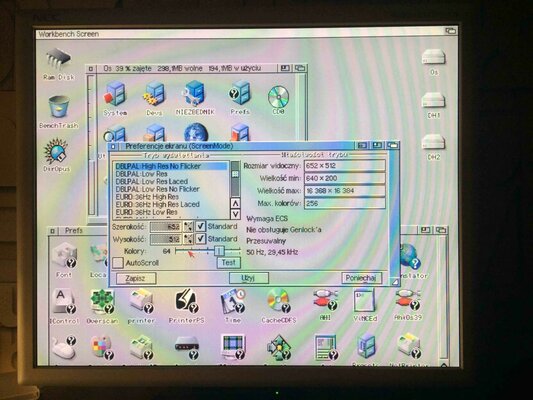
EURO72 PRODUCTIVITY
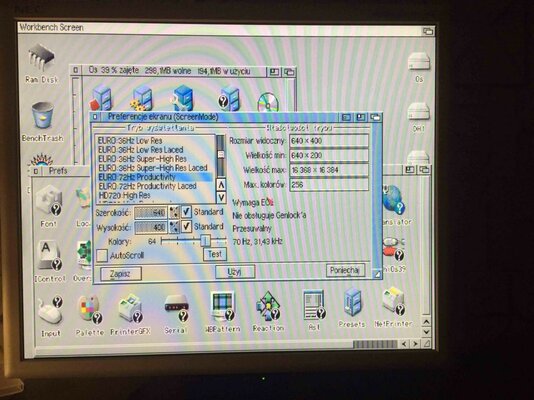
EURO72 PRODUCTIVITY LACED
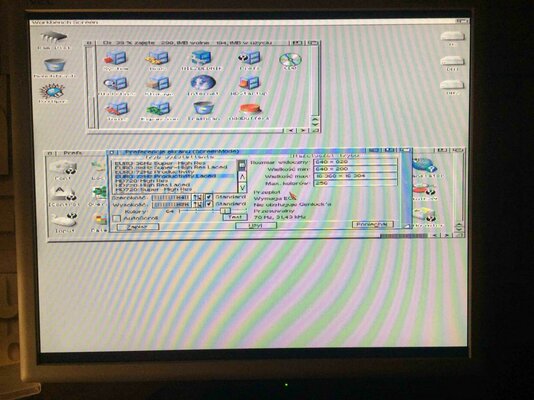
HIGHGFX SUPER HIGH RES LACED
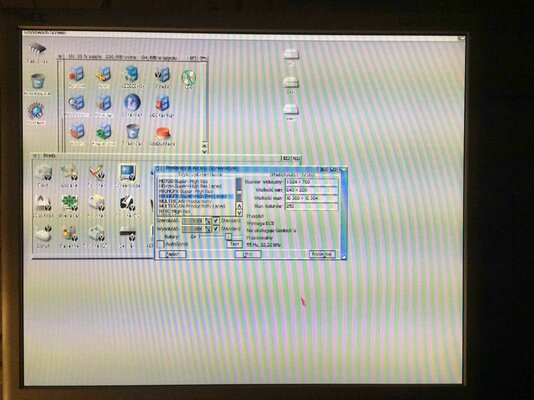
MULTISCAN PRODUCTIVITY LACED
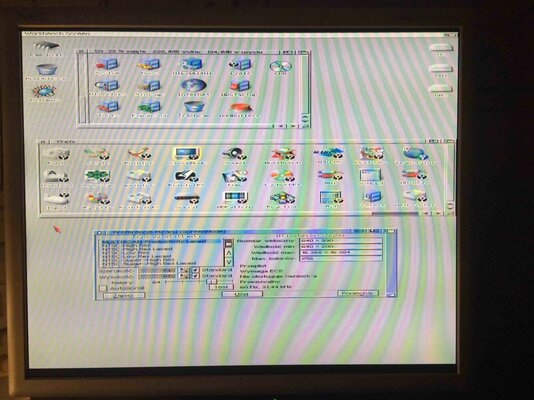
PAL HIGH RES LACED
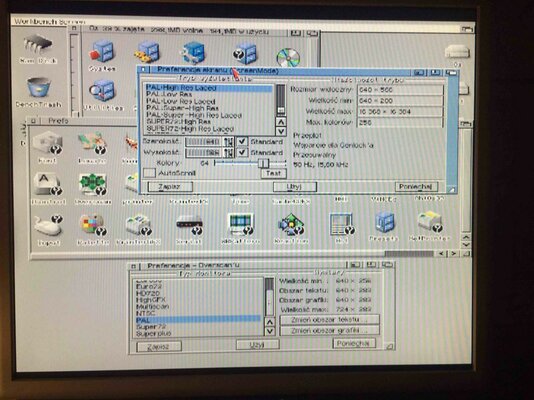
SUPER72 SUPER HIGH RES LACED
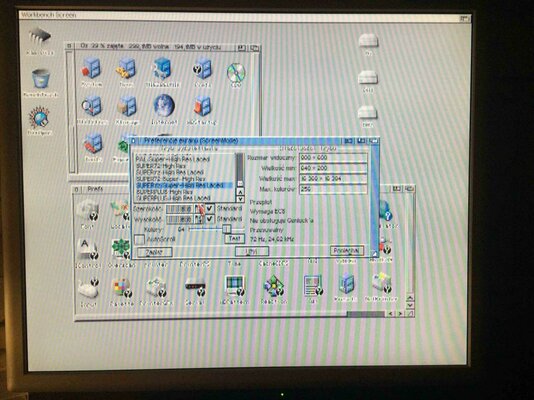
Its not a bad monitor. Quality of screen is really good but sadly in PAL part of the bottom screen is cute and Pal is important for demos and games.Benq is still my number one. Im thinking about 19" Benq BL912 if this monitor is same or better then my Benq BL702.
DBLNTSC HIGH RES NO FLICKER
DBLPAL HIGH RES LACED
DBLPAL HIGH RES NO FLICKER
EURO72 PRODUCTIVITY
EURO72 PRODUCTIVITY LACED
HIGHGFX SUPER HIGH RES LACED
MULTISCAN PRODUCTIVITY LACED
PAL HIGH RES LACED
SUPER72 SUPER HIGH RES LACED
Last edited:
- Status
- Not open for further replies.
Similar threads
- Replies
- 150
- Views
- 15K

- Replies
- 2K
- Views
- 282K
