
You are using an out of date browser. It may not display this or other websites correctly.
You should upgrade or use an alternative browser.
You should upgrade or use an alternative browser.
Basic Guide on Setting up a Prometheus (Firebird) Daughterboard on A3000 and A4000 now here on Amibay
- Thread starter Boing-ball
- Start date
- Replies 110
- Views 9712


Thanks.I decided to write this to you because I didn't find any information anywhere that voodoo4 is compatible with Prometheus Firebird. Maybe this information will be useful to someone
I have now started to make a new build of a Prometheus Firebird setup. I have now installed a Voodoo 4 card with extra power added to the Prometheus. Where I have spotted mistakes or where further clarification is required I have added this to the 1st post.
Remember that this is a ongoing project and drivers etc.. Are always in development and being updated.

Hello everyone,
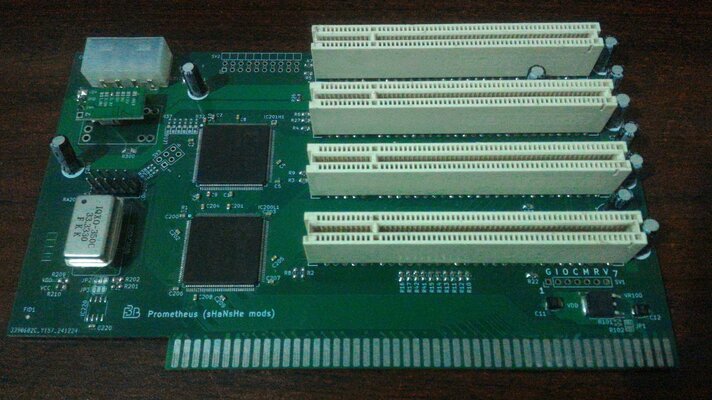
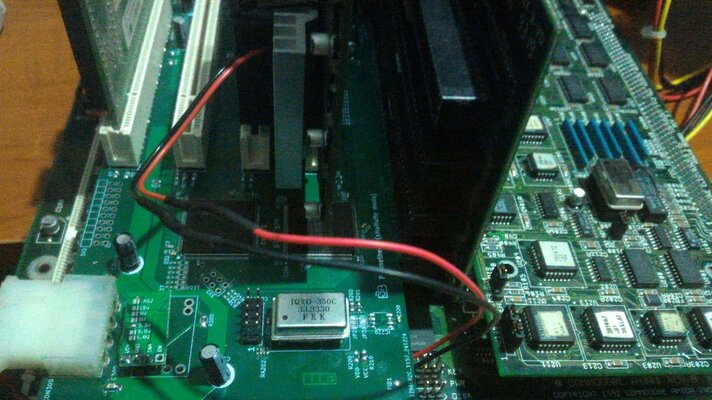
My friend built Prometheus card
This project

 github.com
But it is not working.
It is built by instructions given on that github
And tested instructions given here
 www.amibay.com
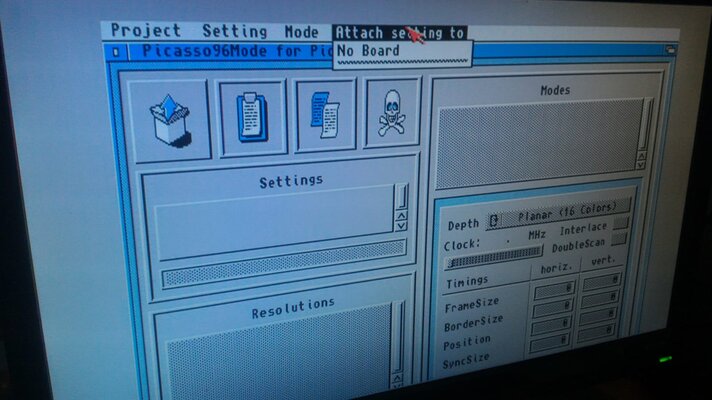
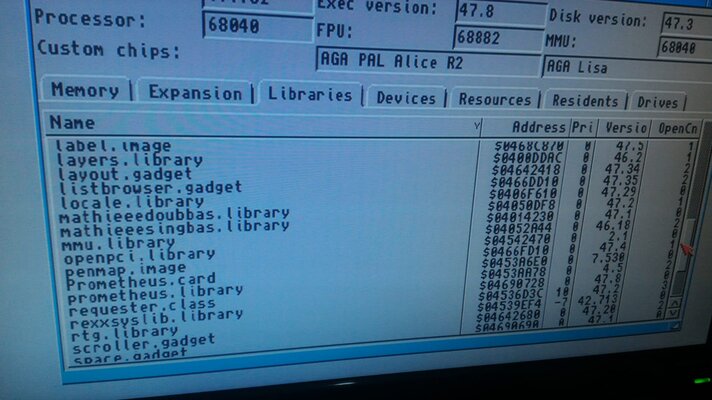
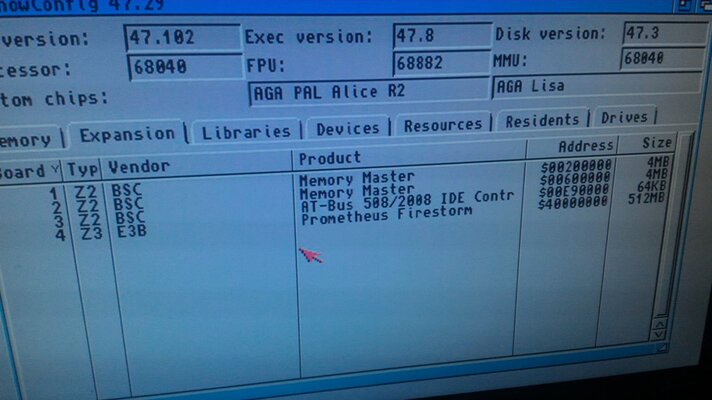
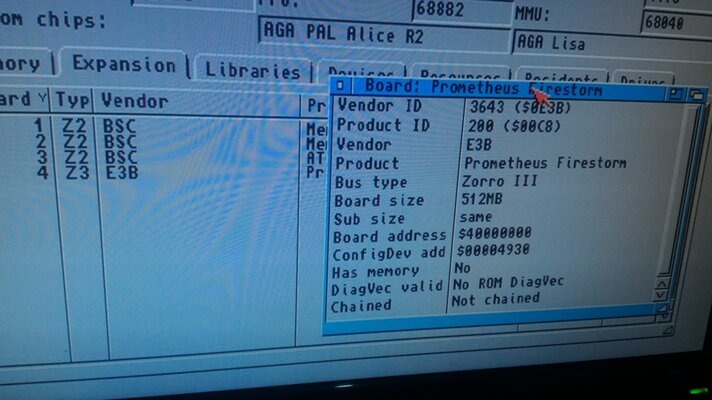
We can see prometheus on whichamiga and also voodoo 3 itself but we cannot get graphics from Picasso.
Even tried newest libraries, drivers but same. tried on both 3.2 roms and 3.2 OS and 3.9 roms on 3.9 OS.
Same result
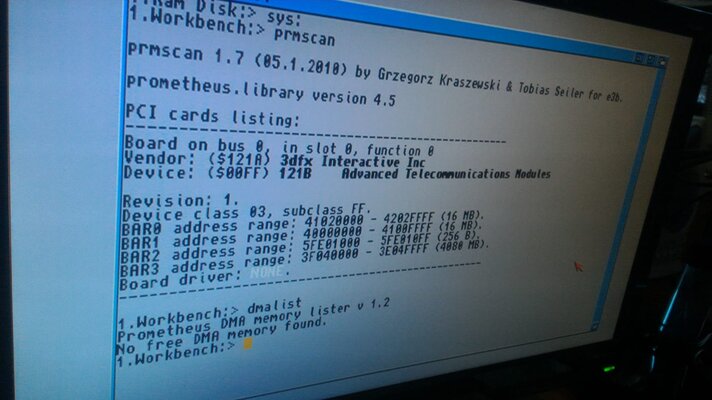
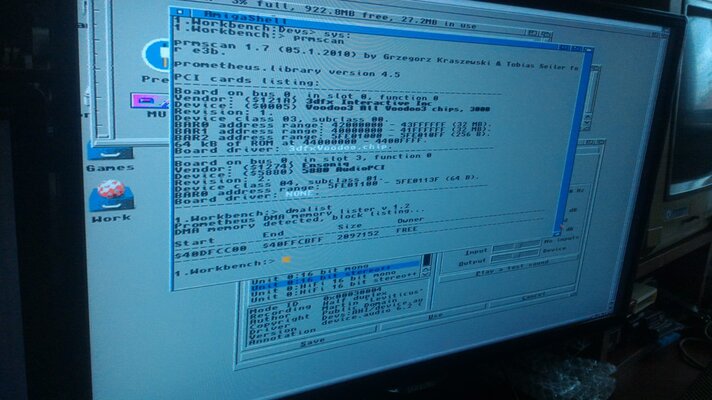
prmscan detects something but Picasso doesn't detect anything.
Tried both voodoo 3 3000 and s3 virge
(both cards tried on a1200 mediator without any poblem)
Also thought maybe something went wrong on build and we built a new one.
Same results.
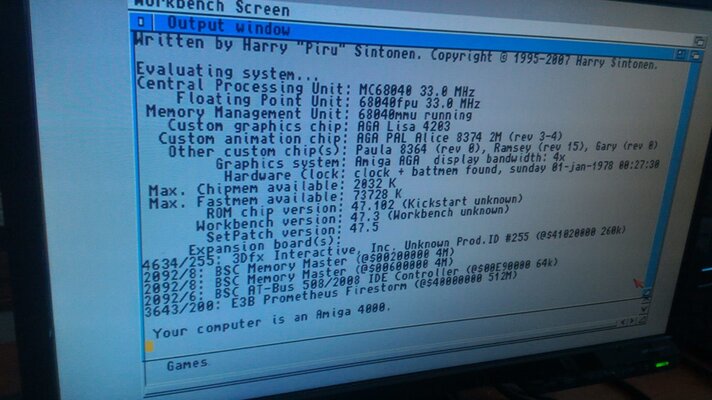
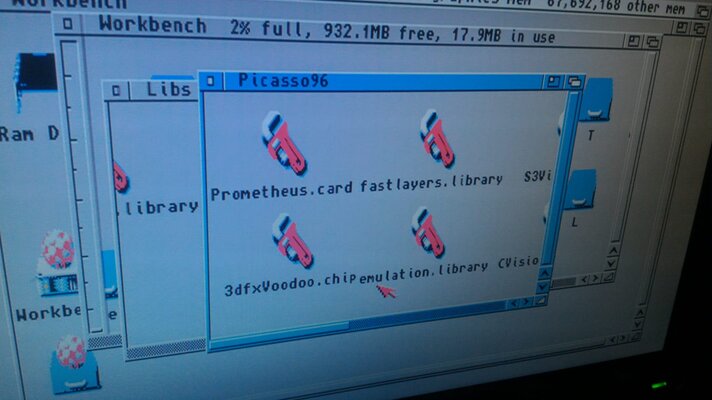
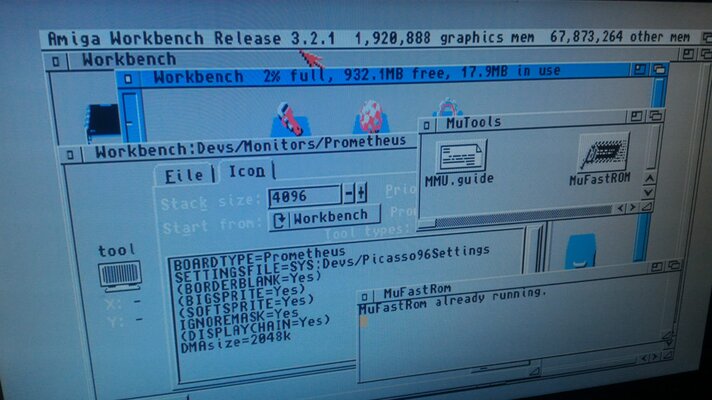
Maybe system doesn't find RAM for DMA. Added DMASIZE=2048K to the info as seen on screenshots
See screenshots
Any suggestions?
My friend built Prometheus card
This project
GitHub - shanshe/Prometheus-Resurrector
Contribute to shanshe/Prometheus-Resurrector development by creating an account on GitHub.
github.com
But it is not working.
It is built by instructions given on that github
And tested instructions given here
Basic Guide on Setting up a Prometheus (Firebird) Daughterboard on A3000 and A4000 now here on Amibay
I have copied and pasted the guide here. Please feel free to comment and add anything I have missed or requires amendment. This is something I had to piece together from Information that others have kindly shared: ———- ———— *PLEASE NOTE* The instructions below really are for the PCI side of...
www.amibay.com
We can see prometheus on whichamiga and also voodoo 3 itself but we cannot get graphics from Picasso.
Even tried newest libraries, drivers but same. tried on both 3.2 roms and 3.2 OS and 3.9 roms on 3.9 OS.
Same result
prmscan detects something but Picasso doesn't detect anything.
Tried both voodoo 3 3000 and s3 virge
(both cards tried on a1200 mediator without any poblem)
Also thought maybe something went wrong on build and we built a new one.
Same results.
Maybe system doesn't find RAM for DMA. Added DMASIZE=2048K to the info as seen on screenshots
See screenshots
Any suggestions?
Attachments
-
 WhatsApp Image 2025-01-11 at 11.40.13.jpeg167.4 KB · Views: 25
 -
 WhatsApp Image 2025-01-14 at 16.18.10.jpeg129.9 KB · Views: 27
 -
 WhatsApp Image 2025-01-14 at 14.39.09.jpeg159.3 KB · Views: 24
 -
 WhatsApp Image 2025-01-14 at 14.39.08(1).jpeg119.5 KB · Views: 23
 -
 WhatsApp Image 2025-01-14 at 14.39.07(2).jpeg171.5 KB · Views: 24
 -
 WhatsApp Image 2025-01-14 at 14.39.07(1).jpeg138.9 KB · Views: 23
 -
 WhatsApp Image 2025-01-14 at 14.39.07.jpeg160.8 KB · Views: 18
 -
 WhatsApp Image 2025-01-14 at 14.39.08.jpeg171 KB · Views: 20
 -
 WhatsApp Image 2025-01-15 at 19.32.26.jpeg234.3 KB · Views: 20
 -
 WhatsApp Image 2025-01-15 at 19.32.25.jpeg245.9 KB · Views: 24
Hi,Hello everyone,
My friend built Prometheus card
This project
GitHub - shanshe/Prometheus-Resurrector
Contribute to shanshe/Prometheus-Resurrector development by creating an account on GitHub.
But it is not working.
It is built by instructions given on that github
And tested instructions given here
Basic Guide on Setting up a Prometheus (Firebird) Daughterboard on A3000 and A4000 now here on Amibay
I have copied and pasted the guide here. Please feel free to comment and add anything I have missed or requires amendment. This is something I had to piece together from Information that others have kindly shared: ———- ———— *PLEASE NOTE* The instructions below really are for the PCI side of...
We can see prometheus on whichamiga and also voodoo 3 itself but we cannot get graphics from Picasso.
Even tried newest libraries, drivers but same. tried on both 3.2 roms and 3.2 OS and 3.9 roms on 3.9 OS.
Same result
prmscan detects something but Picasso doesn't detect anything.
Tried both voodoo 3 3000 and s3 virge
(both cards tried on a1200 mediator without any poblem)
Also thought maybe something went wrong on build and we built a new one.
Same results.
Maybe system doesn't find RAM for DMA. Added DMASIZE=2048K to the info as seen on screenshots
See screenshots
Any suggestions?
- So looking at the screenshots. You have followed the instructions about in Devs:Monitors that the monitor file needs to be “Prometheus”?
- Which version of P96 are you using? Old Aminet version 2 or new Individual Computers version?
-You only have 1 RTG card installed? Something I have found out is that if you have a Zorro RTG and PCI RTG then you get a confliction and the system will not detect either card.
Okay. I am currently using THors latest openPCI library on my setup:1- yes monitor file is prometheus
2- tried both old and new one
3-never tried 2 RTG same time. One by one.
- *NEW OPENPCI.LIBRARY by THor*: https://eab.abime.net/showthread.php?t=117768 currently at version 12.3
Maybe worth a shot.
Silly question perhaps? But you have tried the RTG card installed into different PCI slots?No luck same result
Another thing to try. Have you downloaded and tried setting up a different monitor file with Thors new Voodoo card driver for openPCI?
Aminet - driver/video/Voodoo.lha
This will only allow for the Voodoo card to work and thus works differently to the Prometheus driver. You will need to use the new Indi P96 software from version 3.3.0 onwards.
Last edited:

It maybe a quirk of my own AA3000+ but I've got both a CV64/3d & a Radeon9200 pro running together (Workbench on the CV64, and Doom on the Radeon) with no issues.-You only have 1 RTG card installed? Something I have found out is that if you have a Zorro RTG and PCI RTG then you get a confliction and the system will not detect either card.
Attachments
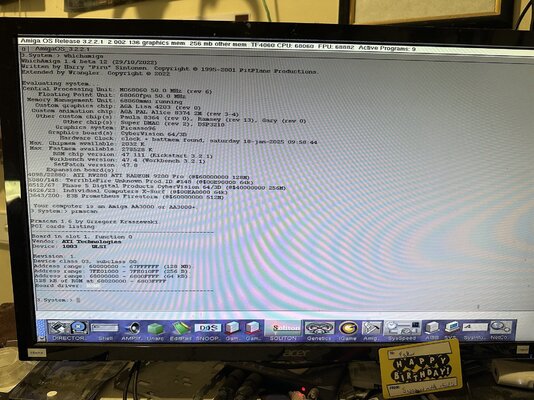
Maybe a A3000 version of the card is different? I tried on my A4000 version and it was a no go. Could be the way I have my system setup. Good to know. Thanks.It maybe a quirk of my own AA3000+ but I've got both a CV64/3d & a Radeon9200 pro running together (Workbench on the CV64, and Doom on the Radeon) with no issues.
We abled to geti it worked following HW
voodoo 3
s3 virge
Realtek 8139 ethernet.
usb card with NEC chip
All works but sound...
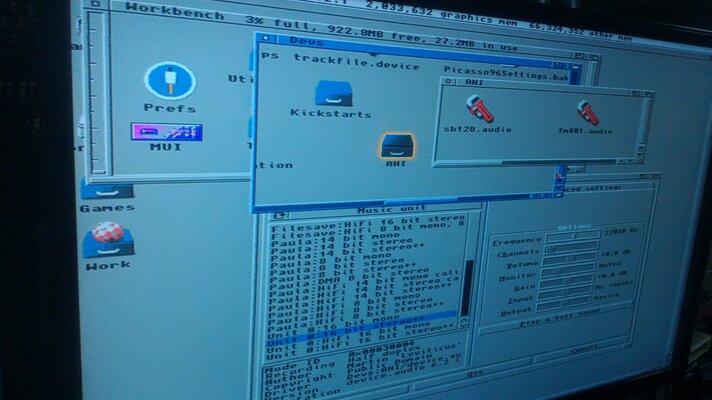
We've tried both sb128 (CT4750) and Fortmedia fm801
I've put those files to the DEVS/AHI
When we open AHI i dont see any of them
any suggestions?
voodoo 3
s3 virge
Realtek 8139 ethernet.
usb card with NEC chip
All works but sound...
We've tried both sb128 (CT4750) and Fortmedia fm801
I've put those files to the DEVS/AHI
When we open AHI i dont see any of them
any suggestions?
We abled to geti it worked following HW
voodoo 3
s3 virge
Realtek 8139 ethernet.
usb card with NEC chip
All works but sound...
We've tried both sb128 (CT4750) and Fortmedia fm801
I've put those files to the DEVS/AHI
When we open AHI i dont see any of them
any suggestions?
Try AHI version 4.18
Aminet - driver/audio/ahiusr_4.18.lha
Then try Version 6
Tried both no chance.
Do you know any compatibility list for sound cards?
Neither sb128 (CT4750) nor Fortmedia fm801 works.
Both were working well with mediator.
See attached photos
Do you know any compatibility list for sound cards?
Neither sb128 (CT4750) nor Fortmedia fm801 works.
Both were working well with mediator.
See attached photos
Attachments
Tried both no chance.
Do you know any compatibility list for sound cards?
Neither sb128 (CT4750) nor Fortmedia fm801 works.
Both were working well with mediator.
See attached photos
List of OpenPCI sound cards here:
OpenPCI MultiOS/MultiHardware PCI/AGP Drivers

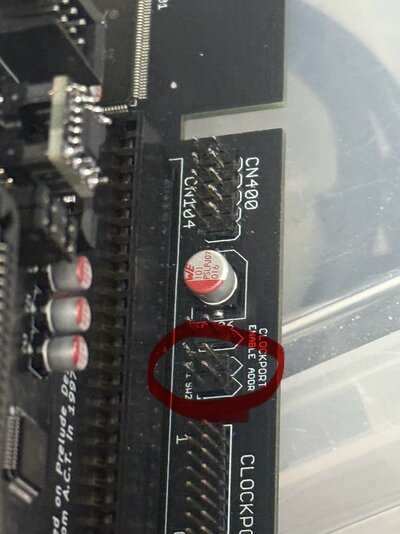
Do I need to put any jumpers here to get it to the kickstart screen? I’m just getting RGB output but no kickstart screen is appearing.
It’s a re-Amiga 3000 and all diagrom tests are 100% ok. Thanks!
Sorry. No idea. The jumpers you are referring to on the picture look to be for Clockport addressing. Which is used to set the Clockport memory address for Clockport add ons such as USB adapters etc..
This looks to be a Revision 1.1? Are you sure you have the right Daughterboard here? The A3000 relies on a Daughterboard present to function, whereas the A4000 doesn't need this requirement.
Have you just tried the Firebird Daughterboard without anything plugged into the PCI and Zorro Slots?
What happens with an Original A3000 Daughterboard?
it is a revision 1.1 and it is for the 3000. I have now got the kickstart screen as it should be. But now I’ve posted below my current headache. Thanks!Sorry. No idea. The jumpers you are referring to on the picture look to be for Clockport addressing. Which is used to set the Clockport memory address for Clockport add ons such as USB adapters etc..
This looks to be a Revision 1.1? Are you sure you have the right Daughterboard here? The A3000 relies on a Daughterboard present to function, whereas the A4000 doesn't need this requirement.
Have you just tried the Firebird Daughterboard without anything plugged into the PCI and Zorro Slots?
What happens with an Original A3000 Daughterboard?
I’ve built a Re-Amiga 3000 that boots to the kickstart screen as it should. I now need to install Workbench. I have the Prometheus 3000 1.1 and Buddha IDE card. How do I get those configured to install workbench. I know there are libraries to install for the Prometheus, but how do I do that without an OS installed?
There is one bug I’m trying sort in the meantime, the floppy, both internal and external, are recognised with the classic click every couple of seconds but they’re not reading discs.
Any help would be greatly appreciated, thanks!
There is one bug I’m trying sort in the meantime, the floppy, both internal and external, are recognised with the classic click every couple of seconds but they’re not reading discs.
Any help would be greatly appreciated, thanks!
I’ve built a Re-Amiga 3000 that boots to the kickstart screen as it should. I now need to install Workbench. I have the Prometheus 3000 1.1 and Buddha IDE card. How do I get those configured to install workbench. I know there are libraries to install for the Prometheus, but how do I do that without an OS installed?
There is one bug I’m trying sort in the meantime, the floppy, both internal and external, are recognised with the classic click every couple of seconds but they’re not reading discs.
Any help would be greatly appreciated, thanks!
Hi,
The driver element for the Prometheus comes in later. Anything you plug into the Zorro slots is treated normally like the standard Daughterboard. So for the Buddha, just plug that in and off it goes.
The drivers really come into it for the PCI side. So for example you need a dedicated RTG card such as the voodoo so that you can setup DMA for any other PCI card you fit, such as USB, Network. All instructions for this can be followed in my first post.