Justin's A1200 tower project

  • Thread starter Thread starter Justin
  • Start date Start date
  • Replies Replies 95
  • Views Views 12659
hi steve and justin do you have problems with the right button as i have one too and cant get it to work do you need software or could it be the type of mouse

great clean job mate

ps justin i wouldnt mind 1 too
 
Last edited:
hi steve and justin do you have problems with the right button as i have one too and cant get it to work do you need software or could it be the type of mouse

ps justin i wouldnt mind 1 too

Hi mate,

I had the same issue with one of my A1200's but it works fine on my other A1200 and both my A4000's, so the issue is the Amiga side.

But the issue, I don't know - timing maybe? :unsure:

Steve.
 
I had the same issue with one of my A1200's but it works fine on my other A1200 and both my A4000's, so the issue is the Amiga side.

But the issue, I don't know - timing maybe? :unsure:

The issue is that the microcontroller has trouble pulling the Right Mouse Button pin low enough to register a mouse click on some motherboards. I think it's because the RMB (and MMB) lines do double-duty as potentiometer inputs, so they're not just logic lines.

It's possible to turn off the Amiga's internal pullups in software, which makes the button work again - but that doesn't help if you need to get into the early start-up menu.
 
These adapters are pretty passive in terms for the Amiga, I suspect that its a power pull problem.

The Amiga Port (on paper) are only able to pump out 50ma (*MAX*) - most Optical Mice are 100ma +

Now the adapter here shares the amperage load across both ports, but is also providing about 20ma to the PIC chip on the adapter.

I suspect its just not enough amps....
 
A bit of topic by now:

Justin, nice work the sony floppy hack I know, not that easy. I like the case, the metal work is over my skills. Good luck wit this and keep us posted...I just hope I do not catch this challenge
 
cheers for the help mate will try on another miggy and see

Incidentally, who makes these, and do they come equipped with a mouse wheel driver?

If so, I'll be happy to take a look, and see if I can patch it to make the RMB work on recalcitrant mobos. If not, I'll throw together a little hack to do the deed.

Edit: Yeah, sorry to drag this OT Justin! :D
 
right then, i got a mouse adapter and it is a very cool bit of kit, 2 joystick ports, ps2 connector and a usb port, complete with mouse, joystick auto switching:thumbsup:

now how on earth do i mount it into the tower???

a wee bit of tweaking and here we go:D

also made some labels so i can remember where everything goes:lol:

And I was going to say your fingers must have hurt from all that filing:lol:

:coffee:
 
cheers for the help mate will try on another miggy and see

Incidentally, who makes these, and do they come equipped with a mouse wheel driver?

If so, I'll be happy to take a look, and see if I can patch it to make the RMB work on recalcitrant mobos. If not, I'll throw together a little hack to do the deed.

Edit: Yeah, sorry to drag this OT Justin! :D

no worries chap.

i bought my adapter from a chap in Ireland on ebay, doesn't come with any software, but it does support "freewheel"
:)
 
Awesome Tower Justin mate! Great idea with the RF shielding! And its nice to see you have covered possible heat issues with the fans and heatsinks placed appropriately :) Good work! :thumbsup:
 
:thumbsup: Awesome - I am missing out on some awesome late night hackery I can see
 
thanks gazzy baby!

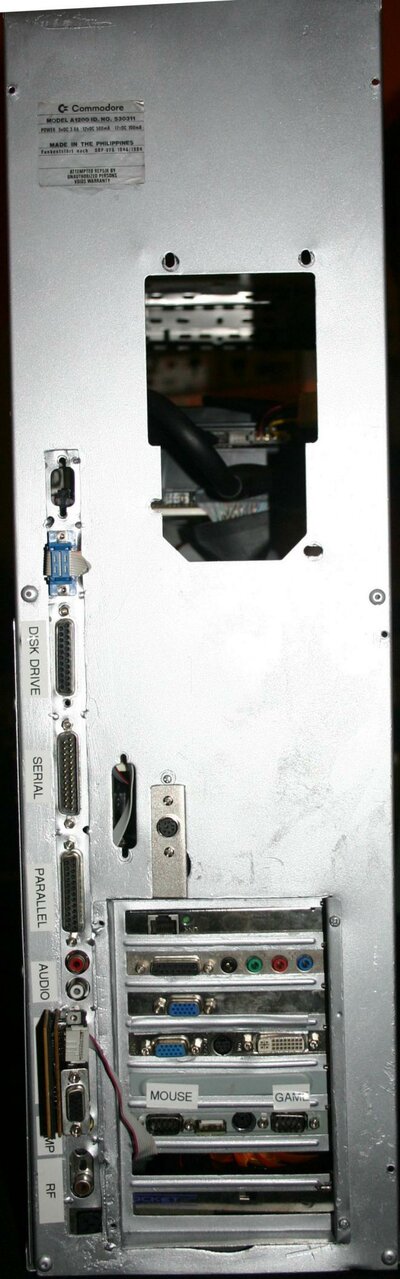
today i fitted a new ps2 keyboard adapter and this time i actually made the back plate myself, yes real dremel and file usage:D

oh and i stuck my old A1200 sticker on the back, authentic huh
 

Attachments

  • keyboard adapter (1).jpg
    keyboard adapter (1).jpg
    172.4 KB · Views: 4
  • keyboard adapter (2).jpg
    keyboard adapter (2).jpg
    139.3 KB · Views: 5
well thanks to Fitzy-poos and johnny-baby, my A1200 now boots:thumbsup:

had some really wierd probs to begin with (I have fixed the problem) here are the symtoms

start amiga, everything would spin up then a black screen then a constant reboot, VERY occaisionally it would boot (say 1 in 20 times), with the rebooting going on it would even boot from floppy:wooha:

anyhoo i sorted that out and then had to start configuring stuff (this is where Johnim and Fitzsteve's help was invaluable!, it is all new to me this mediator stuff)

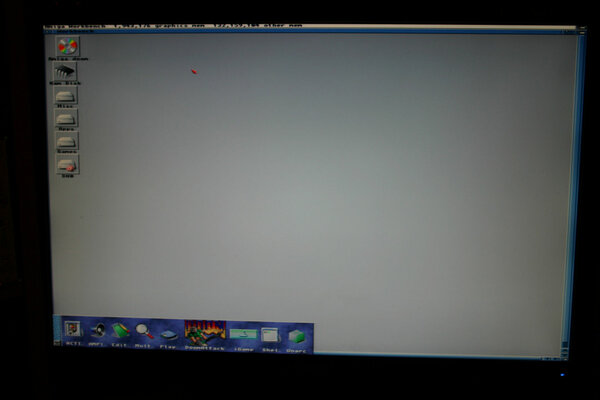
now i have the miggy booting into 3.9 with the voodoo providing the display and the Radeon giving me some fast ram (131mb fast for now, but plans are afoot to change that)

oh yeah and Doom currently runs between 15 and 20 fps


ps2 keyboard and mouse work a treat.

things to do now are...
1) work out how to get the network card working (should i have a flashing light?)
2) work out how to use the sound card.
3) work out why the mouse works in workbench perfectly but seems to only do direction in games (as in no button presses:Doh:)

once again, thank you to all of you that have helped me so much with this, if not for you guys i'd just have an expensive box of bits:roll::grouphug::inlove::thanks::yourock:

 
Last edited:
thanks gazzy baby!

today i fitted a new ps2 keyboard adapter and this time i actually made the back plate myself, yes real dremel and file usage:D

oh and i stuck my old A1200 sticker on the back, authentic huh


Phwooooarrrr!!!!! Awesome dude!!!

You've got enough room to put an A600 in there as well :D
 
thanks gazzy baby!

today i fitted a new ps2 keyboard adapter and this time i actually made the back plate myself, yes real dremel and file usage:D

oh and i stuck my old A1200 sticker on the back, authentic huh


Phwooooarrrr!!!!! Awesome dude!!!

You've got enough room to put an A600 in there as well :D

well maybe an A1? or minimig? or even a Natami?:lol:
 
Great work mate :thumbsup:

Will you be bring to replay? :coffee:
 
depends m8

on if i can suss out the sound card, network card and mouse buttons in game (they work fine in workbench:blased:)
 
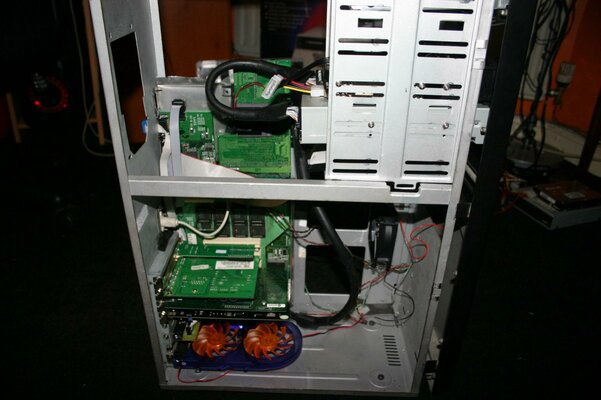
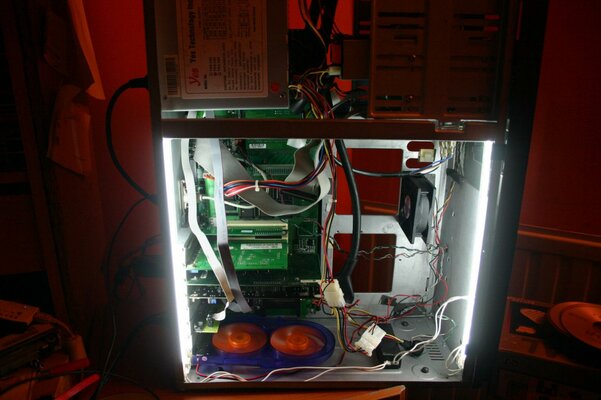
some more piccies to show some progress:)
 

Attachments

  • memory screen.JPG
    memory screen.JPG
    61.3 KB · Views: 4
  • case lights.jpg
    case lights.jpg
    143.7 KB · Views: 3
very nice mate

are you going to have cwb or just 3.9 on it

what res was you testing doom on as mine slows down on anything higher than 320/240


i would advise you to swap the radeon and voodoo over as that voodoo will kill the radeon from heat from the gpu sink and the regulator sink
 
Back
Top Bottom